Videoleap

Videoleap AI Features
Videoleap AI video editor offers a comprehensive suite of features to handle the most common video production tasks within a single mobile interface. The tool combines standard timeline editing with modern AI-driven features, allowing users to modify clips with precision or automate tedious parts of the editing process.
1. AI Infinite Zoom
This feature enables users to create a continuous zoom effect starting from a single image or video frame. It essentially generates content beyond the original boundaries of your clip, producing a surreal, infinite visual that has become a staple for engaging social media content.
2. AI Text-to-Image Generator
When you need specific assets you haven't filmed, this utility lets you describe a visual concept in plain language. The engine then processes the text to create a static image that can be dropped directly into your timeline, which is useful for filling narrative gaps or creating B-roll on the fly.
3. Object Removal
Cleaning up footage is a common requirement in video editing. This AI-powered tool allows you to select unwanted elements, such as photobombers or distracting background items, and remove them from your video. The software then attempts to fill in the background, providing a cleaner, more focused look for your final export.
4. AI Background Generator and Remover
If you find yourself needing a different environment for your subjects, this feature can swap out video backgrounds. It utilizes a cutout tool to isolate the primary subject, allowing you to place them against a generated background or a solid color, which simplifies the process of creating professional-looking clips without a green screen.
5. Advanced Text and Subtitle Tools
Communicating clearly is vital for social media engagement. Videoleap AI provides an automated subtitle generator that transcribes your audio into on-screen text. You can customize the font, style, and placement of your captions to ensure they align with your brand voice.
6. Royalty-Free Audio Library
Sound design is often half the experience of a video. Users get access to an extensive library of royalty-free music and sound effects that can be layered directly into the project timeline. This removes the friction of hunting for licensed music elsewhere.
7. Video Speed and Reversal
Controlling the pace of your video is fundamental for storytelling. You can easily adjust the playback speed of clips to create slow-motion or fast-motion effects. Additionally, the reverse tool allows you to play footage backward, providing a simple way to create unique visual loops.
8. Professional Timeline Editing
Beyond the AI features, the tool supports standard editing functions like splitting, trimming, and merging clips. These foundational tools are accessible through an intuitive interface, allowing you to arrange your raw media into a coherent sequence with precision.
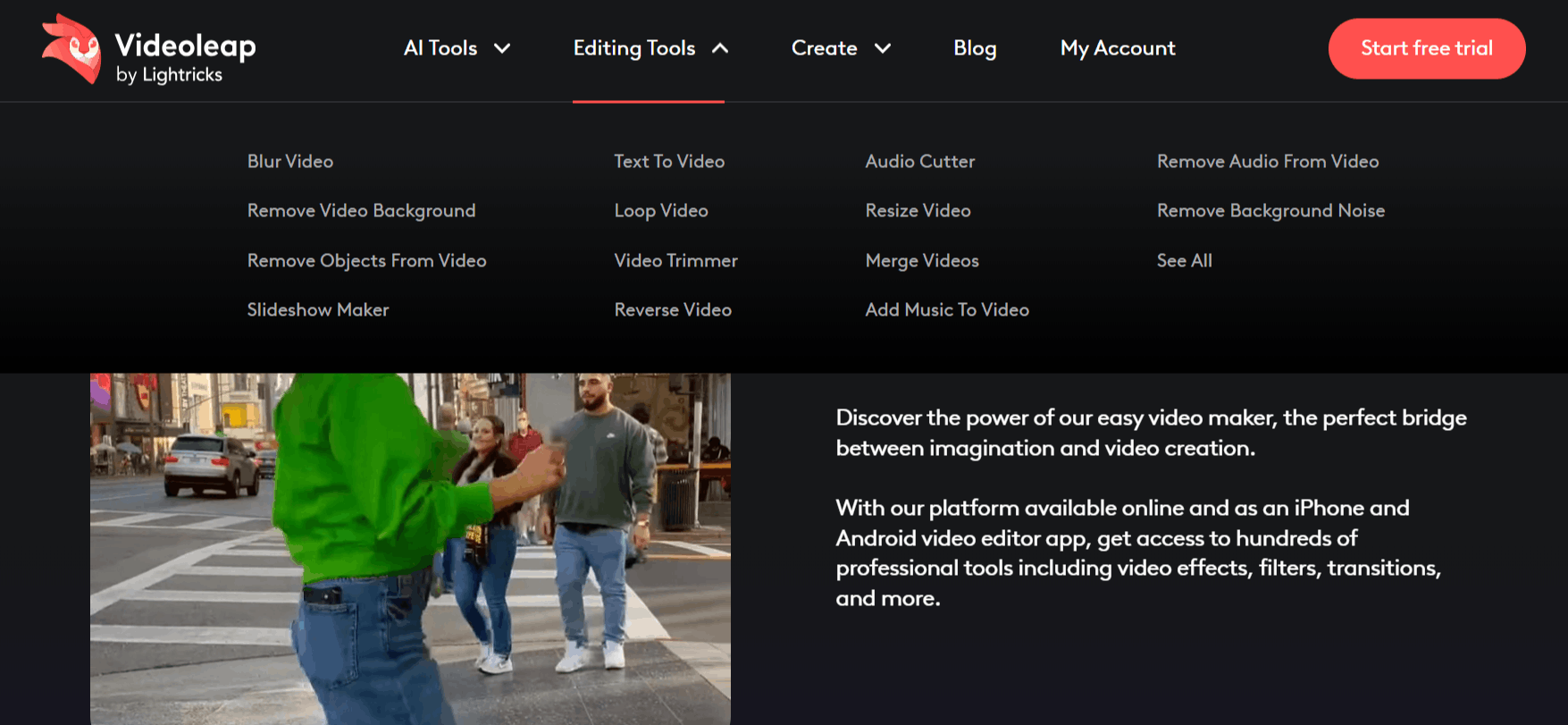
How Videoleap AI Video Editor Works
Getting started with the Videoleap AI software is straightforward, as the interface is built for mobile workflows. You can initiate your project by downloading the software and following these basic steps:
Step 1: Install the application via the App Store or Google Play Store.
Step 2: Open the app and begin a new project, selecting the photos or video clips you want to import from your device gallery.
Step 3: Use the bottom toolbar to trim or arrange your clips on the main timeline, ensuring the narrative flow is correct.
Step 4: Access the 'AI' tab to apply features like background removal, text-to-image generation, or infinite zoom, depending on your creative needs.
Step 5: Add music, text, and filters from the available libraries to enhance the visual and auditory style.
Step 6: Review your work using the playback window, making any necessary adjustments to transitions or speed.
Step 7: Export your finished clip in your desired resolution, ready for direct upload to platforms like Instagram, TikTok, or YouTube.
Videoleap AI Pricing and Subscription Plans
Videoleap AI can be downloaded for free, but several premium editing and AI features require a paid subscription.
Here is a simple overview of the available plans:
1. Free Plan
Cost: Free
What you get: Basic editing tools, standard effects, and limited templates.
Limitations: Some advanced features are locked, and exported videos include a watermark.
2. Videoleap Pro
Upgrading to the Pro plan unlocks premium AI tools, removes watermarks, and enables higher-quality exports.
Monthly Plan: Approximately $9.99 to $12.99 per month.
Annual Plan: Around $69.99 per year, offering better long-term value.
Lifetime Plan: A one-time purchase that typically ranges from $139.99 to $199.99.
Note: Pricing and plan availability may vary depending on your device, region, and current promotions. New users may also receive a free trial to test premium features.
Who Uses Videoleap AI
Many different types of creators use this platform to create content and enhance their production quality.
Content Creators: Individuals making content for platforms like TikTok or Instagram who need to edit and post high-quality videos quickly.
Small Business Owners: Entrepreneurs who want to create professional promotional clips or product showcases without hiring a full production crew.
Vloggers: People documenting their daily activities who need a reliable, easy-to-use editor for putting together cohesive, engaging travel or lifestyle stories.
Marketing Teams: Social media managers who use the platform to generate quick, on-trend promotional videos for brand accounts.
Freelancers: Professionals who handle smaller commercial projects and need a fast, portable solution for editing client content.
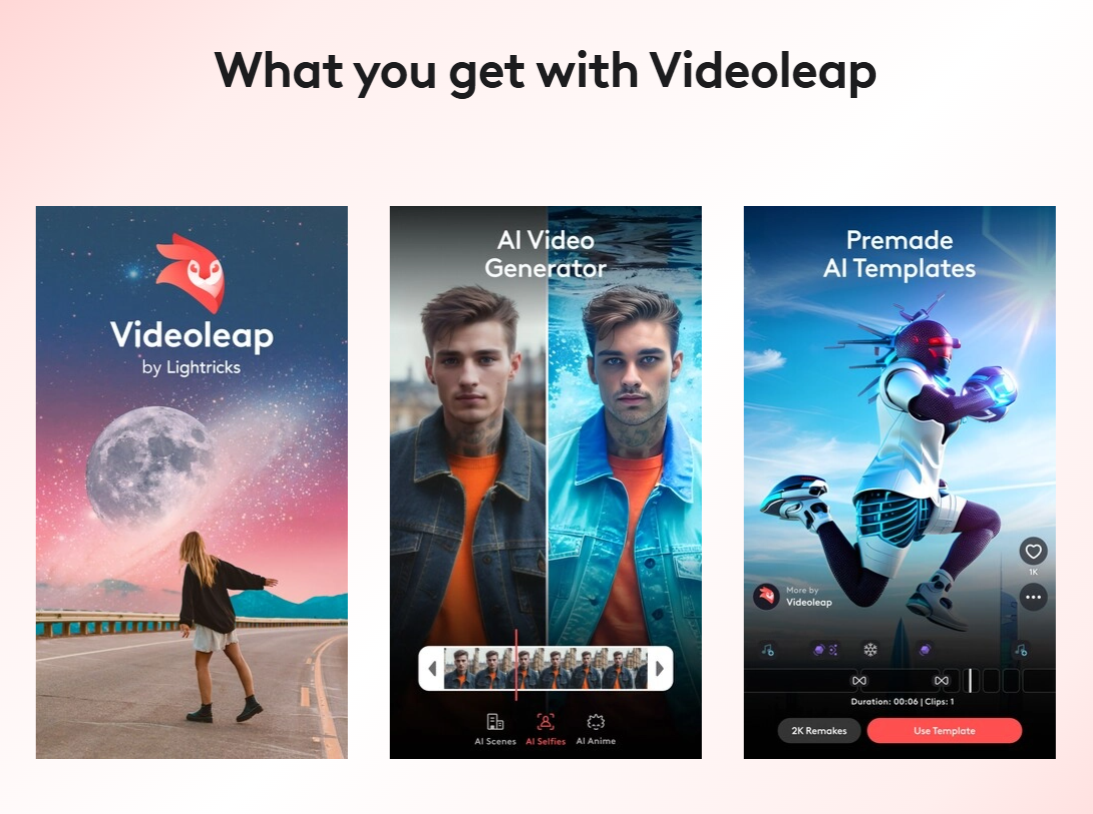
Videoleap AI Pros and Cons
Understanding the trade-offs is important, as no mobile editor is perfect for every use case. Here is what you should consider.
Pros
Intuitive Interface: The layout is clean and logical, making it easy for beginners to start editing without a steep learning curve.
Powerful AI Integration: Tools like object removal and background generation add significant value that is usually reserved for desktop software.
Fast Export Speeds: The app handles rendering efficiently, which is ideal for creators who need to publish content under tight deadlines.
Large Template Library: The premade templates provide a quick starting point, which many users find helpful for maintaining consistency in their social media branding.
Versatile Editing Tools: From trimming to complex layering and masking, the app covers almost all the essential tasks required for high-quality mobile editing.
Regular Updates: The developers frequently release new features, such as updated AI tools, keeping the software relevant to current trends.
Cons
Subscription Costs: You may find the recurring fees to be a limitation, especially if you only edit occasionally.
Resource Intensive: High-resolution editing can be demanding on mobile hardware, sometimes leading to battery drain or device heat during long sessions.
Free Plan Restrictions: The free version of the software is quite limited compared to the paid tier, effectively requiring a subscription for any professional or serious work.
Videoleap AI Alternatives
There is a competitive market for video editors, and depending on your specific needs, other platforms might be a better fit. Below are several Videoleap alternatives to consider:
FireCut
FireCut focuses on automating the boring parts of video editing. It is a great choice if you specifically need help with cutting out pauses or silences in long-form content.
Vizard AI
Designed for turning long-form videos into short clips, this tool is ideal for podcasters or those recording long interviews who need to repurpose content for social media.
Timebolt AI
If your primary goal is speed, this platform excels at cutting dead air from videos automatically. It is a highly focused tool that pairs well with other editors.
Runwayml
Runway is a more professional-grade AI creative suite. You would choose this if you need advanced visual effects that go beyond standard mobile editing.
CapCut
CapCut is a strong all-in-one video editor that works well as an alternative to Videoleap. It offers advanced editing features like multi-layer timelines, keyframe animation, auto captions, background removal, and AI effects.
Klap AI
Klap AI specializes in identifying the best moments from long videos and turning them into viral-ready shorts. It is highly optimized for social media managers.
VEGAS Pro
This is a full-featured desktop non-linear editor. You would move to this if you have outgrown mobile editing and require heavy-duty performance for complex projects.
Wisecut AI
Focusing on automatic editing and subtitle generation, this tool helps creators who want to save time on post-production. It is a solid alternative for interview-style videos.
Descript
This video editing software treats video editing like a text document, allowing you to cut footage by editing a transcript. It is excellent for those who are more comfortable with writing than with traditional timeline manipulation.
Final Verdict and Best For
Videoleap is a highly capable mobile video editor that provides a significant number of AI features in a phone-friendly interface.
It scores an 8/10 for its overall utility, ease of use, and depth of features. It is a great choice for mobile-first creators, social media managers, and vloggers who need to produce high-quality content quickly while on the go.
However, users who require extreme precision for complex, cinematic projects or those who prefer desktop-level granular control might find the mobile-first nature of the app limiting.
If you are comfortable with a subscription and value workflow efficiency, this tool offers a very strong set of features to improve your production quality.
Frequently Asked Questions (FAQs)
This section addresses common questions regarding Videoleap AI functionality and pricing model.
Is Videoleap free to use?
Yes, there is a free version available, but it comes with limitations. To access all premium AI tools, assets, and advanced features, you will typically need to subscribe to a paid plan.
Is Videoleap better than CapCut?
Whether it is better depends on your specific workflow. Both apps offer excellent mobile editing features, but the choice comes down to your personal preference regarding the user interface and the specific AI tools available on each platform.
What is Videoleap used for?
It is primarily used as a video editing app for mobile devices. It is used to trim, layer, and enhance video clips with effects, music, and AI-powered tools for social media content creation.
Is Videoleap available on PC?
While the primary experience is designed for mobile, you can explore the official website to see current availability for desktop usage, though it is fundamentally optimized for iOS and Android platforms.

Videoleap Alternatives
View All