FlexClip

FlexClip AI Features
FlexClip offers a set of tools that are for both creative enthusiasts and busy professionals. Below are some of the most impactful features that make this a popular choice for quick turnaround projects.
1. AI Video Generation
This allows users to turn text prompts, articles, or website URLs into complete video projects. By interpreting your input, the AI selects relevant stock footage, arranges clips, and applies transitions to create a polished starting point.
2. AI Text-to-Speech
FlexClip includes a high-quality voice synthesis engine that turns written scripts into natural-sounding audio. This is a common requirement for tutorials and corporate explainers where recording your own voiceover might be inconvenient or impossible. You can choose from different accents and tones, ensuring the final output matches your intended brand voice.
3. AI Auto Subtitle
Captioning is often the most time-consuming part of editing, but the automatic subtitle generator simplifies the task. The tool detects speech within your video and aligns it with the video timeline. This makes your FlexClip video accessible to wider audiences and viewers who prefer watching content on mute while scrolling through social media.
4. Extensive Stock Library
Access to millions of royalty-free images, videos, and music tracks ensures that you never run out of visual variety. This library is fully integrated into the editor, meaning you can drag and drop assets directly into your project. For those using the Flexclip AI online interface, this eliminates the need to visit external copyright-free media sites.
5. AI Background Remover
With a single click, you can isolate subjects from their backgrounds. This feature is particularly useful for creating professional-looking product showcases or headshots where a cluttered environment would otherwise distract the viewer.
6. Multi-Language Translation
The AI translator works to create multi-language versions of your existing projects. It handles the text layers and can be combined with other AI features to ensure your message is clear, regardless of the viewer's native language.
7. Screen Recording
You can capture your browser, specific windows, or your entire desktop directly within the app. After recording, these files drop instantly into your project timeline for quick trimming and polishing.
8. Dynamic Text and Elements
You can browse through templates and add motion to your projects. These assets help keep the audience engaged through visual changes that maintain a steady pace throughout the video.
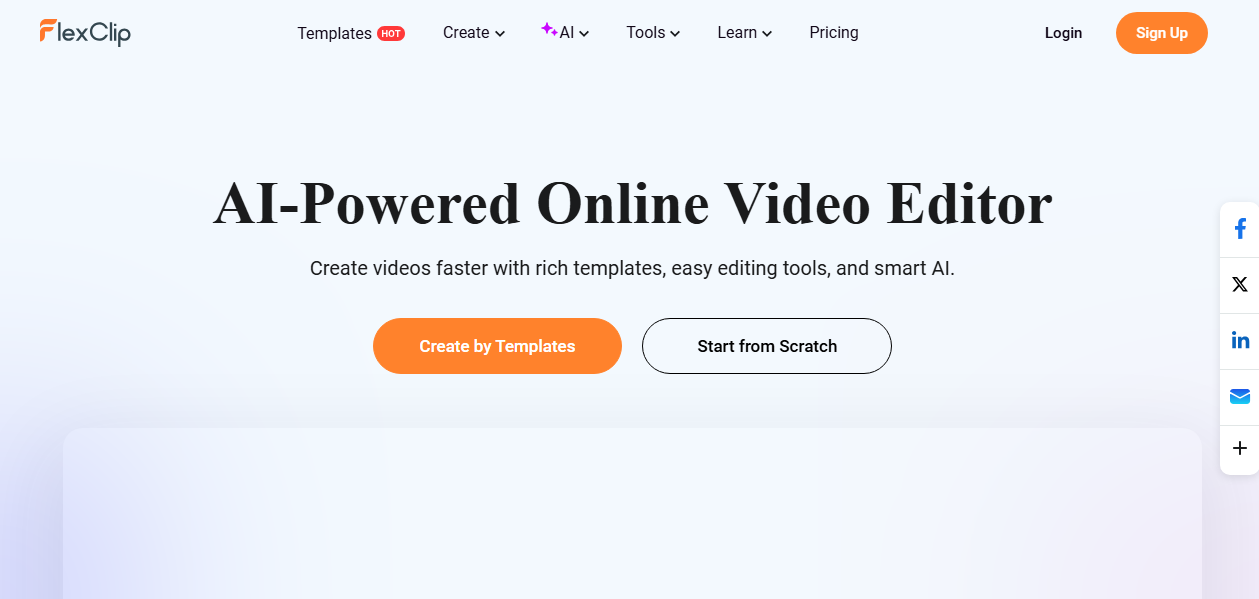
How FlexClip AI Works
Getting started with this platform is straightforward since it operates entirely inside your web browser. Follow these steps to complete your first project and understand the workflow.
Step 1: Visit the official website and log in to FlexClip AI to enter your personal dashboard.
Step 2: Choose whether to start from a library of thousands of templates or open a blank canvas for a custom edit.
Step 3: Use the AI tools if you have a topic in mind, or start uploading your own media assets directly from your device.
Step 4: Utilize the drag-and-drop editor to arrange your clips, trim video length, and add transitions between scenes.
Step 5: Enhance the video by adding overlays, music tracks, and auto-generated subtitles to boost viewer engagement.
Step 6: Preview your work to ensure timing is perfect, then click the export button to download the file in high resolution.
FlexClip Pricing and Subscription Plans
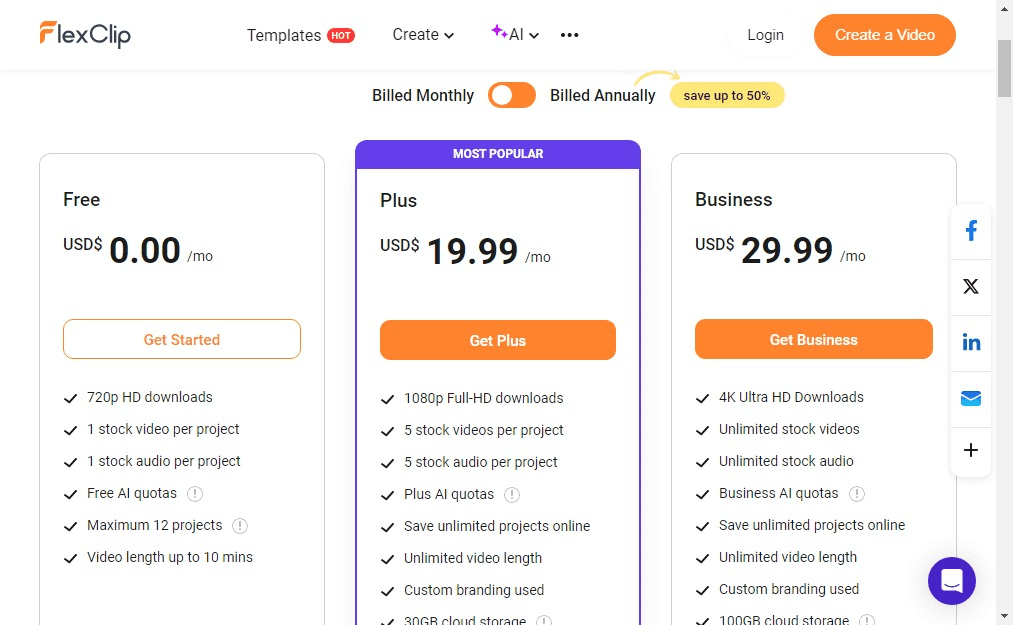
FlexClip provides a tiered pricing model that ranges from free access to professional packages for teams. Each tier builds on the last, offering more storage and higher resolution options.
Plan | Pricing | Features |
Free | $0 | 720p downloads, limited templates, up to 12 projects, and video length up to 10 minutes. |
Plus | $19.99/month | Unlimited projects, 1080p HD downloads, 300 AI credits/month, unlimited video length, 30GB cloud storage, and no watermark. |
Business | $29.99/month | 4K Ultra HD exports, 800 AI credits/month, unlimited stock videos, unlimited video length, 100GB cloud storage, and no watermark. |
Who Uses FlexClip AI
This platform serves different individuals and organizations that need professional visuals without the overhead of traditional software.
Social Media Managers: Create daily content for platforms like Instagram, TikTok, and YouTube with ease.
Small Business Owners: Build promo videos and advertisements without hiring an expensive video production agency.
Educators: Develop visual learning materials and lecture summaries that help students stay engaged with the curriculum.
Freelance Creators: Use the tool as a one-stop shop for quick turnaround projects for clients who need fast, clean results.
Marketing Teams: Generate consistent brand assets and localized video content for international campaigns.
FlexClip Pros and Cons
While FlexClip is a powerful tool, it is worth looking at the strengths and weaknesses reported by the community to see if it fits your specific setup.
Pros
Beginner-friendly: Even those without editing experience find the interface intuitive and easy to navigate.
Generous Asset Library: Having millions of stock videos and music tracks readily available saves significant time.
AI Automation: Features like auto-subtitles and script generation cut down hours of manual labor.
Browser-Based Access: You can work from any computer with a browser without needing to install heavy software.
Templates: Thousands of professionally designed templates provide great inspiration for those who are unsure where to start.
High-Quality Export: Users can export in high resolution, which is essential for professional distribution.
Cons
Chrome Dependency: Some users note that the best experience occurs only within the Google Chrome browser.
Limited Advanced Control: Professional editors might find control over effects and color grading to be basic.
Credit Limits: Video generation using powerful video models like Seedance, Wan, and Kling uses a lot of your plan credits, which might exhaust credits quickly.
Final Verdict and Best For
FlexClip AI earns a solid 8.5/10. It is an efficient, accessible, and feature-rich tool for anyone who needs to make videos quickly without learning professional-grade software.
It is great for content creators, small business owners, and beginners who prioritize speed and convenience over deep, technical editing control.
If you require advanced color grading or frame-by-frame professional manipulation, you would need Descript, Adobe Premiere Pro, DaVinci Resolve, etc., but for most digital creators, FlexClip AI provides great utility.
Frequently Asked Questions
Let’s take some questions users ask about FlexClip.
Is FlexClip really free?
FlexClip offers a free tier that allows users to test the platform and create videos with limited features.
How much does FlexClip cost?
FlexClip pricing varies by tier, offering options for individuals and larger businesses. It provides a free plan. Premium plan starts at $19.99 per month.
What is the best free online video editor?
Many consider FlexClip AI a top contender due to its balance of AI features and ease of use. However, the "best" tool depends on whether you value ease of use, professional-grade control, or asset variety.
What kind of videos can FlexClip AI make?
FlexClip AI is capable of creating almost any video, from marketing promo clips and YouTube trailers to birthday slideshows and educational tutorials. This is because it includes a massive library of templates and customizable AI tools.

"All video models available"
Dooshima
I can simple use all the video models in one place which I love so much.
FlexClip Alternatives
View All