ReelForge AI

ReelForge AI Key Features
ReelForge AI provides a comprehensive suite of features for high-retention short-form video, focusing on minimizing platform detection while maximizing engagement metrics.
1. The Originality Engine
ReelForge AI generates over 530 million unique combinations across nine different variables, including lighting, camera angles, narrative structure, and color palettes. This feature prevents "pixel fingerprinting," where algorithms group your content with other template users, thereby protecting your channel from the widespread shadowbans.
2. Daily Story Engine
The platform automatically generates and posts a sequence of Stories, such as hook-payload-CTA flows, on a consistent daily basis. This can be important for creators who need to maintain a presence without constantly being inside the app, and it addresses the challenge of keeping engagement high on temporary content surfaces.
3. Automated Post-Production
ReelForge AI handles the entire post-production cycle internally, including script generation, high-quality voiceover synthesis, and beat-mapped music integration. Automating the syncing process, it creates a final product that feels cohesive.
4. Native Platform Optimization
The platform specifically formats every video generated to a 9:16 aspect ratio at 24fps, with captions that are "safe-zone-aware." This ensures that the content is optimized for the UI of TikTok, Reels, and Shorts, preventing critical text from being obscured by native platform buttons or profile icons.
5. Multi-Language Support
Supporting 29 languages, the video generator allows for broad accessibility and reach. It tries to match the voice and captioning layers to your audience's target language without needing to manually translate or re-edit your content in another program.
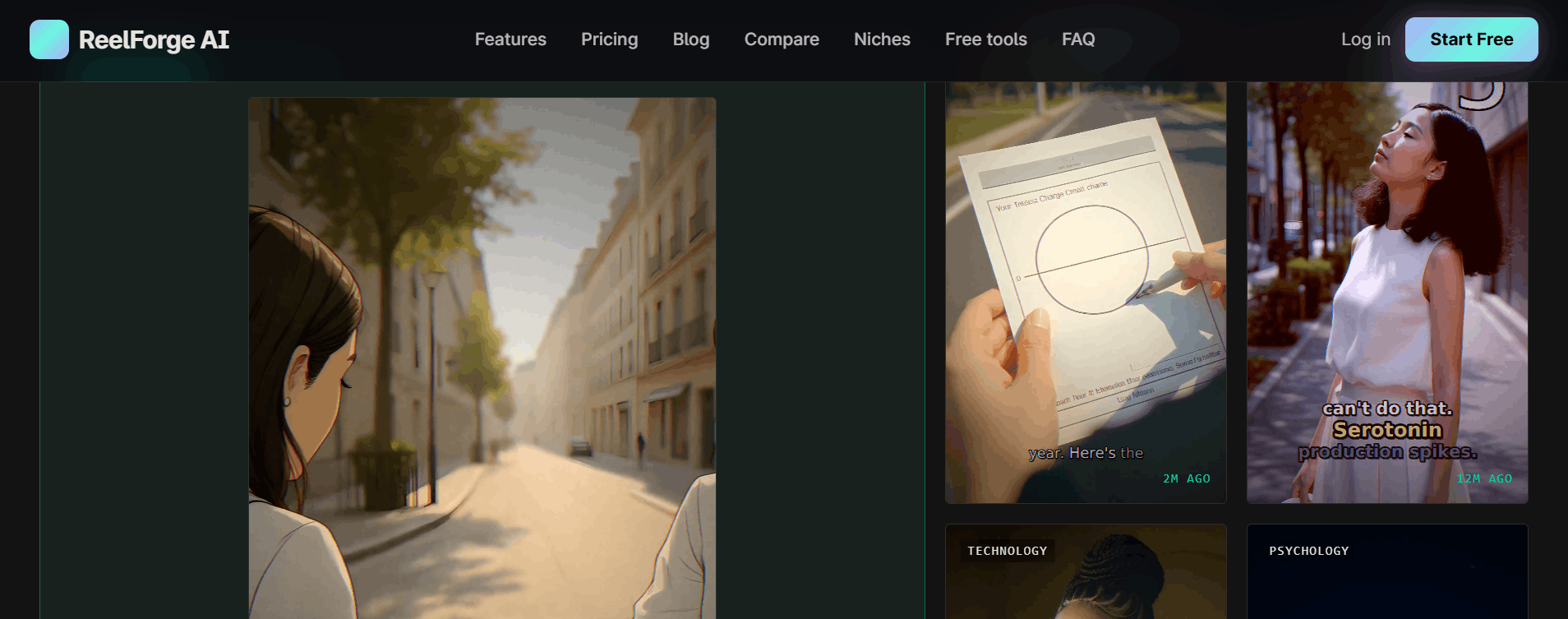
How ReelForge AI Works
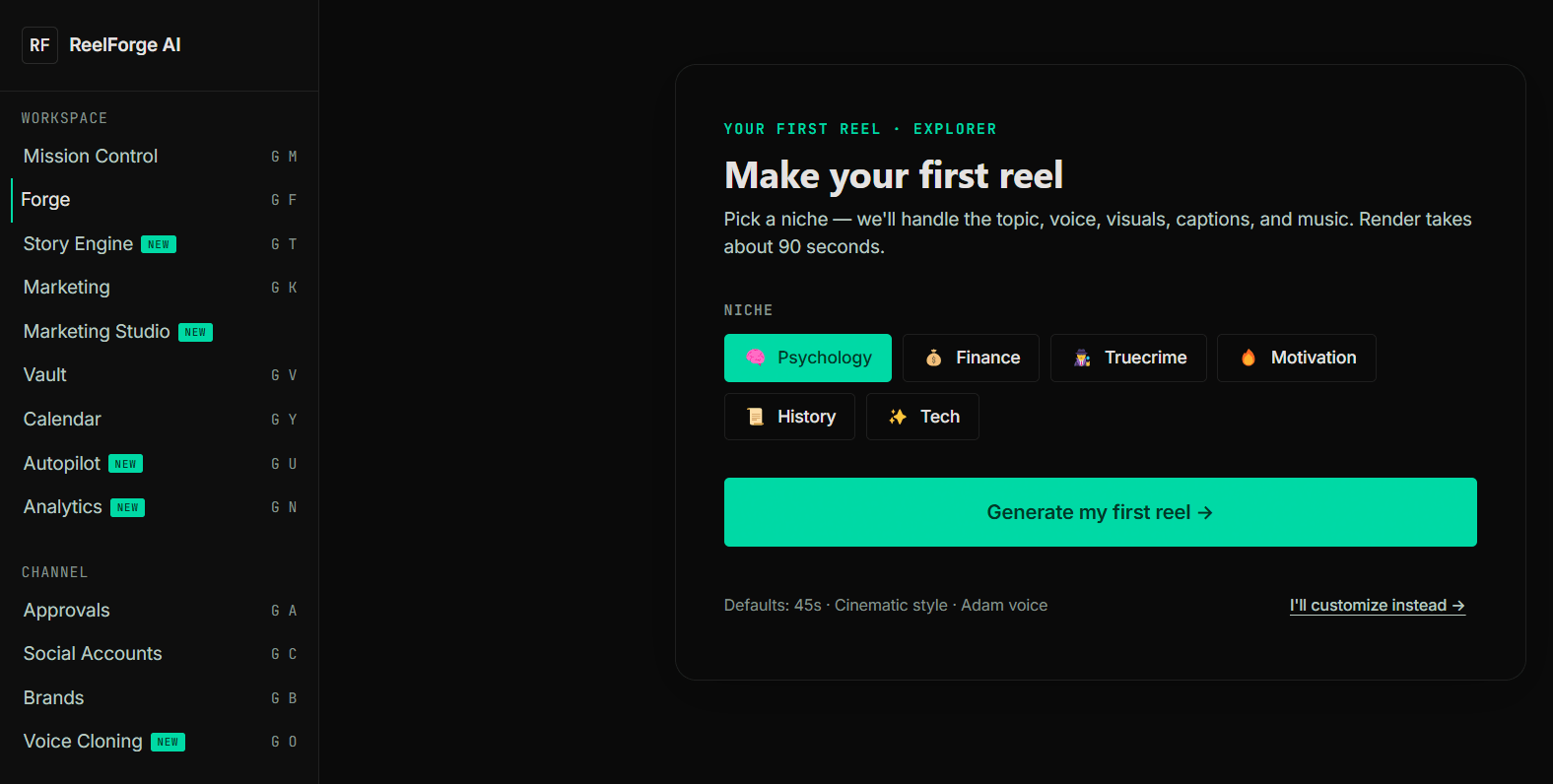
Getting started with ReelForge AI is easy, prioritizing a "prompt-to-post" workflow that removes the need for traditional video editing skills.
Step 1: Input your topic or prompt into the dashboard. You can define the niche, the tone, and the goal of the video.
Step 2: The system processes your request through the Originality Engine, which pulls from diverse narrative structures and visual styles rather than static templates.
Step 3: The AI renders the script, voiceover, music, and visuals simultaneously. You can then review the output in the dashboard.
Step 4: Once satisfied, you can schedule the video for automatic posting directly to your connected TikTok, Instagram, or YouTube accounts.
Step 5: For users on higher tiers, the Story Engine automatically handles your daily content cadence, posting updates while you focus on channel strategy.
ReelForge AI Pricing
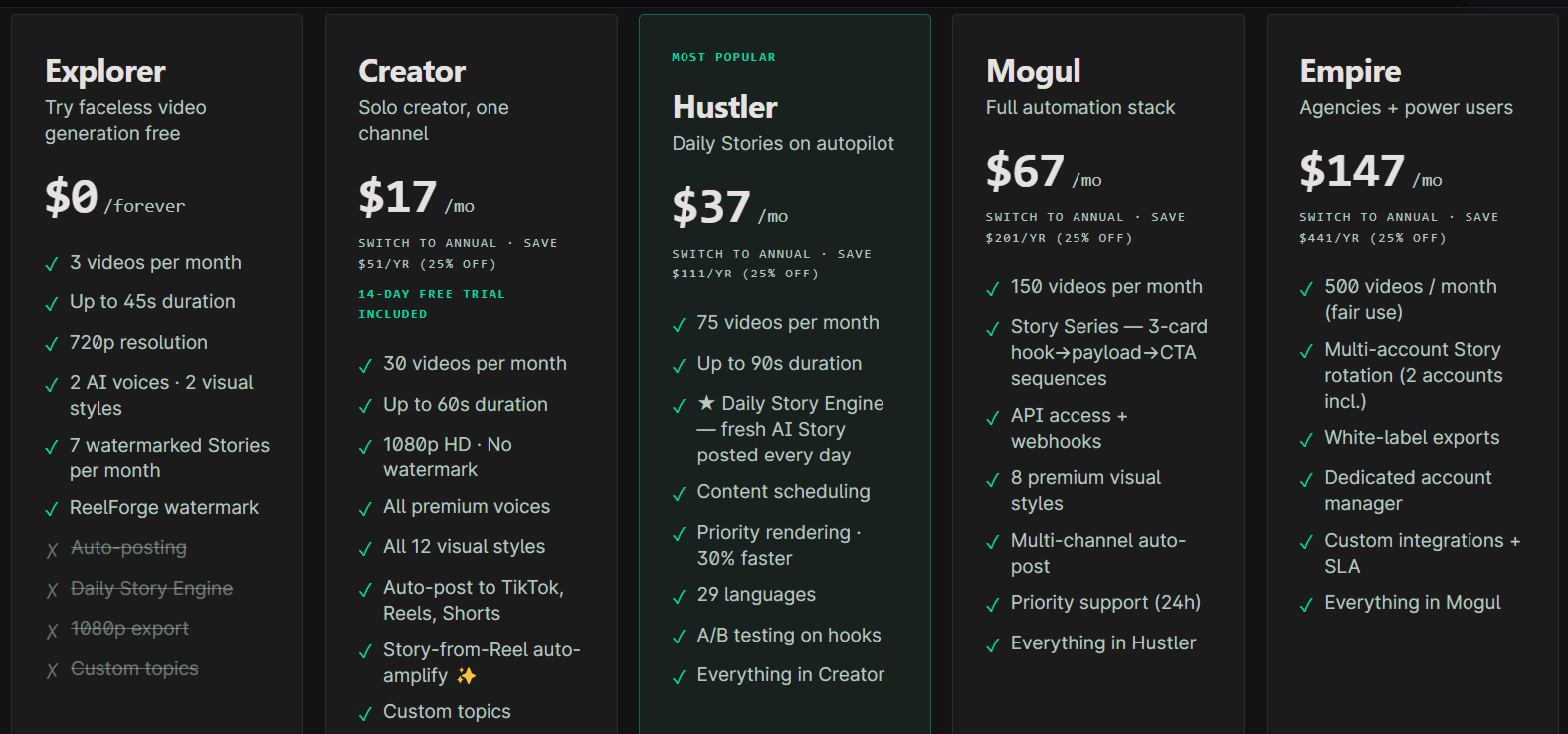
ReelForge AI offers a tiered pricing model that includes a free entry-level option to an agency-grade "Empire" plan, focusing on transparency and flexibility.
Explorer: Free forever, providing 3 videos per month at 720p with watermarks. Ideal for testing the waters.
Creator: $17/mo (or $153/yr), for solo creators managing one channel. Includes 30 videos per month, 1080p exports, and auto-posting.
Hustler: $37/mo (or $333/yr), for daily posting. Includes 75 videos per month and the Daily Story Engine.
Mogul: $67/mo (or $603/yr), for portfolio operators. Includes 150 videos per month, API access, and 3-card Story series.
Empire: $147/mo (or $1323/yr), for agencies. Includes 500 videos per month, white-label exports, and a dedicated manager.
Use Cases
ReelForge AI serves different digital creators who need to maintain a presence without personal brand fatigue.
1. Faceless Channel Operators
Faceless channel owners, who run YouTube Shorts or TikTok channels based on topics like finance, history, or psychology, use the tool to maintain a daily posting schedule. It removes the risk of being labeled as "AI slop" by creating high-variety, visually unique content.
2. Content Repurposing Specialists
Educators and long-form creators use the tool to extract, condense, or summarize their deeper content into quick, punchy clips. It turns 30-minute educational videos into a week’s worth of high-engagement social media bites.
3. DTC Brand Marketing Teams
Brands use the tool to generate high-volume, UGC-style advertisements to test different messaging and visual styles quickly. It allows a lean marketing team to run A/B testing on ad creatives at scale.
4. Multi-Channel Portfolio Managers
Individuals managing 5–20+ different channels benefit from the centralized dashboard and API access. It allows them to maintain a complex content machine without needing a massive editing staff.
5. Solopreneurs with Full-Time Jobs
For those treating social media as a secondary income stream, the automation features allow them to set their posting schedule in 20 minutes on the weekend.
ReelForge AI Pros and Cons
While ReelForge AI offers a robust solution for automation, every tool has its trade-offs depending on your specific needs.
Pros
Algorithm-Safe Design: By focusing on high variety, it avoids the common pitfalls that get other AI content flagged or shadowbanned.
True All-in-One Workflow: It collapses the need for seven separate subscriptions into one, saving significant monthly overhead and time.
Native Story Automation: The inclusion of a Daily Story Engine is a standout feature not commonly found in other video generators.
No-Template Approach: The Originality Engine ensures each video feels distinct, solving the "flat AI look" complaint mentioned by early users.
Transparent Pricing: The clear, tiered structure without hidden "per-render" fees makes it easy for creators to budget their growth.
Intuitive UI: Users report that the interface is straightforward and requires no prior knowledge of video editing software.
Cons
Monthly Caps: While predictable, the hard caps on video output per month might frustrate high-volume power users who don't want to upgrade.
Platform Reliance: Dependence on Instagram/TikTok API means that changes in these third-party platforms could impact auto-posting functionality.
Niche Specificity: The tool is deeply optimized for short-form, which might leave creators wanting to produce long-form content needing a secondary solution.
Final Verdict and Best For
ReelForge AI is a highly focused, purpose-built tool that addresses the most significant pain point for faceless creators: the risk of platform-wide algorithmic punishment. By trading traditional templates for an originality-driven engine, it provides a safer, more sustainable way to post daily.
While it isn't an editing suite for long-form films, its utility for the "faceless influencer" niche is difficult to match. For those looking to manage a portfolio of channels or automate a side-hustle with minimal friction, this tool earns a solid 8.5/10.
It is best for efficiency-focused creators who value consistency over hyper-customization and should be skipped by those who need high-touch, complex visual effects that require manual editing mastery.
Frequently Asked Questions (FAQs)
Let’s take some of the questions you might have about ReelForge AI.
Why are channels using template tools getting wiped in 2026?
Platforms are increasingly using "pixel fingerprinting" to identify repetitive content. When you use common templates, your videos look identical to thousands of other creators, leading algorithms to cluster your channel with low-quality content and lower your reach or demonetize your account.
What happens to the reels I’ve already generated if I cancel?
All ReelForge AI videos you generated remain your property. You can download your MP4 files at any time, and they remain live on any platforms where you have already posted them.
Why does faceless work in 2026 when on-camera doesn't scale?
Faceless content is parasocial-neutral, meaning the audience engages with the idea or the niche rather than a personality. This removes the burnout associated with maintaining a brand around a specific human face and allows for easier scaling across multiple channels.

ReelForge AI Alternatives
View All