Limecraft

Limecraft Core Features and Capabilities
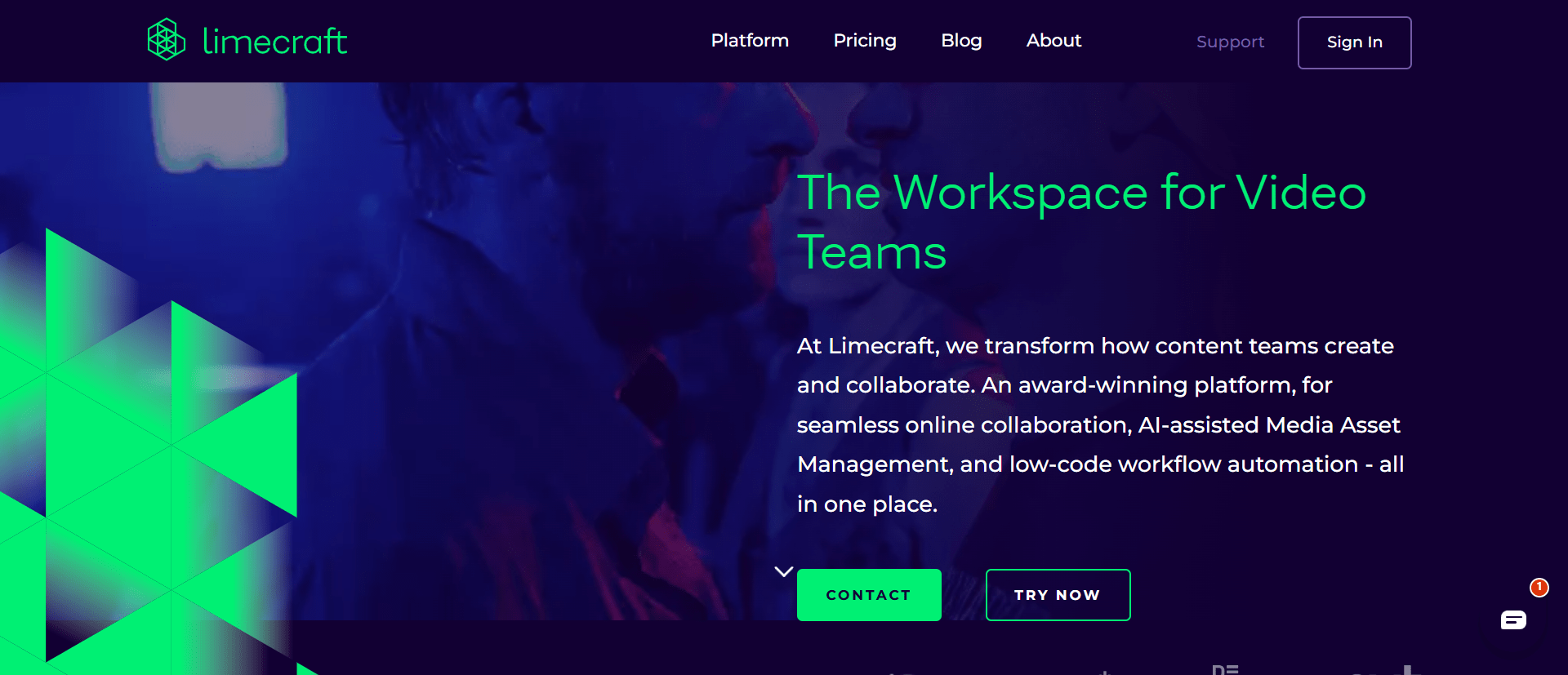
Limecraft functions as a Media Asset Management (MAM) system that stays with your project from start to finish. It is divided into two primary components: Limecraft Edge and Limecraft Flow.
Ingest and Backup (Limecraft Edge): This software handles the heavy lifting of getting footage into the system. It offers checksum-verified backups to ensure your source media is safe and can sync audio and video rushes automatically based on timecodes. It also handles transcoding, which allows you to upload high-quality proxies to the cloud even if you have low bandwidth.
Media Management (Limecraft Flow): This is the central hub where you find and manage your content. It includes a powerful search engine that uses metadata to help you retrieve specific clips quickly.
AI-Powered Intelligence: One of Limecraft’s standout features is its use of Artificial Intelligence. The platform can perform facial, character, and image recognition, making it much easier to tag and locate specific people or objects within hours of footage. It also offers automated transcription and subtitling, which can cut turnaround times and significantly reduce costs.
Collaborative Tools: The workspace allows teams to share media securely via links. Reviewers can leave time-stamped comments and threaded replies directly on the video, which simplifies the approval process.
Editing Integration: You can build "shot lists" or rough-cut assemblies within Limecraft and export them directly to professional suites like Adobe Premiere Pro or Avid Media Composer. There is even a dedicated panel for Premiere Pro that lets you manage subtitles without leaving your editing timeline.
Common Use Cases
The platform is flexible enough to handle various production styles, offering "off-the-shelf" solutions for specific needs.
Documentaries and Unscripted TV: Producers use it as a central hub for rushes and semi-finished work, allowing directors and editors to collaborate remotely on storytelling.
Scripted Productions: It manages complex workflows where keeping track of different versions and metadata is critical.
Archiving and Preservation: Large organizations use Limecraft to manage massive digital collections, sometimes reaching petabytes of data.
Subtitling and Localization: Because it combines speech-to-text with machine translation, it is a go-to tool for teams needing to reach global audiences quickly.
Limecraft Pricing
Limecraft uses a tiered pricing model based on the size of your team and the volume of your media. Note that some features, like AI transcription, carry additional "pay-as-you-go" costs.
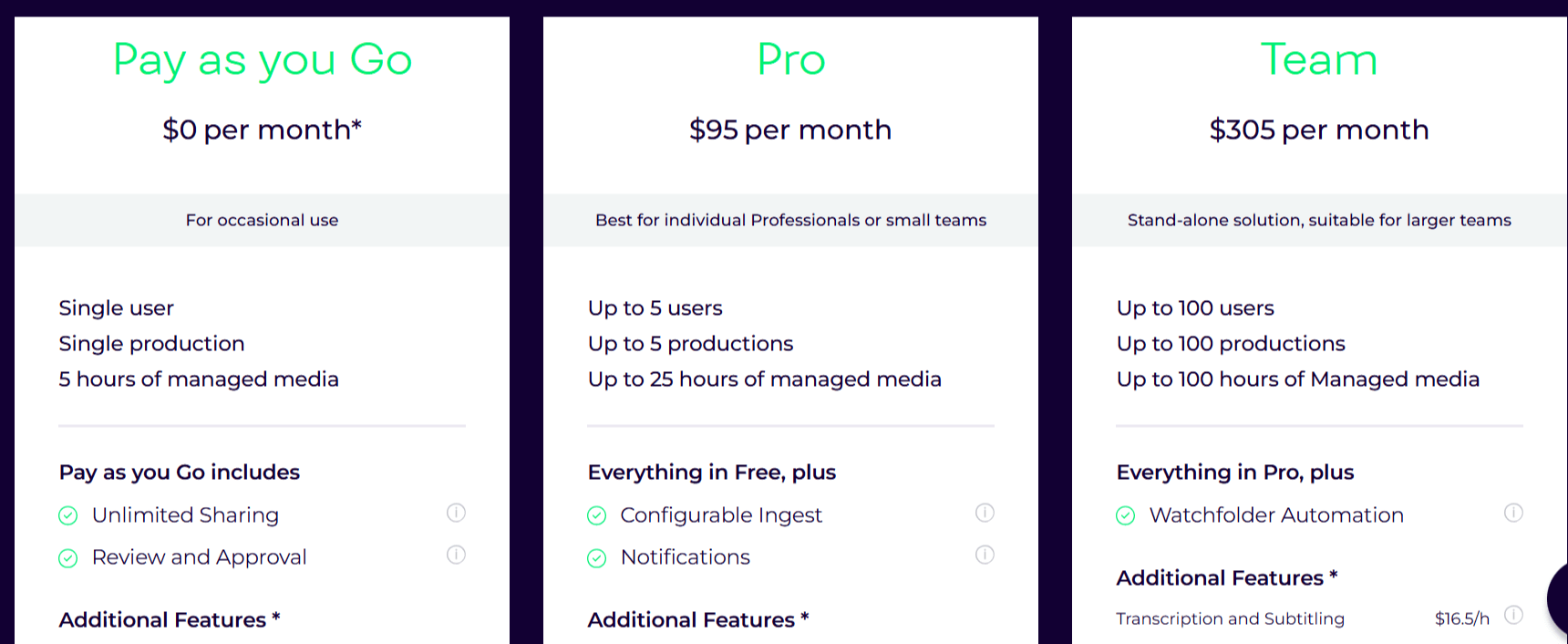
Pay as you Go (€0/month): This is for occasional use by a single user on a single production. It includes 5 hours of managed media and unlimited sharing.
Pro (€85/month): Best for small teams (up to 5 users). It covers 5 productions and 25 hours of media, adding configurable ingest options.
Team (€275/month): Designed for larger teams of up to 100 users. It includes 100 productions, 100 hours of media, and watchfolder automation to streamline the ingest process.
Enterprise (Custom Pricing): This top-tier plan offers unlimited users and productions, Avid integration, watermarking, and a dedicated account manager.
Additional Costs: You should budget for "extras" like transcription and translation, which cost approximately €15 per hour of processed content. Extra storage or rendering services also incur additional monthly fees.
Pros
Automation: The AI tools for transcription and object recognition save thousands of hours of manual logging.
Hybrid Storage: You can keep high-resolution files on local storage while managing proxies in the cloud, which balances cost and performance.
Collaboration: Real-time remote feedback helps teams stay aligned regardless of their physical location.
Security: It offers role-based access control and secure repositories for premium content.
Cons
Complexity: The different features and settings might be overwhelming for very small, simple projects.
Variable Costs: While the base price is clear, the hourly costs for AI services and storage overages can add up if not monitored closely.
Limecraft Alternatives
While Limecraft is a powerhouse for broadcast and high-end media asset management, these four alternatives offer specialized AI-driven workflows tailored for marketing, social media, and rapid content creation.
So, if Limecraft doesn't fit your needs, you might consider the following tools:
Streamable: Focuses on frictionless velocity and simplicity for rapid video sharing and prototyping.
Wistia: Prioritizes marketing ROI and lead generation over traditional media storage.
Vimeo Create: Simplifies production and hosting with an AI script generator that turns simple prompts into full scripts.
Conclusion
Limecraft is more than just a storage site; it is a digital assistant that helps video teams organize, edit, and deliver content. With a strong commitment to sustainability and security, it serves as a future-proof backbone for modern production houses.
Think of Limecraft as a digital nervous system for a film set. While the cameras act as the eyes and the editors act as the brain, Limecraft is the network that instantly carries the signals between them, ensuring every "memory" (clip) is tagged, organized, and ready to be used at a moment's notice.

Limecraft Alternatives
View All