Vimeo Create

Vimeo Features
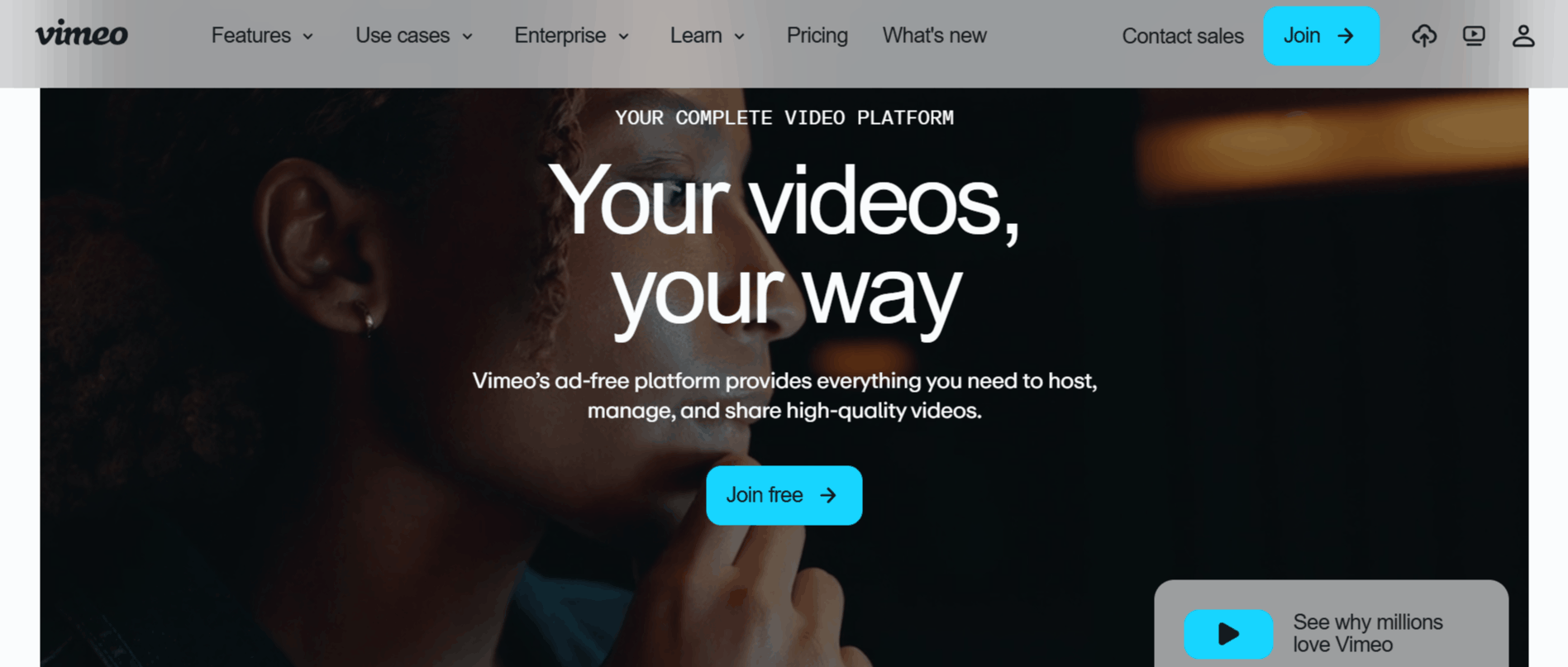
Vimeo offers a toolset to simplify the complex processes of video production, hosting, and distribution. Each feature is crafted to ensure your content reaches its audience exactly as intended, without the friction of competing ads or broken player experiences.
1. Ad-Free Customizable Player
The core of the Vimeo experience is its signature video player, which remains entirely ad-free. This allows your brand to stay front and center without external distractions, and you can fully customize the player's color palette, logo, and control buttons to match your website's aesthetic.
2. AI-Powered Video Translation
Managing a global audience is now easier with built-in AI translation. You can automatically translate your video, audio, and captions into dozens of languages, ensuring your message reaches international viewers quickly and cost-effectively.
3. Professional Live Streaming
For those hosting webinars or virtual events, Vimeo provides a high-quality streaming suite. It includes features like real-time Q&A, audience polling, and integrated chat functionality, allowing you to engage with viewers during live broadcasts without needing separate hardware.
4. Secure Video Management
Privacy is a priority on this platform. Users gain access to granular controls, including password protection, private link sharing, and domain-level privacy, which ensure that only authorized viewers can access your sensitive or internal company content.
5. Integrated Screen Recording
Similar to dedicated productivity tools, the platform offers a built-in screen and camera recorder. This allows you to create tutorials, feedback videos, or presentations directly from your desktop, which can then be trimmed and shared in minutes.
6. Advanced Engagement Analytics
Vimeo provides deep insights into how your viewers interact with your content. You can track completion rates, drop-off points, and engagement metrics, which help you refine your strategy based on real-world audience behavior.
7. Lead Generation Tools
To turn viewers into customers, you can embed customizable forms directly into your videos. This is an excellent way to capture email addresses or contact info while a prospect is actively watching your content, syncing seamlessly with major email marketing providers.
8. Shopify Integration
For online retailers, the direct integration with Shopify is a game-changer. It allows you to display high-quality product videos directly on your store pages, helping to drive conversions and provide a more interactive shopping experience.
How Vimeo AI Works
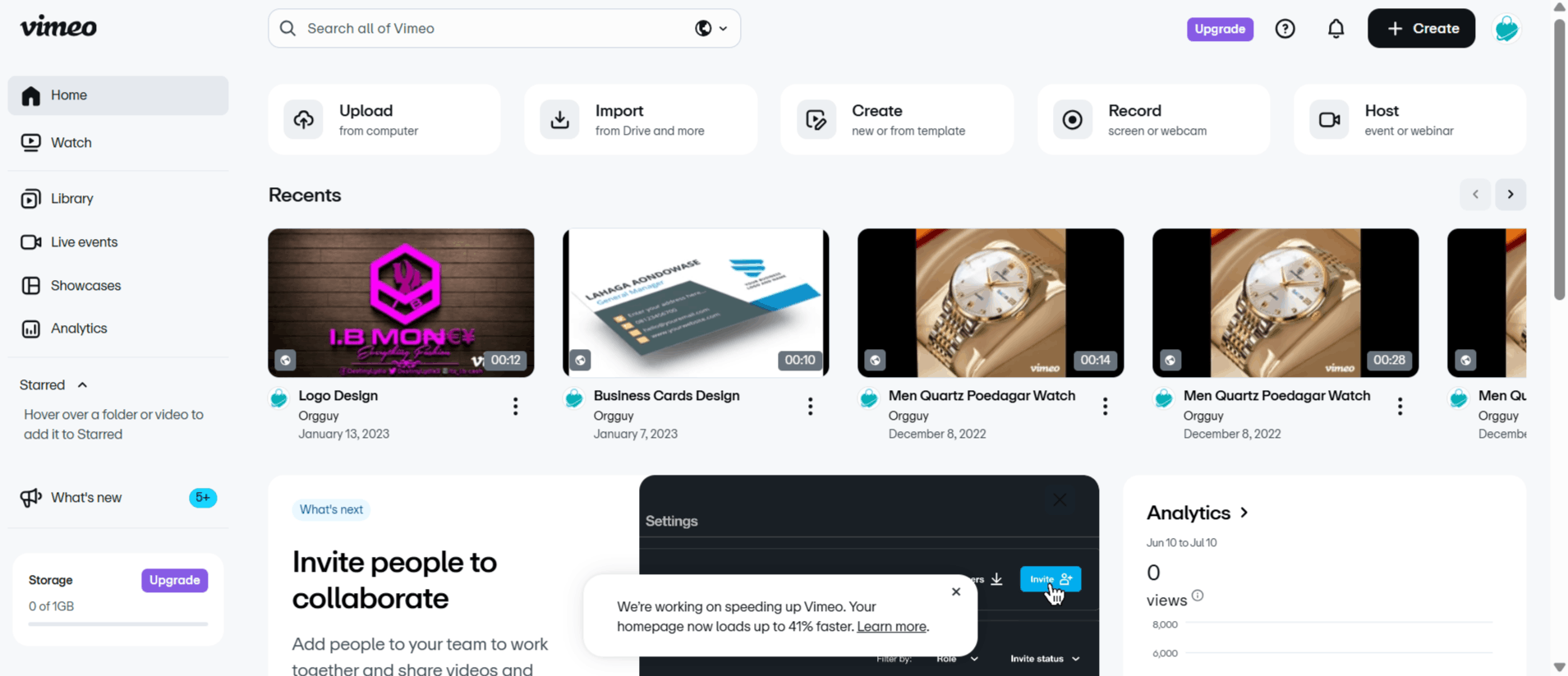
Getting started with Vimeo is a straightforward process that moves from initial account setup to polished video distribution. Here is the typical workflow for a new user navigating the system.
Step 1: Sign up for an account by visiting the official website, where you can select the plan that fits your storage and feature needs.
Step 2: Use your Vimeo login to access the dashboard, where you can either upload existing video files or use the platform’s tools to record a new one.
Step 3: Utilize the built-in editor or collaboration tools to trim your clip, add branding, or insert lead-gen forms.
Step 4: Configure your privacy settings to decide if the video is public, password-protected, or restricted to specific websites.
Step 5: Copy the embed code or share the direct link to distribute your content across your website, social media, or email campaigns.
Step 6: Monitor the performance of your video using the analytics dashboard to see how many people watched and engaged with your content.
Vimeo Pricing and Subscription Plans
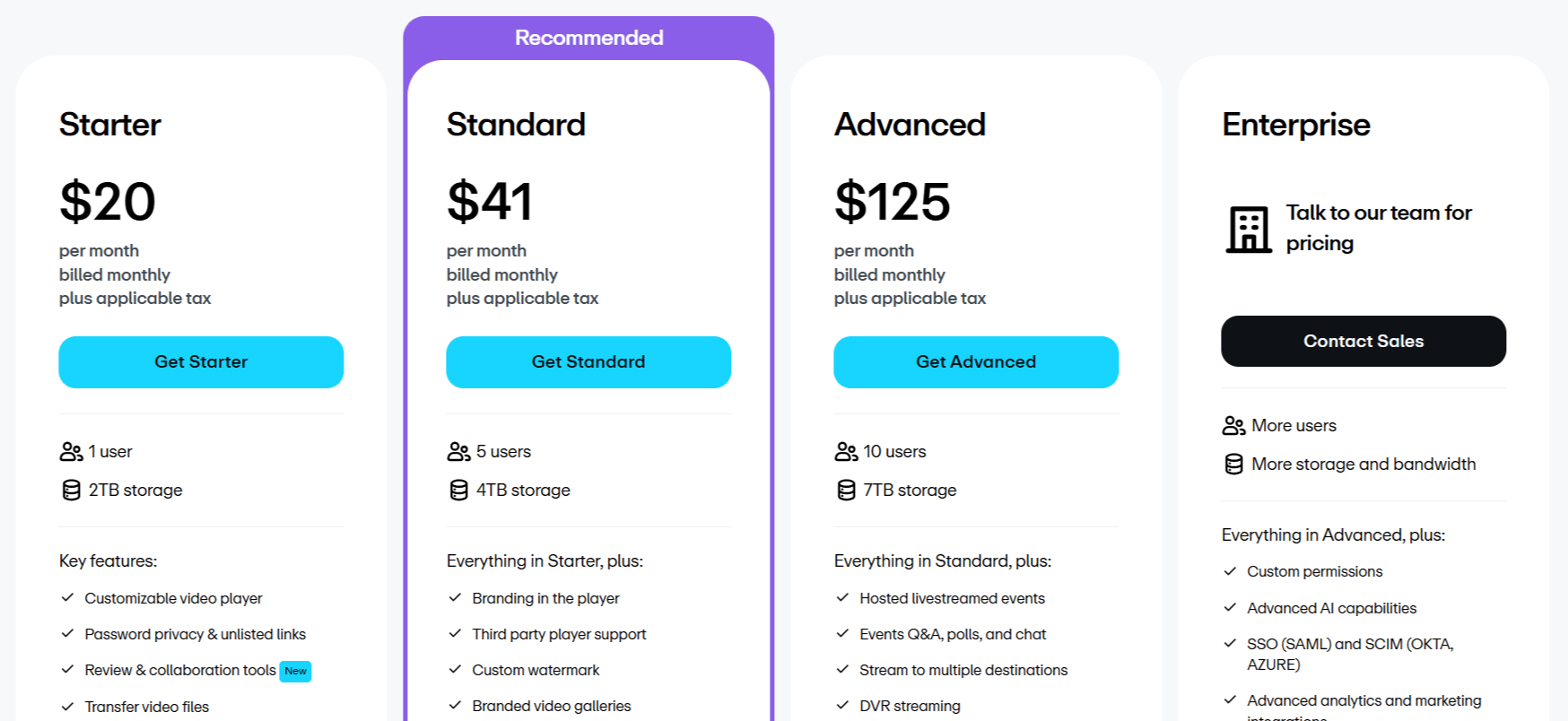
Vimeo offers four subscription options for different business scales.
Starter: $20 per month for 1 user and 2TB storage, featuring a custom player and basic engagement analytics.
Standard: $41 per month for 5 users and 4TB storage, adding branding, lead capture, and custom calls to action.
Advanced: $125 per month for 10 users and 7TB storage, including live-streaming, webinar tools, and marketing integrations.
Enterprise: Custom pricing for businesses requiring SSO, advanced security, and dedicated support.
Who Uses Vimeo AI
Many different types of professionals rely on Vimeo AI because of its stability and high-quality presentation capabilities.
Content Creators: Use Vimeo AI to showcase portfolios and high-resolution video projects in a professional, ad-free environment.
Small Business Owners: Utilize the player and lead-generation features to turn video views into direct sales or newsletter sign-ups.
Marketing Teams: Benefit from detailed analytics and branding controls to measure the success of campaigns and maintain brand consistency.
Educators and Coaches: Rely on the platform to host training sessions, private courses, and recorded lectures for students.
Enterprise Organizations: Use the secure infrastructure for internal communication, employee training videos, and live-streamed company town halls.
Vimeo Pros and Cons
Understanding both the advantages and limitations of the platform is important for deciding if it is the right tool for your workflow.
Pros
Ad-Free Experience: Your viewers will never be distracted by pre-roll or mid-roll ads, which keeps the focus entirely on your content.
High-Quality Streaming: The platform handles 4K video with ease, ensuring a premium viewing experience across all devices.
Robust Privacy: Advanced security settings make it ideal for private internal communications or client-only videos.
Excellent Collaboration: Time-coded comments and version history make it easy to work with clients on video edits.
Strong Branding: The ability to customize every aspect of the player helps you maintain a professional brand image.
Reliable Performance: The platform is known for its stability and speed, which are crucial for professional business applications.
Cons
Storage Limits: Users with massive libraries may find the storage caps on lower tiers somewhat restrictive as they grow.
Pricing Structure: Compared to free social platforms, the monthly subscription cost can add up for solo creators on a budget.
Limited Social Reach: Unlike public social networks, you do not get the "viral" discovery algorithms, so you must bring your own audience.
Learning Curve: Because there are so many settings and tools, new users might feel overwhelmed before they learn where everything is located.
Vimeo Alternatives
If you are searching for a specialized video solution, you may want to compare Vimeo against other tools that offer distinct features for different creative needs.
Wistia
Wistia is a video hosting platform designed for businesses, offering advanced analytics, customizable players, lead generation tools, and marketing integrations.
Wave.video
Wave.video combines video creation, editing, live streaming, and hosting in one platform, making it well-suited for creating and publishing marketing content.
Streamable
Streamable is a lightweight video hosting platform focused on fast uploads, simple sharing, and easy embedding, making it ideal for quickly distributing videos online.
Animoto AI
Animoto focuses on simple, drag-and-drop video creation, making it a great choice for those who need quick marketing videos without complex editing.
Biteable
Biteable is built for creating high-quality, professional-looking animated videos and presentations, perfect for social media marketing.
Colossyan
Colossyan uses AI to generate realistic avatars for video, which is ideal for businesses creating training material or corporate announcements.
Captions AI
This tool specializes in adding automatic, engaging captions to video content, making it a must-have for mobile-first content creators.
Elai
Elai offers advanced AI video generation capabilities, including text-to-video features that can help teams scale their video production efforts.
Final Verdict and Best For
Vimeo AI remains the gold standard for professionals who prioritize quality, privacy, and a distraction-free experience over mass-market social virality. With a score of 9/10, it is an important tool for any serious business or creator looking to elevate their video presence.
While the cost may be higher than that of free alternatives, the professional-grade controls and advanced features provide clear value for money. It is highly recommended for businesses, filmmakers, and educators who need a reliable home for their content.
Frequently Asked Questions (FAQs)
This section addresses some common questions people ask about Vimeo AI.
What is Vimeo mostly used for?
Vimeo is primarily used for hosting high-quality videos, streaming live events, and managing video assets for businesses and creative professionals who need a professional, ad-free environment.
Is Vimeo free to use?
Yes, there is a free tier available for users who need basic hosting. However, advanced features like increased storage, branding, and lead generation require a paid subscription.
Does Vimeo have AI?
Yes, the platform has integrated various AI tools, including features for video translation, summary generation, and automated editing to help users work faster.
Why Use Vimeo Instead of YouTube?
You might pick Vimeo because your videos can look super clear, up to 4K HD. Plus, Vimeo doesn't show ads before or during videos, even on the free plan. Filmmakers even see it as a top spot to share their work.
Can I Watch Vimeo Without Joining?
Yes, you can watch videos on Vimeo without needing an account. Many creators make their videos public, so you can just click and enjoy.
Do I Have to Pay for Vimeo?
No, you don't have to pay for Vimeo. They have a free plan where you get some storage and basic tools. But if you want more space or fancier features, they have paid options.
Can You Make Money on Vimeo?
Yes, you can earn money on Vimeo. It has features that let you offer subscriptions to your videos.
Is Vimeo Like Zoom?
No, Vimeo isn't like Zoom. While Vimeo does let you do live streaming, it's mostly for showing videos. Zoom is mainly for live video calls and meetings.
What's the Difference Between YouTube and Vimeo?
A big difference is that Vimeo often has better video quality (up to 4K) and no ads, even if it's free to watch. YouTube has lots of different kinds of videos, and you often see ads.
Can I Just Watch Videos on Vimeo?
Yes! You can just watch videos on Vimeo! Vimeo has lots of videos from different creators, and you can explore and find videos you like in sections like Staff Picks.

Vimeo Create Alternatives
View All