
Descript

Descript AI Features
Descript AI functions as a comprehensive co-pilot, integrating deeply into the editing suite to perform actions that would traditionally take hours to execute manually. Below are the core capabilities that define its current version.
1. Conversational Command Interface
At the heart of the experience is an "open world" chat box where users can prompt the AI to perform specific edits. Whether you ask the tool to shorten a video to two minutes or hide jump cuts with clever zooms, the interface interprets your intent and applies the changes directly to the timeline. This capability makes this Underlord AI video editor feel less like a tool and more like an assistant.
2. Automated Filler Word Removal
One of the most popular features involves the instant identification and removal of "ums," "uhs," and other speech disfluencies. This keeps the pacing tight and professional, allowing creators to clean up raw footage in seconds. Users often note that this specific function is a major time-saver compared to manual scrubbing.
3. Smart Layout and Design
Underlord can automatically apply professional-grade layouts and transitions to your video. If you need a new color palette or a specific font style, you simply describe the desired look, and the AI updates your project layers accordingly. This eliminates the need to manually adjust properties for every single element.
4. Generative B-Roll and Imagery
For segments that lack visual interest, the AI can generate custom video clips or images to fill the gaps. By prompting the agent with a description of what you need, you can create bespoke visual content that aligns perfectly with your script, reducing reliance on third-party stock libraries.
5. Eye Contact Correction
This tool subtly adjusts the subject's gaze in the video to ensure they appear to be looking directly into the camera lens. This is particularly useful for creators who read from a teleprompter or script, as it creates a more authentic connection with the audience without requiring multiple retakes.
6. Studio Sound Enhancement
Descript’s signature audio processing is baked into the agent. With a simple prompt or setting, Underlord can remove background noise and enhance voice quality, making a standard microphone recording sound like it was produced in a professional studio environment.
7. Viral Clip Generation
Identifying the most engaging moments in a long-form video can be difficult, but the agent excels at picking out viral-worthy snippets. It automates the process of cutting and formatting these highlights for social media platforms, allowing for faster content distribution.
8. Script Generation and Feedback
Beyond editing existing footage, the tool helps at the start of the project by drafting or refining scripts. You can provide a topic, and Underlord will generate a draft or offer critique on your existing text, streamlining the entire pre-production phase.
How Descript Works
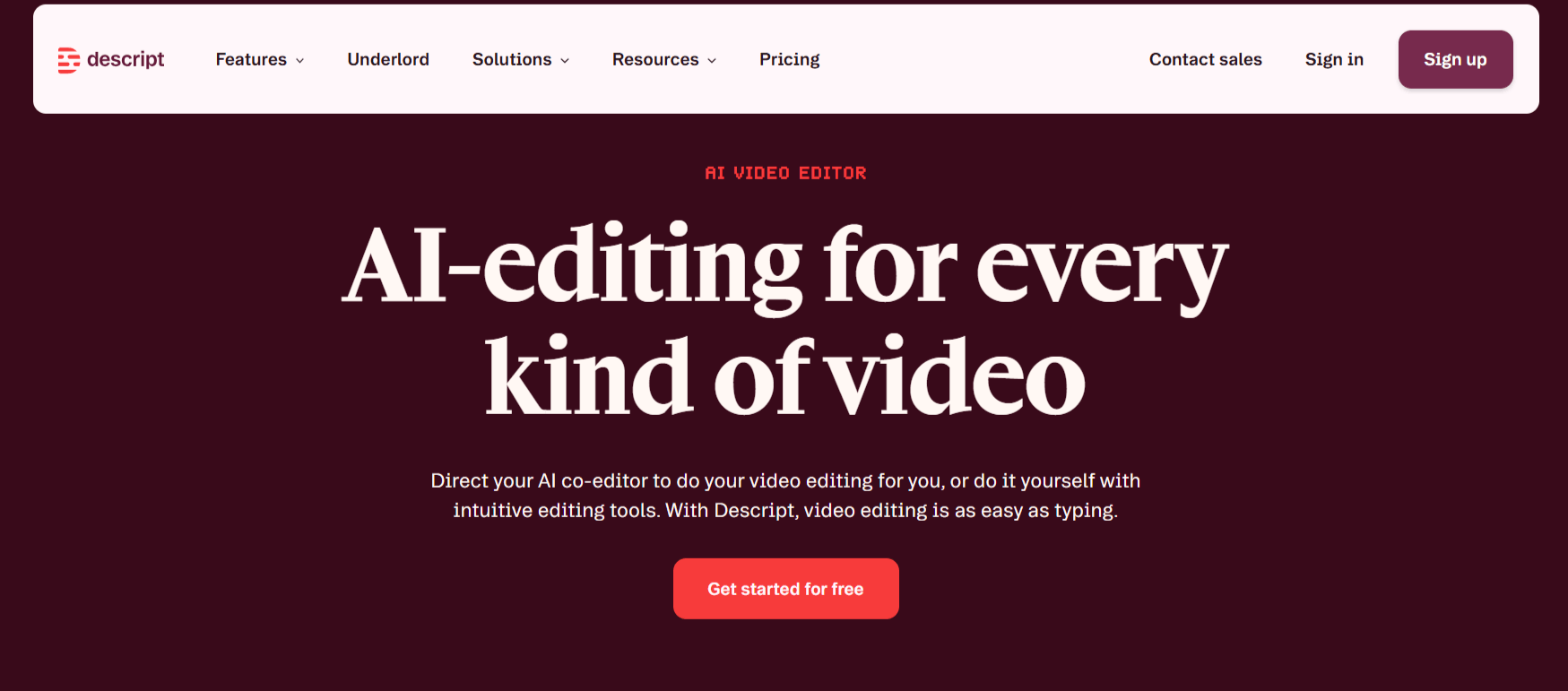
Understanding how to use this Descript AI is straightforward, as it is designed to work easily with the standard Descript timeline. Here is the typical workflow for an average user.
Step 1: Import your raw media or record directly into the Descript app.
Step 2: Allow the software to perform an initial transcription, which provides the foundation for the text-based editing process.
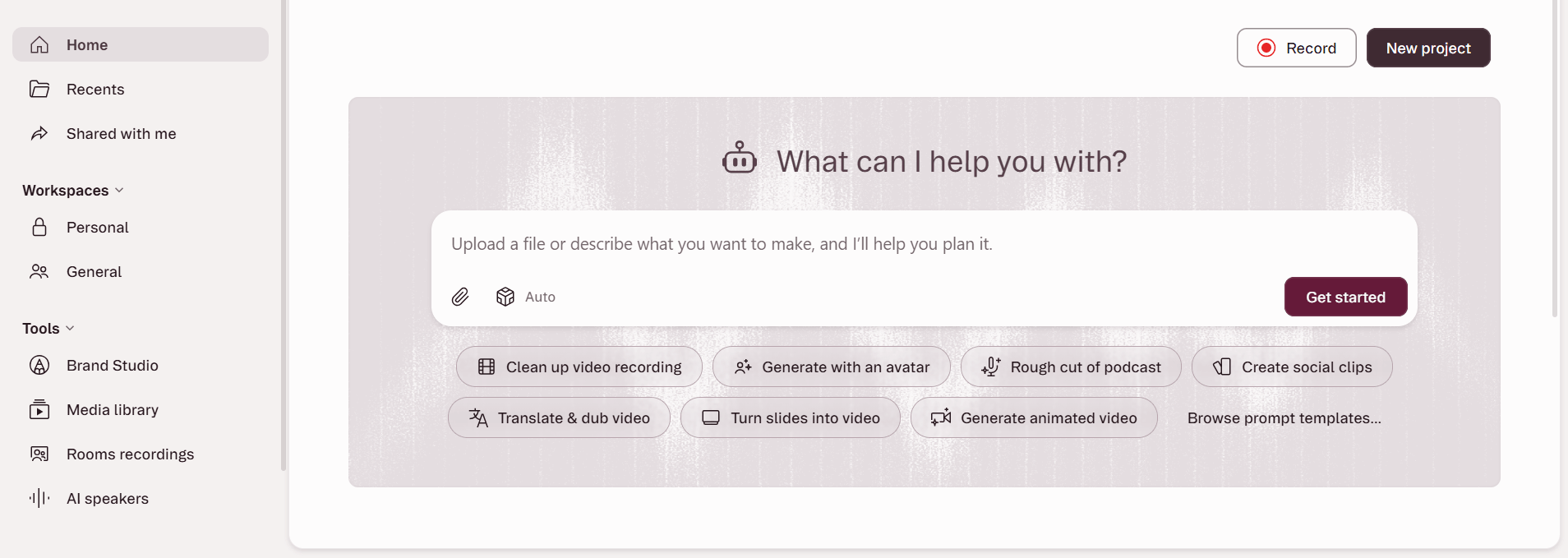
Step 3: Open the Underlord agent in the interface and type your first instruction, such as "remove filler words" or "make this look like a professional documentary."
Step 4: Review the AI's proposed changes on the timeline, where you can accept, reject, or further refine the edits manually.
Step 5: Ask for aesthetic adjustments like "apply a dark theme" or "add smooth transitions" to polish the visual output.
Step 6: Use the "generate" features to add supplementary B-roll or AI-generated imagery if the project feels incomplete.
Step 7: Export your finished, watermark-free video in your desired resolution once the narrative flow meets your standards.
Descript Pricing and Subscription Plans
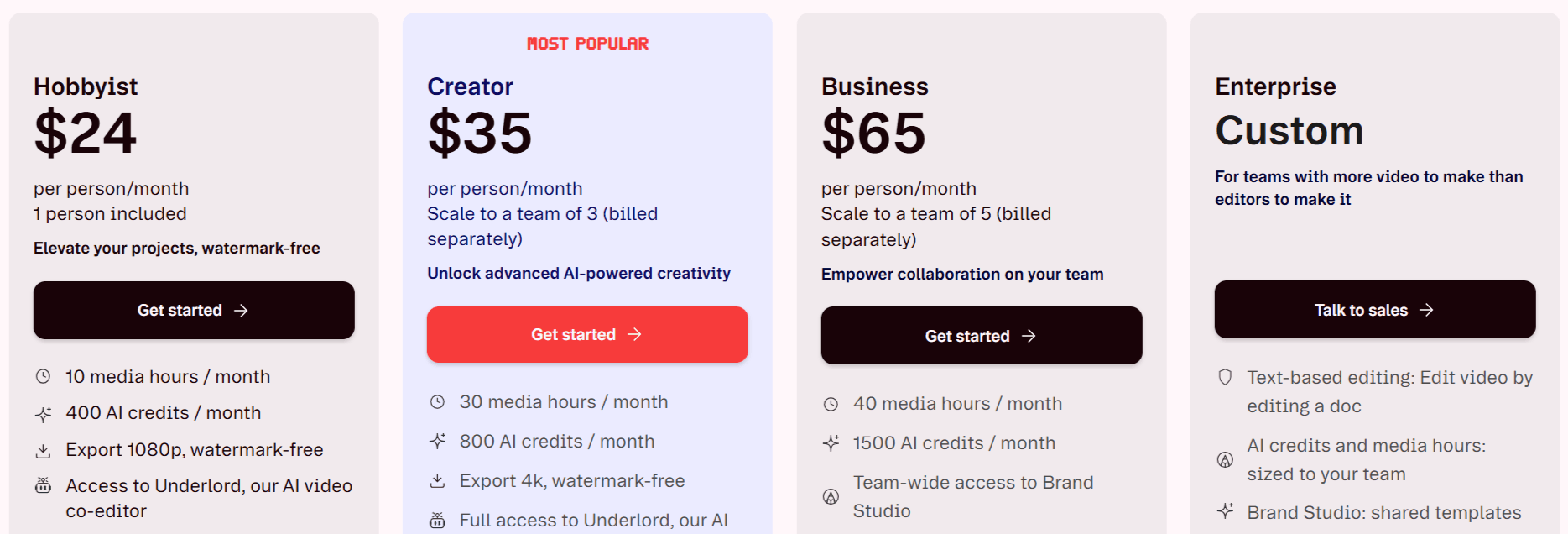
Descript offers a tiered approach to its pricing, catering to everyone from students to large-scale teams. Understanding the Descript pricing is essential as it heavily relies on "AI credits" and "media hours."
Free Plan: Costs $0 per month. It includes 1 media hour, 100 AI credits, and 720p exports. It features limited access to Underlord and other AI tools.
Hobbyist Plan: Costs $24 monthly. This plan provides 10 media hours, 400 AI credits, and 1080p exports, including full access to Underlord.
Creator Plan: Costs $35 monthly. This plan includes 30 media hours, 800 AI credits, and 4k exports. It provides full access to all Underlord features and over 20 advanced AI tools.
Business Plan: Costs $65 monthly. This tier scales to 40 media hours and 1500 AI credits, adding team-wide features like Brand Studio and priority support.
Who Uses Descript
Descript AI has become a standard for diverse teams that rely on rapid video output.
Content Creators: YouTubers and social media influencers use it to turn long recordings into short, engaging clips.
Marketing Teams: Professionals leverage the tool for quick product demos and internal updates that require a polished look.
Educators: Teachers and course creators build training videos without needing high-end technical skills.
Podcasters: Those producing video podcasts use the tool to sync audio and create social-friendly snippets.
Sales Teams: Sales representatives create personalized outreach videos that require high production value but low time investment.
Descript AI Pros and Cons
Every tool has its strengths and limitations. Here is a summary of what to expect when using Descript AI.
Pros
Ease of Use: Editing video by editing text significantly lowers the barrier for beginners.
Time Efficiency: The agent handles repetitive editing tasks, saving hours on every project.
Natural Language Controls: Chatting with your editor is more intuitive than manually hunting for tools in a menu.
Audio Quality: The "Studio Sound" feature consistently receives praise for saving recordings with poor audio.
Continuously Evolving: The team updates the tool frequently, adding new capabilities like memory and better media understanding.
Professional Results: The final outputs are high-quality, often indistinguishable from manually edited professional projects.
Cons
Beta Limitations: Being in beta, some users report occasional inconsistencies in complex AI-generated tasks.
Credit System: Heavy users might find the AI credit limits restrictive, necessitating upgrades to higher plans.
Learning Curve: While easy to start, mastering the nuances of the "agent" requires some practice.
Occasional Bugs: Users on the Descript underlord Reddit have noted that inserting media can sometimes behave unexpectedly.
Final Verdict and Best For
Descript AI is a solid choice for creators who want to spend more time scripting and talking and less time navigating timelines. It effectively bridges the gap between complex software and simple creative expression.
We score it 9.5/10 for its innovative approach to "vibe editing," though it remains best for users who are comfortable with subscription-based models and cloud-reliant workflows.
Those looking for absolute manual control or offline editing might want to look elsewhere, but for the vast majority of modern content creators, it is a significant productivity boost.
Frequently Asked Questions (FAQs)
Here are the answers to the questions people ask about Descript AI below.
What does Underlord do in Descript?
Underlord acts as an AI-powered agent that can perform complex editing tasks like removing filler words, applying visual layouts, and generating B-roll based on your natural language prompts. It essentially turns your text-based edits into a conversational interaction with your editing software.
How to access Underlord in Descript?
Once you are in a project in the Descript app, you can access the agent directly through the interface’s chat or AI button. Depending on your subscription plan, the tool will either be fully accessible or available for limited trial usage.
What is the best AI movie maker?
"Best" depends on your needs; for text-based editing and conversational flow, Descript with its Underlord agent is an industry leader. For high-end visual generative effects, tools like VideoExpress AI, BigMotion AI, or other specialized platforms might be more appropriate.
Is Descript better than CapCut?
Descript is generally viewed as a professional-grade tool for long-form content, podcasting, and serious video projects, while CapCut is often preferred for quick social media edits and casual mobile video creation. Descript provides more depth in terms of audio and script manipulation.
What is Descript AI good for?
Descript is excellent for video editing, transcription, audio repair (Studio Sound), removing filler words, and repurposing long-form recordings into short, engaging social clips. It is a comprehensive tool for those who want to edit video using the speed and familiarity of a document editor.

Descript Alternatives
View All