UGCad AI
UGCad AI Features
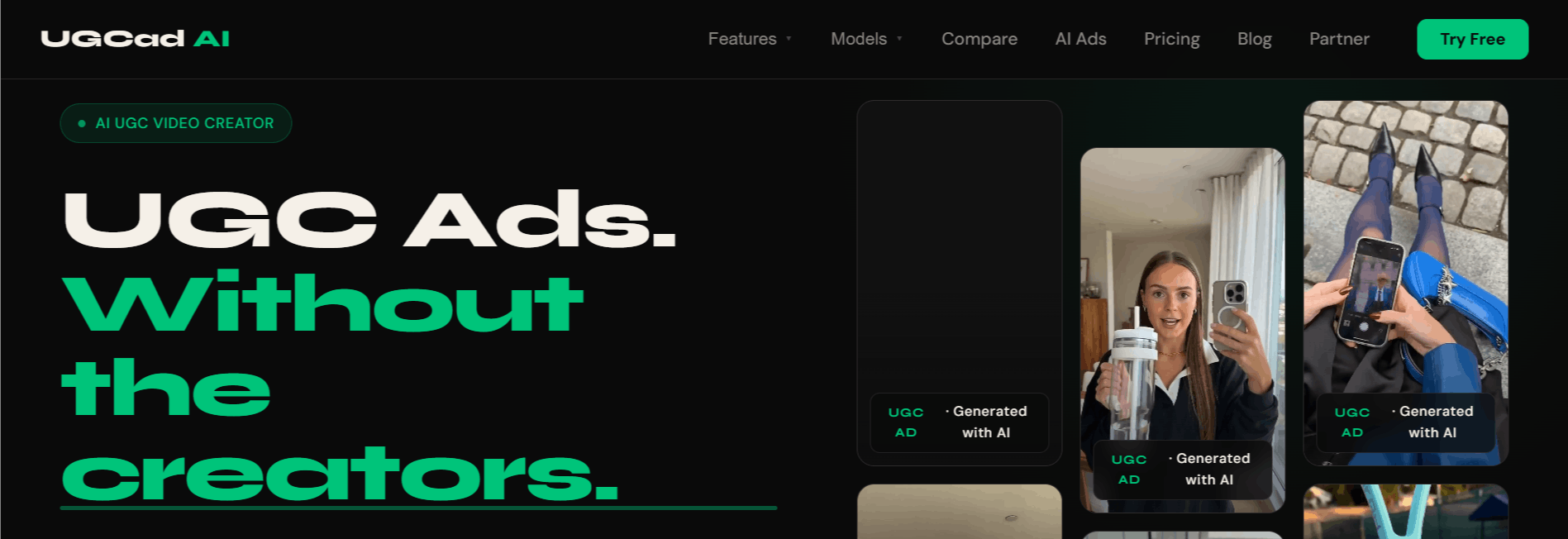
UGCad AI acts as an end-to-end creative suite designed to handle the heavy lifting of video production. Below are the standout features that make it great for teams looking to automate their creative pipeline.
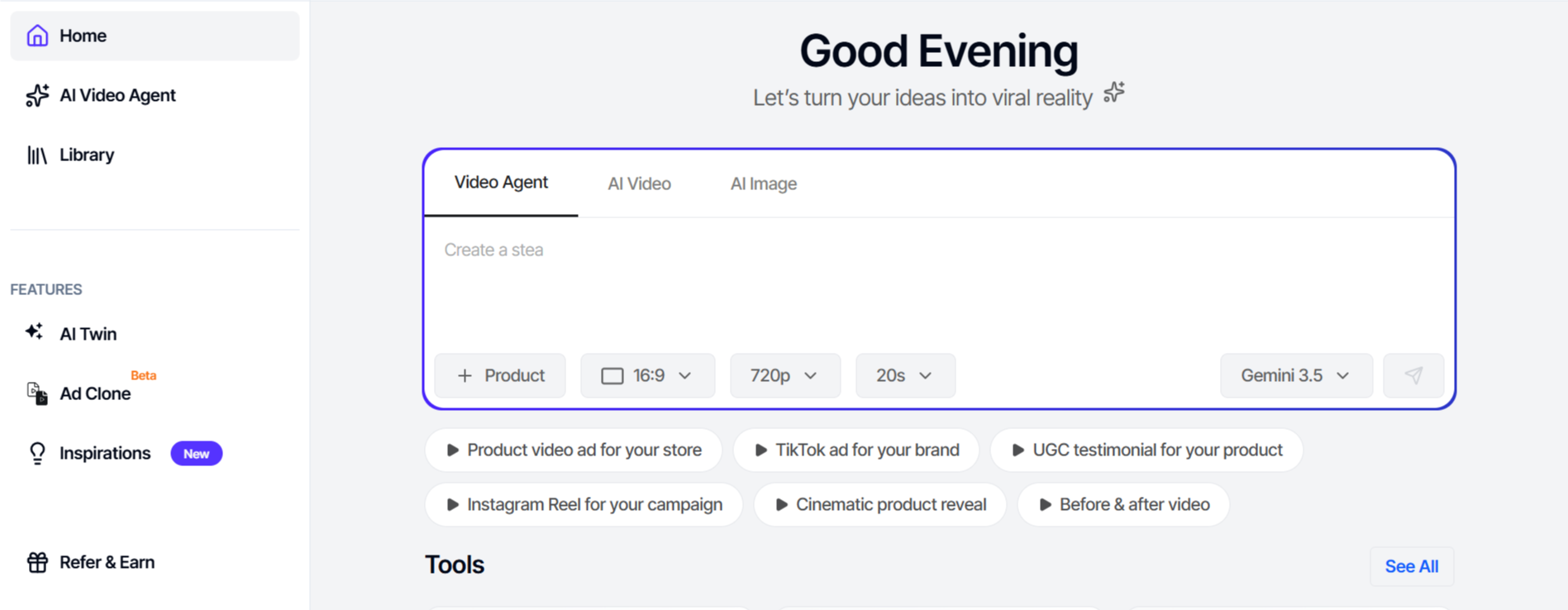
URL to Video Generation
This feature allows users to drop a product page link directly into the platform. The AI automatically parses the site, pulls relevant product details, and crafts a script. It then generates a video using those insights, which significantly cuts down the time spent writing copy and sourcing media from scratch.
AI Twin Generator
For brands that want a personal touch, the AI Twin feature is a standout. It allows users to create a digital version of themselves using just a few photos. This lets founders or marketing leads show up in their own ads without needing to stand in front of a camera every single day.
Ad Clone Functionality
Ad Clone allows you to take a successful viral ad from a competitor and use its structural blueprint for your own product. By replicating the pacing, hook, and flow of an ad that is already proven to convert, users can minimize the guesswork that usually comes with starting from a blank screen.
Extensive Avatar Library
With over 300 pre-built AI avatars, users can choose a look that matches their brand identity. These actors deliver lines with natural expressions and gestures, helping to maintain the authentic, creator-style look that is so effective in modern social media marketing.
Multilingual Support
Global scaling is made easier with support for over 75 languages. This feature allows brands to localize their messaging for international markets instantly, without the need for expensive re-shoots or hiring local talent in every region.
Direct Ad Platform Integration
UGCad AI allows you to publish directly to Meta and TikTok Ads Manager. By removing the need to export and manually upload files, the workflow remains contained within one dashboard, making it easier to manage multiple campaigns.
Built-in Video Editor
Sometimes an AI-generated clip needs a small adjustment. The integrated editor lets you add text overlays, captions, background music, or custom B-roll, ensuring you can polish your content before it goes live.
Commercial Rights
Every user receives 100% commercial rights for the videos they produce. This is crucial for brands that need to run ads at scale without worrying about complex licensing issues or usage restrictions on their creative assets.
How UGCad AI Works
Using the platform is a straightforward process designed for marketers who want to move fast.
Step 1: Sign up and log into your dashboard to access the creative studio.
Step 2: Provide a product URL, a raw script, or choose a template to start your project.
Step 3: Select your preferred AI avatar from the library, or use your own AI Twin for a personalized touch.
Step 4: Customize the text, pacing, and visual elements using the built-in editor.
Step 5: Render the final video in 1080p quality.
Step 6: Use the platform to publish the finished ad directly to your Meta or TikTok Ads Manager accounts.
UGCad AI Pricing and Subscription Plans
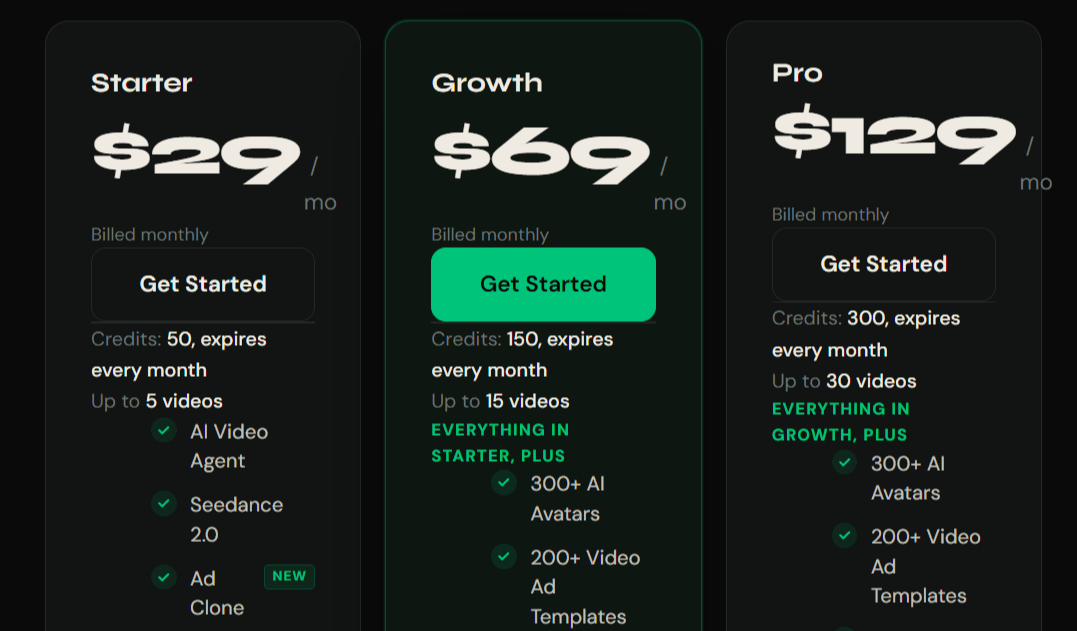
UGCad AI offers a tiered pricing structure that accommodates everything from small hobbyist projects to large-scale brand advertising. You can choose to pay monthly or opt for annual billing to save on the total cost.
Plan/Tier | Pricing | Features |
Starter | $29/month | 50 credits/mo, 5 videos, 300+ avatars, all major tools |
Growth | $69/month | 150 credits/mo, 15 videos, all Starter features, faster renders |
Pro | $129/month | 300 credits/mo, 30 videos, all features, dedicated support |
Who Uses UGCad AI
This platform serves people who need high-quality video content without the high price tag of traditional production.
DTC Brands: Teams that need to create UGC product ads for social media testing.
Performance Marketers: Professionals who need to iterate on ad hooks and variations daily.
Digital Marketing Agencies: Firms that manage creative assets for multiple clients simultaneously.
Content Creators: Individuals looking for a way to scale their output while maintaining a specific look.
E-commerce Stores: Merchants using Shopify or WooCommerce who want to automate their promotional video pipeline.
UGCad AI Pros and Cons
While UGCad offers significant efficiency, it is important to look at both the benefits and the potential limitations of using AI for ad creation.
Pros
Massive Time Savings: Users report creating ads in minutes, which is much faster than traditional hiring or filming.
Cost-Effective: By avoiding agency fees and production crews, you save a significant amount of money on ad creative.
High Customization: The AI Twin and avatar options provide a lot of flexibility for different brand aesthetics.
Easy Workflow: The ability to go from a URL to a published ad in one place is a major efficiency boost.
Global Reach: 75+ language support allows for rapid international testing.
No Credit Card Required: The platform allows you to try it out for free to see if it fits your needs.
Cons
Credit Limits: Monthly video output is capped based on your subscription tier.
Learning Curve: While the interface is clean, mastering the best prompt settings takes some experimentation.
AI Limitations: Some users may notice that AI avatars lack the nuance of a real human, especially for emotional storytelling.
A/B Testing Constraints: Currently, you may have to manage A/B testing manually across ad platforms, which can feel repetitive.
UGCad AI Alternatives
If you are looking for other ways to generate short-form video content, there are several other tools to consider. Each offers a different approach to social media video creation.
Arcads AI
Arcads AI is an AI UGC video generator designed for creating marketing ads with realistic AI actors. It helps businesses produce product videos quickly by generating scripts, voiceovers, and spokesperson-style videos without filming.
Creatify
Creatify is an AI platform for creating product and UGC-style video ads from product links or images. It automates script writing, AI avatars, voiceovers, and video generation, making it ideal for e-commerce marketing.
HeyGen
HeyGen is an AI video creation platform known for its realistic avatars and multilingual voice cloning. While it supports UGC-style videos, it is also widely used for training, marketing, and business presentations.
Maxfusion AI
Maxfusion AI is an AI-powered video creation platform that enables users to generate UGC-style marketing videos with AI avatars, voiceovers, and customizable scenes. It focuses on helping brands produce engaging promotional content without traditional video production.
MakeUGC
MakeUGC is an AI tool built specifically for generating UGC-style advertising videos. It allows brands to create authentic-looking product testimonials and promotional content using AI-generated creators, reducing the need for hiring real influencers.
APOB AI
APOB AI is an AI content creation platform that generates realistic AI influencers, avatars, and UGC-style marketing videos. It enables brands and creators to produce promotional content with customizable virtual models, making it a useful option for social media and advertising campaigns.
Munch AI
Munch AI specializes in taking long-form video content and repurposing it into viral-ready shorts. It is a great choice if you already have a library of recorded video that needs to be sliced into smaller, optimized clips.
Videoleap
Videoleap is a powerful mobile-first video editor. While it lacks the automated avatar generation of UGCad AI, it gives you deep control over manual editing, effects, and transitions.
Ssemble AI
Ssemble AI provides tools for automated video editing and team collaboration. It is a solid alternative if your primary focus is on editing speed rather than generating entirely new avatar-based footage.
Faceless.video
As the name suggests, this tool is ideal for those who prefer to keep their identity private. It is a good choice if you want to create educational or promotional content without relying on AI avatars or showing your own face.
Trimmr
Trimmr is focused on efficiency in content clipping. It works well for turning long streams or podcasts into social media snippets if you prefer a simplified, focused workflow.
Final Verdict and Best For
UGCad AI is a powerhouse for e-commerce brands and performance marketers who prioritize speed and iteration over human-led production. It earns a 9/10 for its massive utility in solving the "creative bottleneck" that disturbs most media buyers.
It is best for teams that need high-volume assets for ad platforms like TikTok and Meta. Brands that prioritize deep, emotional storytelling might still need a human creator, but for testing hooks and driving traffic, this is a highly efficient solution.
Overall, it is an essential tool for those looking to keep their ad accounts fresh and competitive on a budget.
Frequently Asked Questions (FAQs)
Let’s take some of the questions we usually get about UGCad AI.
What does AI UGC mean?
AI UGC refers to User Generated Content that is created using artificial intelligence tools. Instead of hiring a real creator to film a video, you use software to generate avatars, voices, and scripts that feel authentic and relatable.
Can I use this for free?
Yes, the platform offers a free plan that lets you test the dashboard and generate your first videos. This allows you to see the quality of the avatars and the editor before committing to a paid plan.
How does the Ad Clone feature work?
Ad Clone lets you copy the structure, pacing, and visual layout of a successful viral ad. You can take a proven format from a competitor and swap in your own product to potentially replicate their success.

"Best for DTC brands and ecommerce"
Bhavesh
UGCad AI solves a real problem for marketers who need more creative volume. Instead of relying on a single creator or organizing repeated shoots, we can produce different concepts much faster. It's been a great addition to our creative production process.
"Best AI UGC generator i have used so far"
Pallav
What I like most about UGCad AI is the speed. The process from product to finished ad is straightforward and doesn't require a complicated editing workflow. It's a very practical tool for marketers who need to produce new creatives regularly.
UGCad AI Alternatives
View All