Runwayml

Runway Features
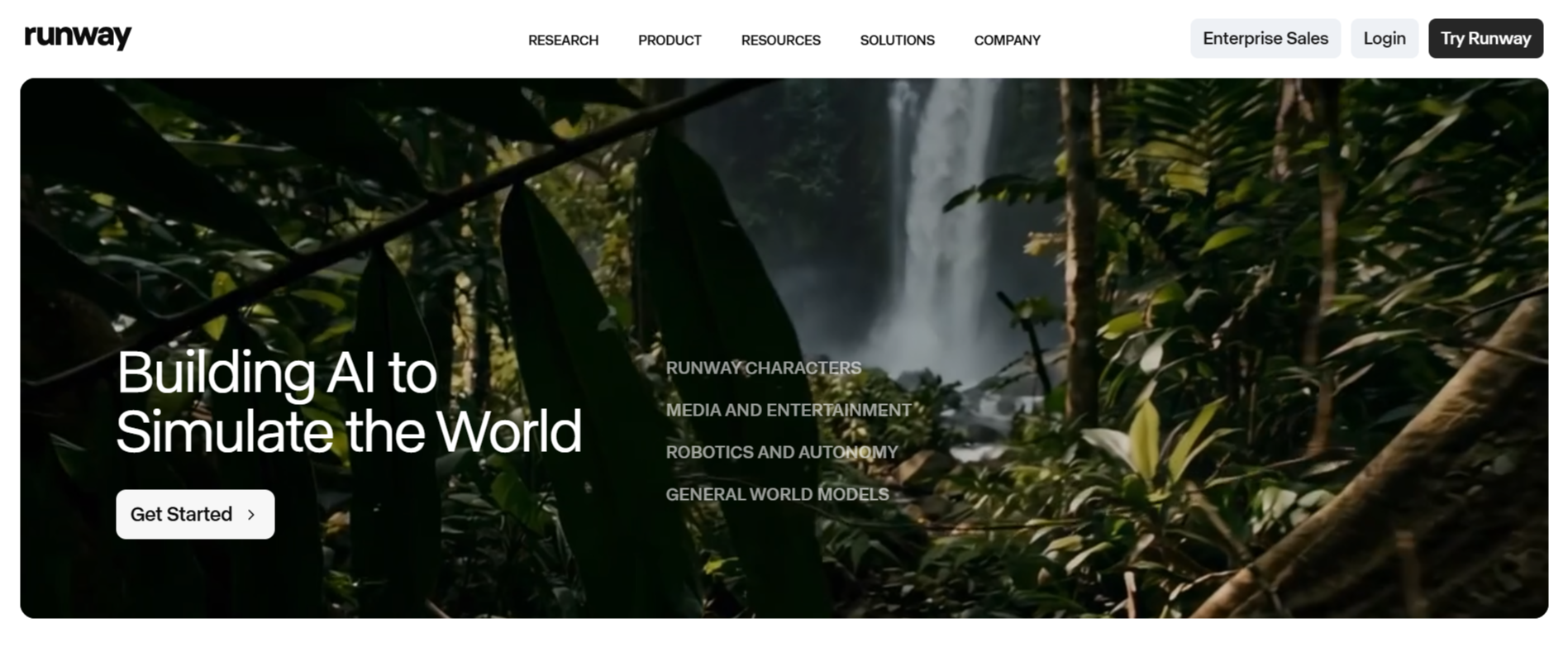
Runway Gen-4.5 leverages powerful underlying hardware, specifically NVIDIA Hopper and Blackwell GPUs, to manage the intense computational requirements of high-quality video generation. Below are the standout features that define the platform.
1. State-of-the-Art Motion Quality
Gen-4.5 excels at creating motion that feels natural rather than jittery or surreal. By simulating realistic weight, momentum, and force, the model ensures that objects within a scene interact with their environment in a predictable manner, which is critical for achieving a cinematic aesthetic.
2. Precise Prompt Adherence
The model has been tuned to follow complex, multi-step instructions with a high degree of accuracy. Users can specify intricate camera movements, such as panning or tracking, while defining object behaviors, which helps in translating a mental storyboard into a concrete video output.
3. Advanced Physical Simulation
One of the most impressive technical aspects of the Runway is its ability to render realistic physics. Whether it is the flow of liquids, the movement of fabric, or the collision of objects, the model maintains a level of physical logic that was previously difficult to achieve in generative AI.
4. Multi-Modal Control Modes
Runway supports a robust suite of control modes, including Image-to-Video, Video-to-Video, and Keyframes. These features allow for deep customization, ensuring that the final output aligns with a specific artistic vision or brand identity by using existing assets as a starting point.
5. Cinematic Visual Fidelity
The visual output is optimized for high-end production, maintaining coherence in fine details like hair strands, skin texture, and material weaves. This level of fidelity ensures that generated footage can be integrated into larger projects without standing out as artificial or "AI-looking" compared to traditional stock footage.
6. Efficient Temporal Consistency
Maintaining consistency across time is a hard challenge in video generation. Gen-4.5 mitigates this by tracking elements across frames more effectively, preventing the abrupt flickering or "morphing" of characters and objects that often plagues lesser models.
7. Stylized and Photorealistic Footage
While the model is highly capable of creating photorealistic footage, it also handles stylized, non-photorealistic requests with equal ease. This flexibility makes it suitable for diverse projects, ranging from documentary-style realism to stop-motion or surreal fantasy animation.
How Runwayml Works
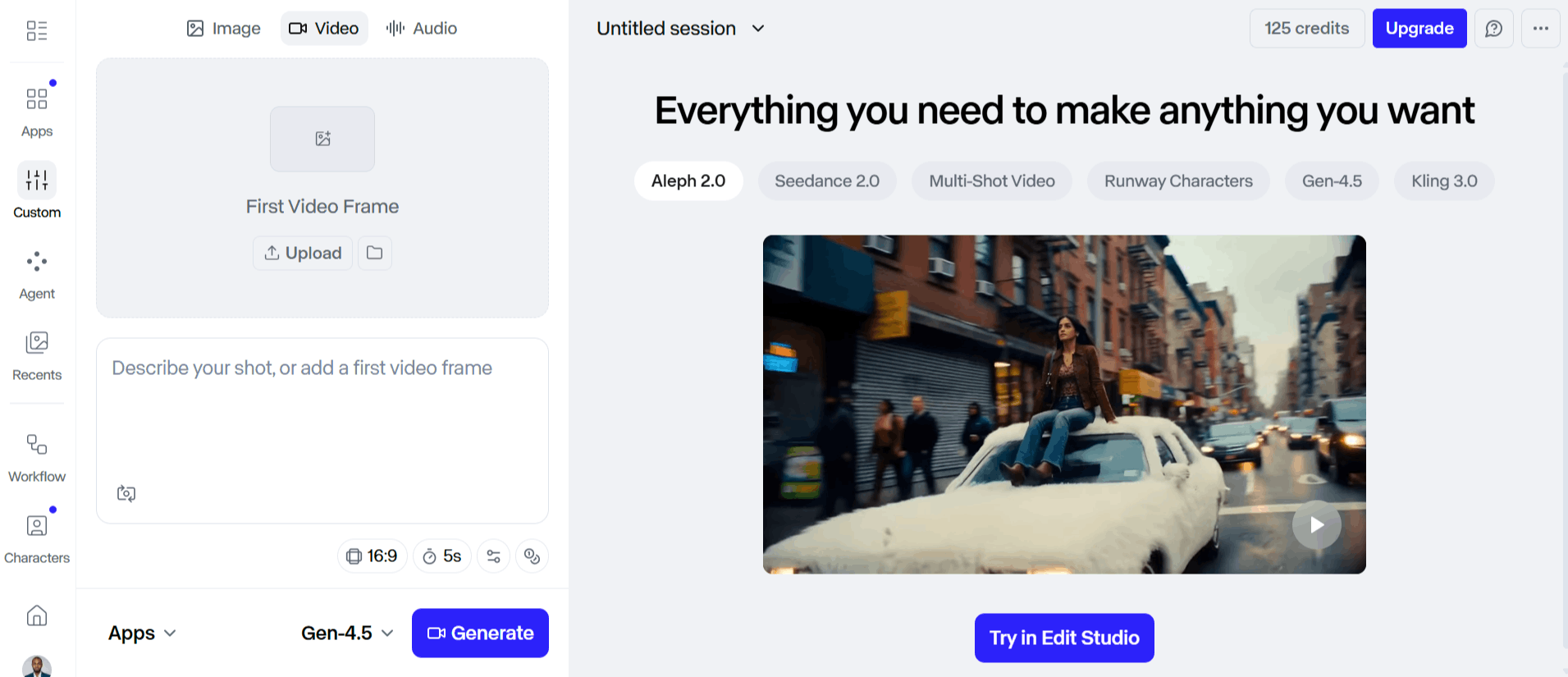
The platform takes a text prompt or an image reference and transforms it into a video file through a series of diffusion-based steps. Users typically follow these stages when generating their clips.
Access the Runway web platform and select the appropriate generation mode, such as Text-to-Video or Image-to-Video.
Input your prompt into the text field, ensuring you include details about camera movement, lighting, and subjects for the best results.
If choosing Image-to-Video, upload your source asset, which serves as the visual reference for the model.
Select any additional control parameters, such as camera motion paths or style presets.
Initiate the generation process, which leverages cloud-based GPUs to render the video. You will see an estimation of time based on current demand.
Review the generated output in your workspace, and use the built-in editors to refine the video or upscale the resolution if necessary.
Runwayml Pricing and Subscription Plans
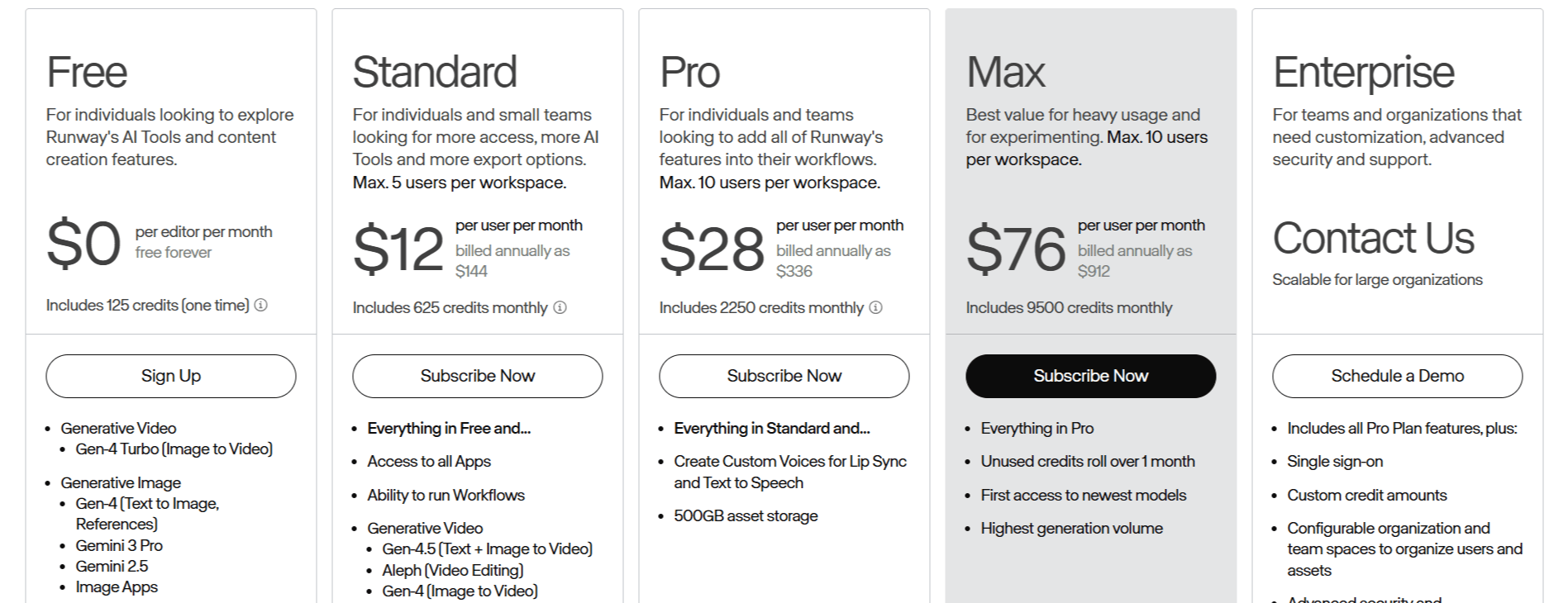
Runway utilizes the following credit-based pricing model that determines how much generation time you have per billing cycle.
Free Plan: $0/month. Best for those exploring features, it includes a one-time allocation of 125 credits, though it does not provide access to Gen-4.5 usage.
Standard Plan: $15/month. Designed for small teams and individuals, it provides 625 monthly credits, sufficient for approximately 25 seconds of Gen-4.5 video.
Pro Plan: $35/month. A step up for regular users, this tier includes 2,250 monthly credits, offering about 90 seconds of Gen-4.5 output.
Max Plan: $95/month. Geared toward power users, this includes 9,500 credits per month and allows unused credits to roll over for one month, plus priority access to new models.
Enterprise: Custom pricing based on organizational needs, including advanced security, SSO, and priority support.
Who Uses Runway
Runway Gen-4.5 is primarily used by professionals who require rapid prototyping or additional creative assets for larger media projects. It serves various roles across the creative industry.
Independent Filmmakers: Creators use the tool to generate B-roll, background elements, or experimental shots that would be cost-prohibitive to film traditionally.
Marketing and Advertising Agencies: Teams use the platform to quickly create visual assets for social media campaigns, allowing for rapid A/B testing of different aesthetics.
Digital Artists: Artists leverage the physics and stylistic controls to create unique, non-photorealistic video loops for exhibits or personal portfolios.
Concept Artists: Professionals use the tool to visualize scenes from a storyboard, providing a moving reference for clients before moving into live-action production.
Content Creators: YouTubers and influencers use the tool to enhance their storytelling, creating unique transitions or fantasy segments that fit their specific video theme.
Runwayml Pros and Cons
Understanding the pros and cons is vital for anyone considering a subscription. While the technical capabilities are impressive, it has limitations too.
Pros
Market-Leading Motion Quality: The model produces highly fluid, cinematic motion that feels authentic compared to standard AI video generators.
Advanced Control: Features like multi-step prompt adherence allow users to guide the camera and subjects with surgical precision.
Physical Realism: The inclusion of weight and momentum simulation makes the video outputs feel more grounded in reality.
Diverse Creative Modes: The support for multiple input types, including video-to-video and image-to-video, makes it adaptable to various workflows.
Solid Infrastructure: Built on high-end NVIDIA hardware, the platform ensures consistent inference speeds and high visual fidelity.
Cons
Object Permanence Issues: One common limitation is that objects can sometimes disappear or blink out of existence when obscured, which can break immersion.
Causal Reasoning Errors: The model occasionally struggles with temporal logic, such as an object moving before the action triggering it is fully resolved.
Cost Barriers: The credit-based system can become expensive for those with high-volume video production needs, leading some users to request lower entry prices.
Input Restrictions: The inability to upload multiple image references simultaneously can limit the control they have over character consistency.
Runwayml Alternatives
Depending on whether you need a quick social media tool or a professional cinematic generator, you might consider the following Runway alternatives.
Animoto AI
Animoto focuses on simplifying video creation for business and social media, prioritizing ease of use over complex generative control. It is a better choice if you need to build slideshows or marketing clips from existing photos and videos rather than generating brand new footage from scratch.
Decohere AI
Decohere provides a user-friendly interface for AI video generation, focusing on quick iterations and creative visual styles. It is a solid alternative if you prefer a streamlined experience that focuses more on artistic experimentation than on hyper-realistic physical simulations.
DeepBrain AI
DeepBrain AI specializes in AI avatars and talking head videos, making it ideal for corporate training and presentations. If your goal is to generate videos featuring professional speakers rather than abstract cinematic scenes, this tool will be more effective.
D-ID Creative Reality Studio
Known for high-quality facial animation and speech integration, D-ID is a specialized tool for bringing static portraits to life. It is the preferred option if your primary requirement is creating lifelike character interactions for internal communications or digital human experiences.
Fliki
Fliki combines text-to-speech with stock media to create content quickly. It is an excellent choice for users who want to turn blog posts or scripts into video formats efficiently without needing to manage complex generative AI settings.
Captions AI
Captions AI is designed specifically for content creators who need to edit videos and add professional-grade captions automatically. It is a highly practical choice for social media managers looking to improve the accessibility and engagement of their short-form videos.
Clipfly AI
Clipfly serves as a comprehensive video editing platform with AI tools built in for various tasks. It is best suited for users who want a one-stop shop for editing, removing backgrounds, and adding creative effects to their footage.
CopyCopter AI
CopyCopter AI focuses on the automated production of video content for various marketing needs. It is a suitable alternative for those who need to scale their output of branded video content without getting bogged down in individual frame generation.
Final Verdict and Best For
Runwayml stands out as a powerful tool for those who need precise, high-fidelity video generation and are willing to invest the time to master its control modes.
Its ability to simulate physical weight and momentum makes it a leader for cinematic video generation, earning it an 8.5/10.
If your focus is on high-end production, this is a tool worth your time; if you are looking for simple, one-click content generation, you might find other options more accessible.
Frequently Asked Questions (FAQs)
This section addresses common questions regarding the Runway accessibility, capabilities, and market positioning.
Is Runway Gen 4.5 free to use?
No, Runway Gen-4.5 is not free to use. While the platform offers a free plan, it does not include access to the Gen-4.5 model; you must be on a paid subscription tier to generate videos with this specific model.
Is Runway Gen 4.5 the best overall?
It holds a top-rated position on the Artificial Analysis leaderboard with a high Elo score, making it a current leader in motion quality and prompt adherence. However, "best" depends on your specific workflow needs, such as whether you prioritize photorealism or ease of use.
Is Runway AI a Chinese company?
No, Runway AI is based in New York City, USA. It is an American company focused on building tools for professional creators and artists.
Is Runway Gen-4 worth it?
For users who need to generate high-quality video for professional projects, it is worth it due to its control features and output fidelity. If you are only looking for occasional, casual generation, you may find the credit-based cost structure harder to justify.
What is the Runway AI controversy?
Like many generative AI companies, Runway has faced general industry discussions regarding data training sources and the displacement of creative labor. They maintain that they are building tools to assist, not replace, human creativity, and they continue to focus on artist-centric product design.
Can I use Runway AI for free?
You can sign up for a free Runway account to test some basic tools and get limited credits, but full access to advanced features like Runway Gen-4.5 video generation is gated behind paid plans.

Runwayml Alternatives
View All