Loom AI

Loom AI Features
Loom AI provides automations that fundamentally change how video content is managed after it has been captured. The following features are designed to strip away the repetitive labor that often prevents people from choosing video over text.
1. Auto-Titles
Instead of manually typing out descriptive titles for your videos, this feature analyzes your transcript to suggest a relevant, custom title. It saves time and ensures that shared videos are easily searchable within your library, allowing for better organization without extra effort.
2. Auto-Summaries
After recording, the AI generates a concise summary of the video content, which is placed directly in the description. This helps viewers decide if they need to watch the full clip, acting as a preview that provides context and clarifies the video's purpose at a glance.
3. Auto-Chapters
For longer recordings, Auto-Chapters identifies key topics, assigns them headers, and applies precise timestamps. This structure makes it easy for stakeholders to skip to specific sections, which is particularly useful for long-form walkthroughs or training sessions.
4. Auto-Tasks
Loom AI intelligently scans your audio for actionable items mentioned during the video. It suggests a list of tasks for the viewer to address, ensuring that accountability is clear and the next steps are documented as soon as the video is sent.
5. Filler Word and Silence Removal
To create a smoother, more professional viewing experience, the AI automatically trims out distracting filler words such as "um" and "uh." It also detects and removes long, awkward pauses, resulting in a cleaner video that sounds as though it were edited by a professional, without the need for manual cutting.
6. AI Bug Reports
This is a major productivity booster for technical teams. It allows you to record a walkthrough of a bug and automatically generates a structured Jira ticket containing device details, console errors, and network logs, removing the manual labor from bug reporting.
7. Edit by Transcript
This feature treats your video like a document. You can remove portions of your video simply by deleting text in the generated transcript, allowing for precise editing without needing to scrub through a timeline, which is ideal for those who prefer working with text.
How Loom AI Works
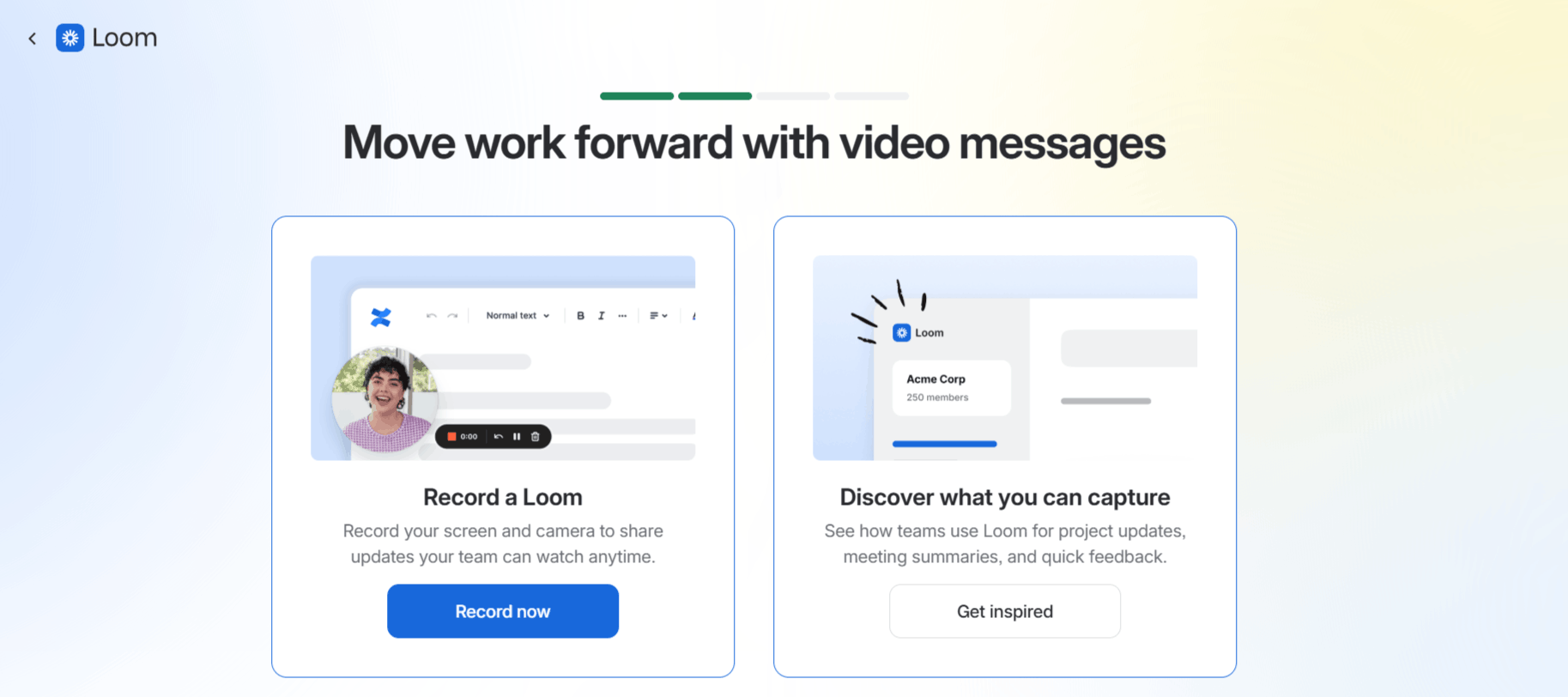
Getting started with Loom AI is straightforward because the software is built into the familiar Loom environment. The process is designed to minimize the time between recording and sending.
Step 1: Install the Loom AI extension or the desktop app for your operating system.
Step 2: Record your screen, camera, or both as you normally would, ensuring you have a stable internet connection.
Step 3: Once finished, the video automatically processes. The AI analyzes the transcript in the background to identify themes, tasks, and filler words.
Step 4: Review the generated assets, such as the title, summary, and chapters, in the video sidebar.
Step 5: Use the "Edit by Transcript" tool if you need to remove specific segments or clean up the pacing further.
Step 6: Click save or publish to update your video page automatically with all the AI-generated context for your viewers.
Loom AI Pricing and Subscription Plans
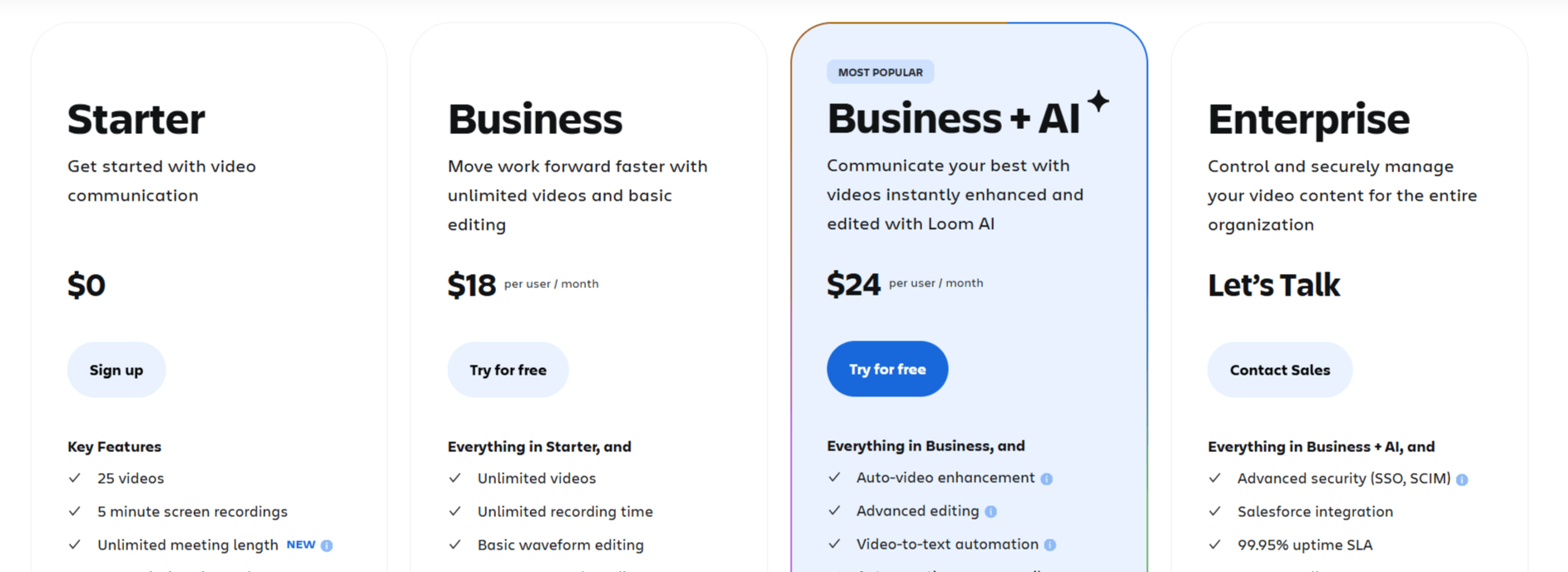
The pricing structure accommodates everyone from individual users to large-scale enterprises.
Starter: Free of charge. Includes 25 videos with up to 5 minutes of recording time, screen recording, and access to basic transcriptions.
Business: $18 per user/month billed annually. Adds unlimited recording length, unlimited videos, custom branding, and advanced engagement insights.
Business + AI: $24 per user/month billed annually. Includes everything in Business plus the full suite of AI features like automatic titles, chapters, task generation, and advanced transcript editing.
Enterprise: Custom pricing for large organizations. Includes everything in Business + AI plus advanced security, SSO, and administrative controls.
Who Uses Loom AI
Loom AI is a go-to Loom app for professionals across various industries who need to communicate complex ideas quickly.
Product Managers: They use it to share feature demos and gather feedback from stakeholders across different time zones.
Software Engineers: These professionals rely on it to record bug reports or code walkthroughs for peer review.
Educators: Teachers use the tool to create quick lessons or provide personalized feedback to students.
Sales Teams: Sales representatives record personalized outreach videos to demonstrate value and follow up on leads.
Customer Support Agents: They use it to resolve complicated technical issues by providing visual, step-by-step guidance.
Loom AI Pros and Cons
While the platform is highly regarded for its usability, it is helpful to look at the pros and cons.
Pros
Time Efficiency: The automation of titles and summaries removes significant post-recording busywork.
Seamless Integration: The AI feels native to the recording experience rather than a separate, clunky add-on.
Improved Engagement: Users report that viewers are more likely to watch and interact with videos that have clear, AI-generated chapters.
Professional Polish: Filler word removal makes for a noticeably smoother and more concise viewing experience.
Simple Onboarding: Users find the Loom sign-up process very quick, allowing them to start recording in minutes.
High Accessibility: Transcriptions in over 50 languages help teams stay inclusive and global.
Cons
Occasional Language Issues: The AI can sometimes misinterpret the language of the video.
Editing Limitations: While "Edit by Transcript" is powerful, power users may still miss more traditional timeline-based video editing tools found in dedicated software.
Cost of AI Features: The best features are locked behind the highest paid tier, which may be prohibitive for casual users.
Loom AI Alternatives
If you find the Loom feature set doesn't perfectly match your needs, there are other AI video recorders available.
Tella
Designed for polished screen recordings and video presentations, Tella adds layouts, backgrounds, and editing tools to make recorded content look more engaging. It is ideal for creators, educators, and teams that want more visual customization than Loom.
FocuSee
FocuSee automatically enhances screen recordings with zoom effects, cursor tracking, and motion effects. It is best for creating tutorial and product demo videos with minimal manual editing.
Weet AI
Built for asynchronous video communication, Weet AI combines screen recording with AI-powered summaries, transcripts, and knowledge-sharing features. It is well-suited for teams creating internal documentation and video messages.
Trupeer AI
Trupeer AI turns screen recordings into professional product videos, guides, and documentation using AI-generated voiceovers and automated editing. It is particularly useful for software demos, onboarding content, and training materials.
FlexClip
This is a robust video creation tool that leans heavily into drag-and-drop editing and templates. If you need more visual control and graphic overlays than Loom offers, this is a strong alternative.
Biteable
Best for branded content and marketing videos, Biteable focuses on high-quality templates that look professional right out of the box. It is less focused on async screen recording and more on presentation.
Colossyan
If your goal is to create AI-driven presentation videos using avatars rather than your own screen, this is the premier choice. It handles text-to-video for training quite differently from Loom.
D-ID
Known for high-quality talking head avatars, this tool is ideal for creating synthetic videos rather than capturing live work. It serves a very specific niche compared to the utility focus of Loom.
Final Verdict and Best For
Loom AI is a highly effective, time-saving solution for anyone who frequently relies on video messages for professional communication. It earns a solid 9/10, losing a single point only due to the premium cost of its most helpful AI features.
It is perfectly suited for remote-first teams, product managers, and software developers who need to document work without slowing down their output.
If your workflow involves creating dozens of videos a month, the time saved by the AI suite will quickly justify the subscription cost.
However, those needing intense frame-by-frame video production might find it better to stick with a standard editor.
Frequently Asked Questions (FAQs)
This section addresses common questions from users exploring whether Loom AI is a great choice for their creative needs.
What does Loom AI do?
Loom AI automatically enhances your video recordings by generating summaries, chapters, titles, and task lists, while also removing filler words to make your videos more polished and easier to digest.
How much does Loom AI cost?
The Business plan costs $18 per user per month when billed annually, which grants access to the full suite of automation tools.
Can I get Loom for free?
Yes, you can access the platform through their Starter plan, which allows for free screen and camera recordings with limited length and features.
Who made Loom AI?
The tool was developed by Loom, which was later acquired by Atlassian, further integrating their video tools into wider team-collaboration software.

Loom AI Alternatives
View All