Aisma

Aisma Features
Aisma offers a streamlined set of features focused entirely on editing existing video assets. Rather than offering thousands of filters or complex transitions, the platform concentrates on precision changes within a defined spatial environment.
Object and Person Removal
You can identify specific objects or people within a scene and request their removal. The AI analyzes the surrounding environment to fill in the space left behind. This is useful for cleaning up real estate listings or removing photobombers from event footage.
Outfit and Clothing Swaps
This feature allows users to change what a subject is wearing in a video. By providing a reference photo of the desired clothing, the system maps the new texture and style onto the moving person while maintaining their original gestures and body language.
Background Replacement
The background change feature allows you to transport your subjects to a different location without using a green screen. By simply describing a new setting, such as a beach or a city street, the AI replaces the backdrop while keeping the subject's movement consistent.
Face Swapping
For creators who need to replace a person entirely or simply swap a face, this function utilizes reference portraits to insert a new individual into the footage. The system preserves the original camera angle and lighting conditions to maintain realism.
Product Swapping
This is a specific utility for e-commerce and marketing. If you have footage of a person holding a product, you can swap that item for a different one by uploading a single photo of the new product, keeping the original grip and hand placement.
Style Transfer
You can apply artistic styles to your video content. By describing a material like clay, wool, or watercolor, the AI adjusts the aesthetic of the footage while leaving the structural motion and framing untouched.
Physical Event Addition
Beyond visual changes, the tool can animate objects by describing physical actions. For example, you can prompt an object to float or move in a specific way, adding effects to a static shot that was not previously part of the recording.
Multi-Language Support
To ensure accessibility for a global user base, the platform accepts prompts in various languages. You do not need to use complex technical terms; writing in plain language is enough to direct the AI.
How Aisma Works
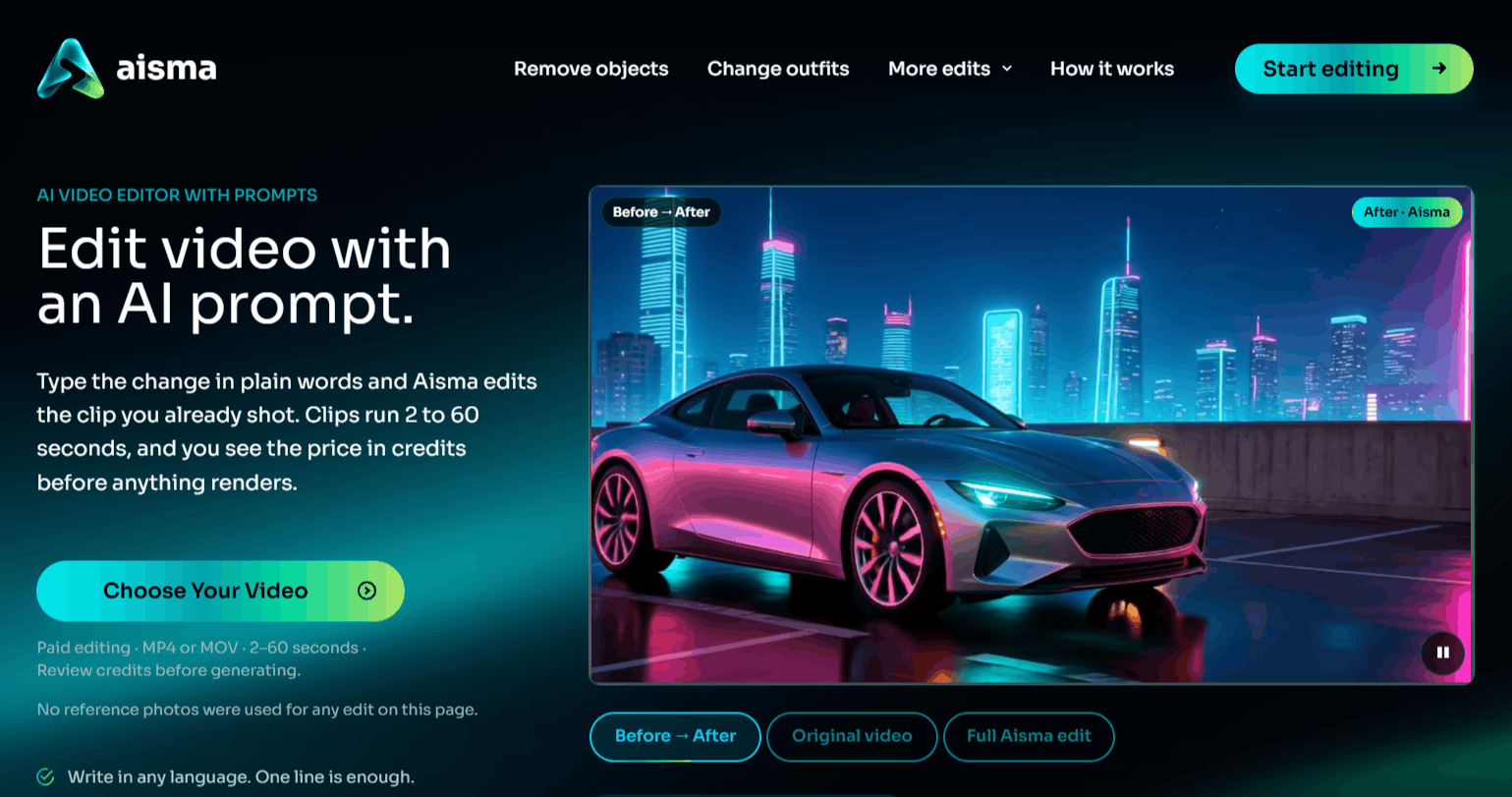
The workflow is designed to be intuitive for anyone familiar with basic video editing. You provide the raw data, describe the change, and the AI handles the processing in the cloud.
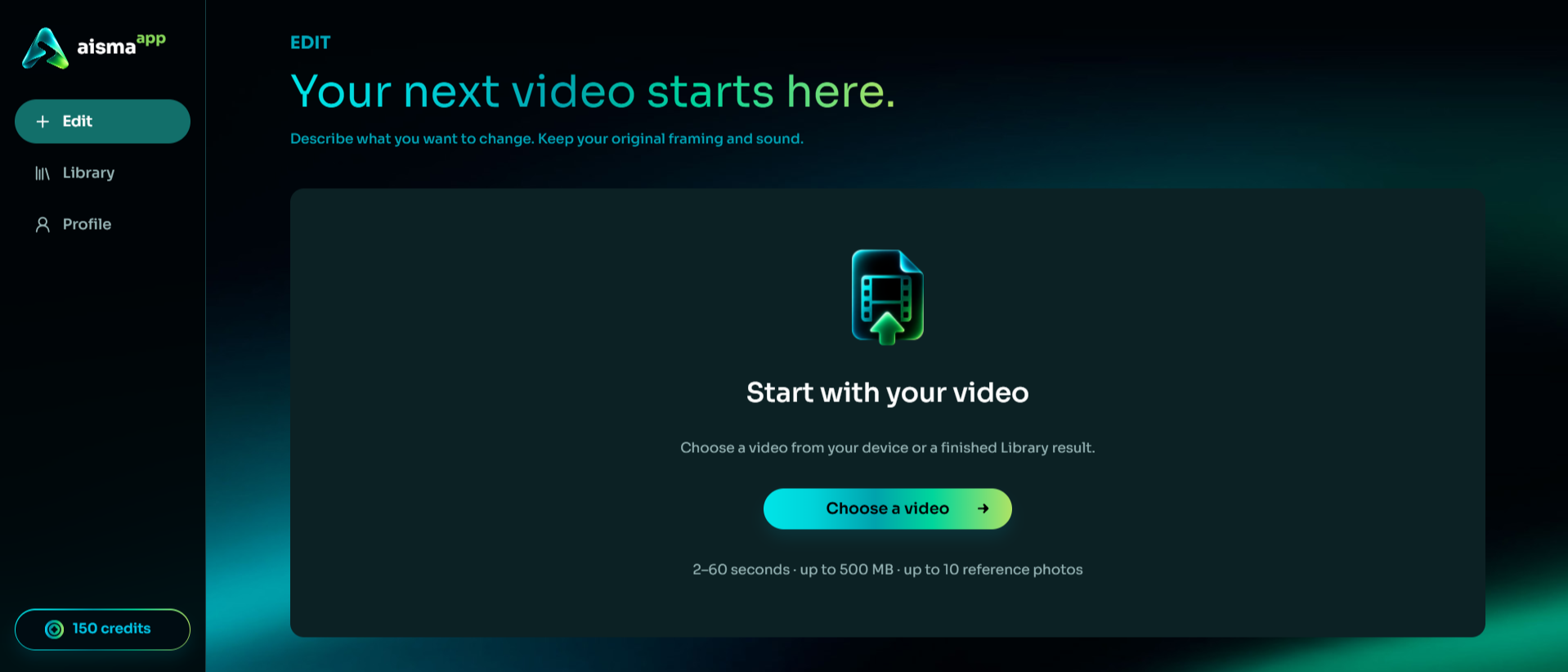
Step 1: Upload your video file (MP4 or MOV format, 2–60 seconds in length) into the web browser or the Aisma AI app.
Step 2: Define your change by typing a clear, natural language prompt. If you need a specific look, upload up to 10 reference photos.
Step 3: Review the credit cost before finalizing your request. The interface will display the price before any rendering begins.
Step 4: Click the Generate button. The AI processes the request while maintaining the original length, audio, and camera work of your clip.
Step 5: Once the rendering is complete, your final video will appear in your private library. From there, you can download it to your local device.
Who Uses Aisma
This tool is primarily for creators and professionals who need precision control over their existing media library.
E-commerce Sellers: Product swap features allow shops to update listing videos when inventory changes without hiring a new film crew.
Content Creators: Influencers use the app to modify outfits or change backgrounds to keep content fresh for different seasons.
Real Estate Agents: Professionals can remove clutter like trash bins or moving boxes from property walkthrough videos.
Marketing Teams: Agencies can quickly edit footage to swap branding or products for localized ad campaigns.
Video Editors: Those working on complex projects can use these AI tools to edit minor errors in captured footage.
Aisma Pros and Cons
While the platform offers significant efficiency, it is important to weigh the specific benefits against potential limitations.
Pros
Maintains Original Motion: The tool excels at keeping the natural movement and camera work of the original clip, which is often lost in generative video.
Transparency in Pricing: Users always see the credit cost before generating, preventing surprise charges.
Flexible Input: Supporting both mobile and web, the Aisma AI app and browser interface work well for different workflows.
Simplicity: No complex masking or keyframing is required; plain text prompts are usually enough to get the desired result.
Privacy Focus: Your uploads remain private, and the platform explicitly states that videos are not used for third-party ads.
Quality Options: Users can choose between 720p and 1080p for a balance of speed and quality.
Cons
Clip Limitations: Currently capped at 60 seconds per clip, which may require manual splitting for longer videos.
Processing Time: While fast, complex edits still take several minutes to render, which may slow down a rapid editing schedule.
Prompt Dependency: You may need to experiment with wording to get the exact result you want, as the AI interpretative process is not always perfect.
Final Verdict and Best For
Aisma earns an 8.5/10 for its specific focus on editing existing video. It specializes in saving significant time on repetitive editing tasks. It is best for professionals who already have high-quality footage and just need to make changes.
Frequently Asked Questions (FAQs)
These questions address common inquiries regarding Aisma usage and technical requirements.
Is there an Aisma AI APK available?
An official app is available on the App Store and Google Play. If you search for an "Aisma AI mod APK" on third-party sites, please be cautious, as these files are not from the developers and may pose security risks to your device.
How do I log in to the platform?
You can access the service by visiting the official website using the button above. You can sign in using Google, Apple, or your email, and your credits and library will sync across devices.
Does the service provide an AI assistant?
The platform functions as an AI assistant for your existing media. While it does not have a traditional "AI Assist" toggle, the entire interface is built around using natural language prompts to help you edit your video files.

Aisma Alternatives
View All