Guidde

Guidde AI Features
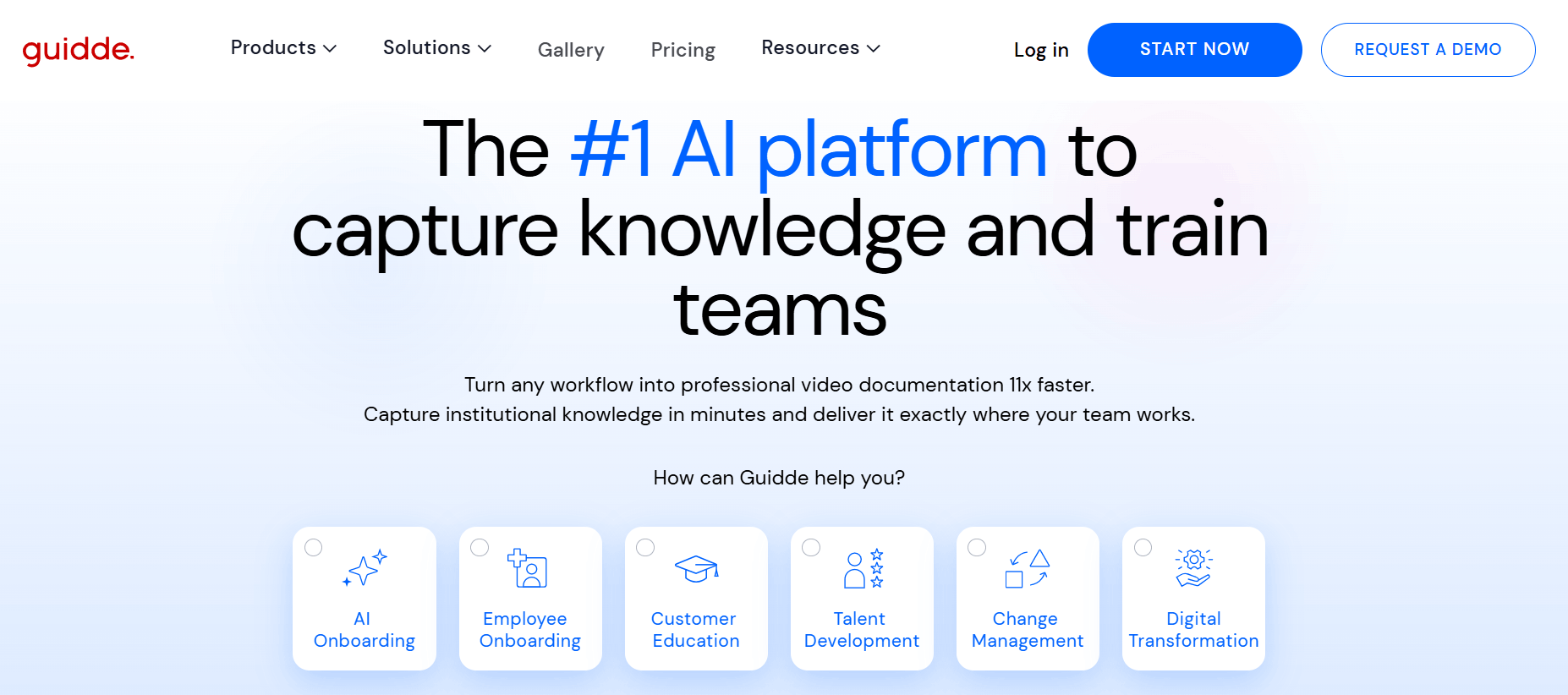
Guidde AI offers many tools built to automate the most time-consuming aspects of documentation. From intelligent capture to automated narration, the platform provides a comprehensive environment for teams to produce high-quality training assets without requiring any prior video editing experience.
1. Magic Capture Technology
This core feature enables the software to record your on-screen actions across any web application. As you move through a workflow, the system intelligently tracks your clicks and interactions, automatically breaking the process down into logical steps that form the backbone of your video guide.
2. AI-Powered Script Generation
Once a recording is complete, the platform uses GPT technology to analyze the flow and generate a professional, structured narrative script. This removes the "blank page" problem, as the AI creates clear, concise instructions for each step based on the actions it observed during the capture process.
3. Multi-Language Voiceover
Guidde AI includes an extensive library of over 200 high-quality, lifelike AI voices across more than 50 languages. This feature allows global teams to create documentation that is accessible to international audiences without the need for professional recording equipment or external voice talent.
4. Interactive Editor
Beyond simple recording, the platform features a flexible drag-and-drop editor. Users can easily refine their productions by adding, deleting, or reordering steps, adjusting the timing, or inserting visual highlights and annotations to emphasize critical parts of the interface.
5. Smart Sharing and Embedding
Distribution is a key strength of the platform. You can share your guides via direct links, create GIF thumbnails, or embed the content directly into existing knowledge bases, ticketing systems, or internal messaging apps like Slack, ensuring users find help right where they work.
6. Brand Kits
For businesses that need consistent messaging, the Brand Kit feature allows users to apply custom colors, logos, and fonts to their videos. This ensures that every piece of documentation aligns with company identity, maintaining a professional look across all customer-facing content.
7. Magic Redaction
Security is paramount, especially when recording sensitive business data. The tool includes automated redaction features that help users blur or hide private information during the capture process, ensuring that final videos remain compliant with internal privacy policies.
8. Analytics and Engagement
To help teams understand if their content is effective, the platform provides detailed analytics. Admins can view engagement insights, such as how many people are watching the guides and where they might be dropping off, which allows for iterative improvements to the documentation.
How Guidde AI Works
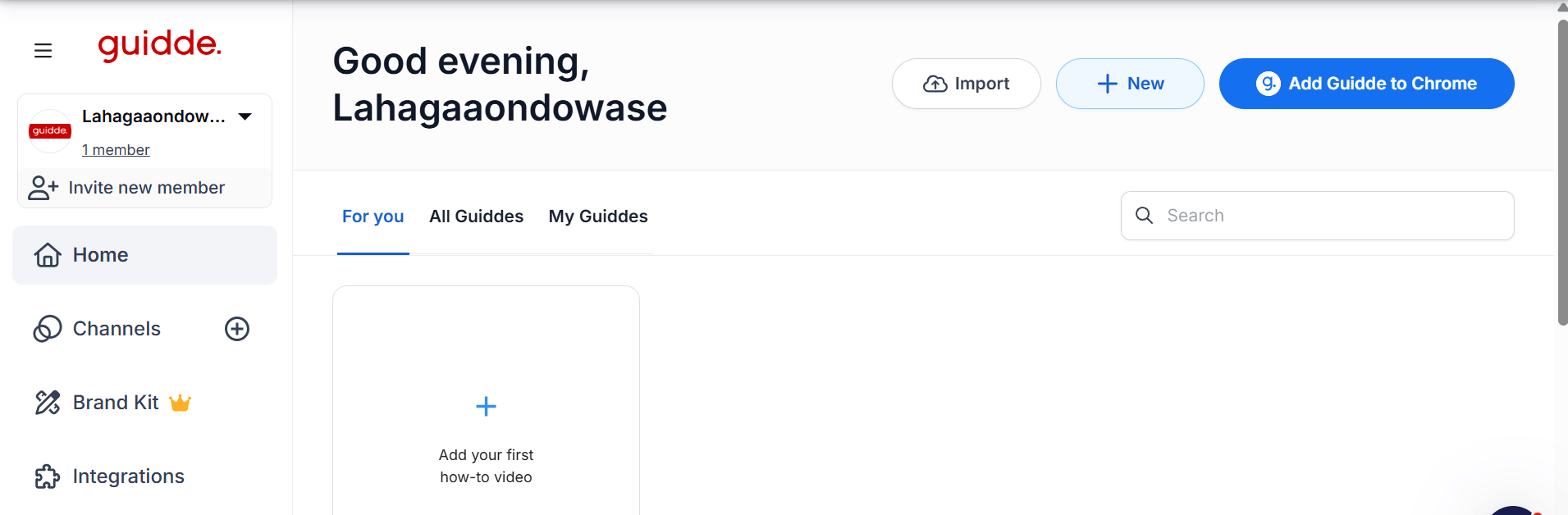
Getting started with Guidde AI is straightforward. By following a standard capture-to-publish workflow, most users can produce their first professional-looking guide within minutes.
Step 1: Install the Guidde Chrome extension or desktop app to start capturing your browser or software workflow.
Step 2: Perform your task as you normally would; the software records the clicks and highlights key interface areas automatically.
Step 3: Stop the recording and watch as the AI creates a draft video with annotated steps and a narrative script.
Step 4: Use the built-in editor to polish the text, adjust voiceover settings, or select a different AI voice for the final output.
Step 5: Add your custom branding or blur sensitive data if required for compliance.
Step 6: Publish your guide and share it via a URL or embed it directly into your help desk or internal portal.
Guidde AI Pricing and Subscription Plans
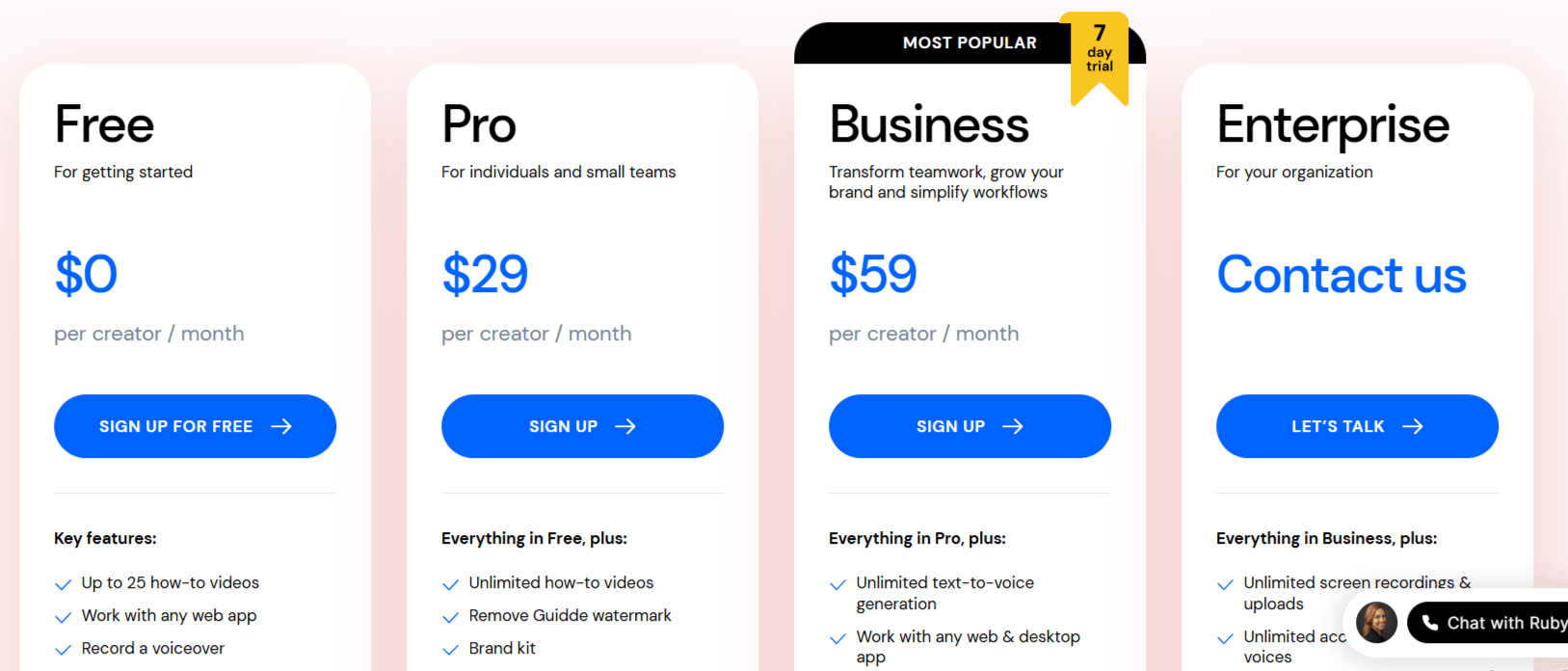
Guidde pricing structure is designed to scale with your team, offering a clear path from individual usage to enterprise-level requirements. They offer both monthly and annual billing, with the annual option providing significant cost savings.
Free Plan: $0 per creator/month. Includes up to 25 videos, basic capture features, and shareable links. Perfect for getting started.
Pro Plan: $29/month ($19/month if billed annually). Unlimited videos, removal of watermarks, full branding kits, and export options (PPT/PDF).
Business Plan: $59/month ($39/month if billed annually). Includes everything in Pro plus text-to-voice generation, desktop app support, advanced privacy controls, and analytics.
Enterprise Plan: Custom pricing. Designed for large organizations requiring SSO, unlimited uploads, dedicated account management, and advanced security compliance.
Who Uses Guidde AI
Guidde AI helps professionals who need to explain digital workflows without the overhead of traditional production.
Support Teams: Rapidly create how-to videos to solve customer tickets and reduce support volume.
Onboarding Specialists: Easily train new hires by providing standardized video walkthroughs of complex company software.
Marketing Professionals: Produce polished product demos and feature updates for social media or potential leads.
Operations Managers: Standardize SOPs (Standard Operating Procedures) across global teams to ensure quality and consistency.
Product Educators: Help users understand complex software by delivering contextual guidance directly inside the product.
Guidde AI Pros and Cons
Understanding the trade-offs of any software is important for long-term usage. Here is a breakdown based on user feedback and general performance.
Pros
Significant Time Savings: The tool cuts video production time in half or more, as the AI handles the bulk of the manual editing.
Ease of Use: The interface is highly intuitive, requiring no technical video editing skills to create polished, professional results.
AI Accuracy: The automated script generation and annotation features are generally highly accurate, needing only minor tweaks.
Multilingual Support: The ability to convert documentation into over 50 languages makes it an essential tool for global enterprises.
Seamless Integration: The ability to embed guides directly into other tools like Zendesk or Salesforce creates a better "in-the-flow" experience.
Good Collaboration: The commenting features allow teams to provide feedback on specific steps, making it easy to iterate on content together.
Cons
Pricing Concerns: Some users feel that the cost for higher-tier plans is too much, especially for smaller businesses or solo creators.
Desktop App Limitation: Some advanced features require the desktop app, which might not be allowed in all locked-down enterprise environments.
Requires a Learning Curve for Customization: While simple, getting the "perfect" video may require delving into advanced settings for transitions and audio adjustments.
Guidde AI Alternatives
While Guidde AI excels at specific documentation workflows, there are other tools in the market depending on your specific needs for animation, general video generation, or creative editing. Here are some notable options:
Trupeer AI
Trupeer AI is an AI-powered documentation tool that converts screen recordings into step-by-step guides with automatically generated screenshots and instructions. It is a strong alternative if you want to create written documentation quickly from product demos or workflows.
Elai
Elai is an AI video generation platform that creates presenter-led videos from text using realistic AI avatars. It is a good choice if you need training, onboarding, or educational videos with virtual presenters instead of screen recordings.
FocuSee Screen Recorder
FocuSee Screen Recorder is a screen recording tool that automatically adds zoom effects, cursor highlights, and motion enhancements to make recordings more engaging. It is ideal if you want polished tutorial videos with minimal editing.
Screen Studio Recorder
Screen Studio Recorder is a screen recording application that automatically produces professional-looking videos with smooth zooms, cursor tracking, and camera effects. It is a great alternative for creating high-quality product demos, tutorials, and promotional videos with little manual editing.
Fliki
Fliki is a text-to-video generator that excels at turning scripts into videos using voiceovers and stock media. You might choose this if your primary goal is marketing content rather than technical documentation.
Colossyan
This platform focuses on AI avatars and training videos, providing a human-like presenter for your content. It is a great alternative if you want your training videos to feel more personal and engaging.
FlexClip
FlexClip is a general-purpose online video editor that offers a huge library of templates and stock assets. It is a better choice if you need more creative control over the visual style of your videos beyond just screen captures.
Clueso AI
Clueso is a direct competitor in the documentation space, focusing heavily on the automation of step-by-step guides. You should compare it against Guidde if you are looking for specific enterprise features for software training.
Final Verdict and Best For
Guidde AI is a highly effective, time-saving utility that fulfills its promise of creating video documentation at scale. It earns a score of 8.5/10, losing a few points for its pricing tiers, which can feel restrictive for smaller teams, but gaining significant ground for its ease of use and powerful AI integration.
It is best suited for customer success, support, and L&D departments that need to produce high volumes of clear, repeatable training content quickly.
If you have a massive amount of technical knowledge to share and want to stop spending hours on manual screen recording, this tool provides a clear return on investment.
If you need high-end, artistic video production might look elsewhere, but for pure documentation use, it remains a top-tier choice.
Frequently Asked Questions (FAQs)
This section addresses common questions from users exploring if Guidde AI is the right fit for their tailored needs.
Is Guidde legit?
Yes, Guidde is a legitimate platform used by thousands of teams worldwide to streamline their documentation and training processes. It maintains high ratings on platforms like Product Hunt and is trusted by enterprise-level organizations.
Is Guidde free to use?
Yes, there is a free plan available that allows users to create up to 25 videos, providing a good way to test the platform's capabilities before committing to a paid subscription.
What is Guidde AI?
Guidde AI is a software platform that uses generative AI to record user workflows and automatically transform them into structured, annotated, and narrated video documentation.
Who owns Guidde?
Guidde was co-founded by Yoav and Dan, who built the platform to solve the bottleneck of manual knowledge transfer in fast-growing technical teams.

Guidde Alternatives
View All