Translate.video

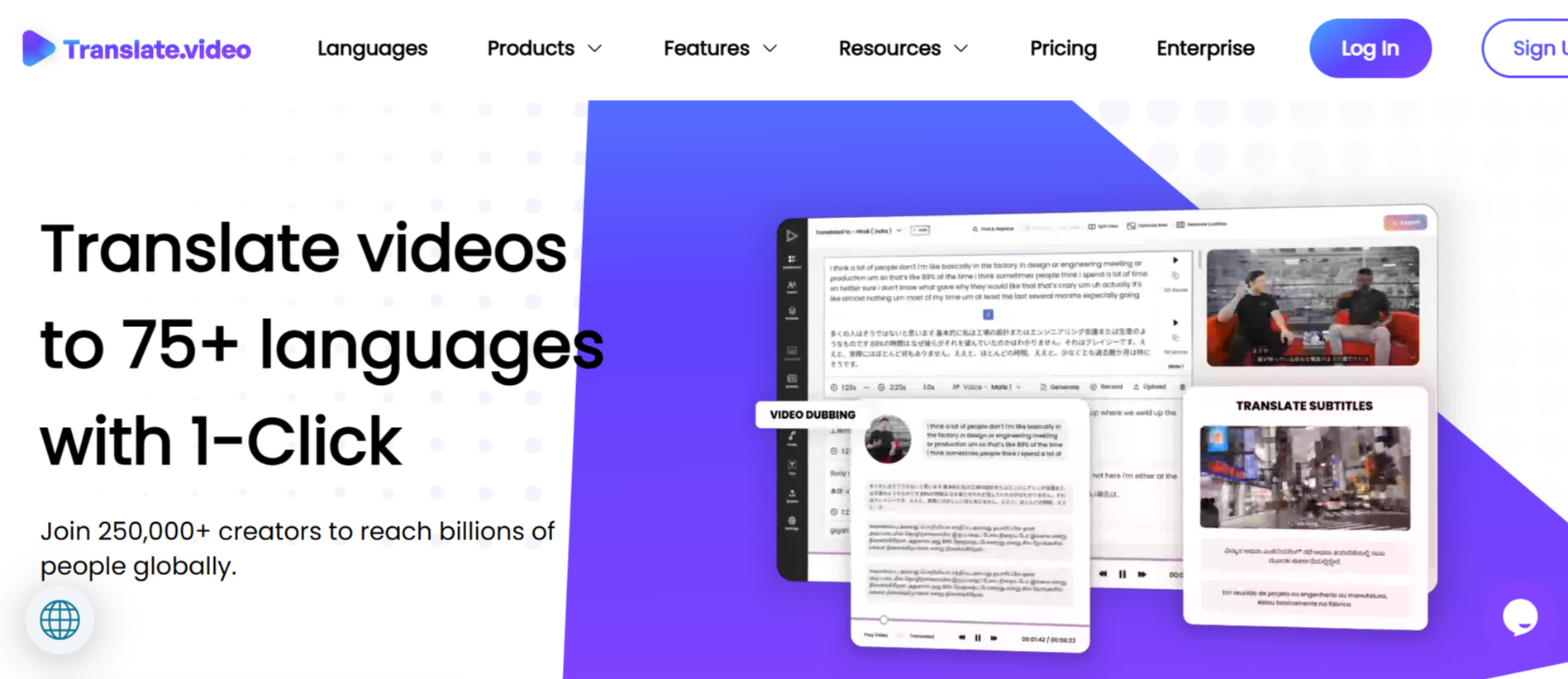
TranslateVideo Key Features
TranslateVideo packs a comprehensive suite of tools into a single platform, aiming to be the only application you need for video localization. Let's break down the key features that define the user experience.
1. AI Dubbing in 75+ Languages
The platform can automatically dub videos into different languages. You can upload a video, select the target language, and let the AI generate a new voiceover. This process replaces the original audio
2. Instant Voice Cloning
The platform can create a digital clone of your voice from as little as 50 seconds of audio. This cloned voice can then be used to speak in any of the 75+ supported languages, maintaining the original speaker's tone and style.
This is a significant step up from generic synthetic voices, as it allows creators to maintain their personal brand and vocal identity across different languages, making the dubbed content feel more authentic and less jarring for their existing audience.
3. Automated Subtitles and Captions
Before any translation can happen, you need an accurate transcript. TranslateVideo automates this with its video captioning feature. It generates transcripts and closed captions for the original video.
From there, you can generate and translate subtitles into any supported language. The platform provides these in standard formats like SRT and VTT, making them easy to upload to YouTube, Vimeo, and other platforms.
4. Animated Subtitles
Going a step beyond standard subtitle files, Translate.Video offers animated subtitles. These are visually engaging, burnt-in captions that are popular on social media platforms like TikTok, Instagram Reels, and YouTube Shorts.
Paid plans give users access to over 24 different animation styles, allowing them to customize the look and feel of their subtitles to match their brand aesthetic and make their content more accessible and engaging for viewers watching with the sound off.
5. AI Lip Sync
To enhance the realism of dubbed content, the platform includes an AI Lip Sync feature. The AI analyzes the newly generated audio in the target language and subtly adjusts the speaker's lip movements in the video to better match the new sounds.
While not always perfect, this feature can greatly improve the viewing experience by making it less confusing when audio and video don’t match. This is available as a premium feature, with minutes allocated based on the subscription tier.
6. Advanced Video Editor
TranslateVideo 2.0 includes an integrated video editor. This allows users to make adjustments after the AI has done its work. You can edit the generated transcript, tweak subtitle timings, change animation styles, and manage other elements without needing to export the project to a separate video editing software.
7. Multi-Speaker Diarization
For videos with multiple speakers, such as interviews or podcasts, the platform offers multi-speaker diarization. This AI capability identifies and distinguishes between different voices in the audio.
In its current implementation, this feature is primarily limited to English on most plans, but it's crucial for creating accurate transcripts where different speakers' lines are correctly attributed, which is the foundation for accurate multi-speaker dubbing and subtitling.
How TranslateVideo 2.0 Works
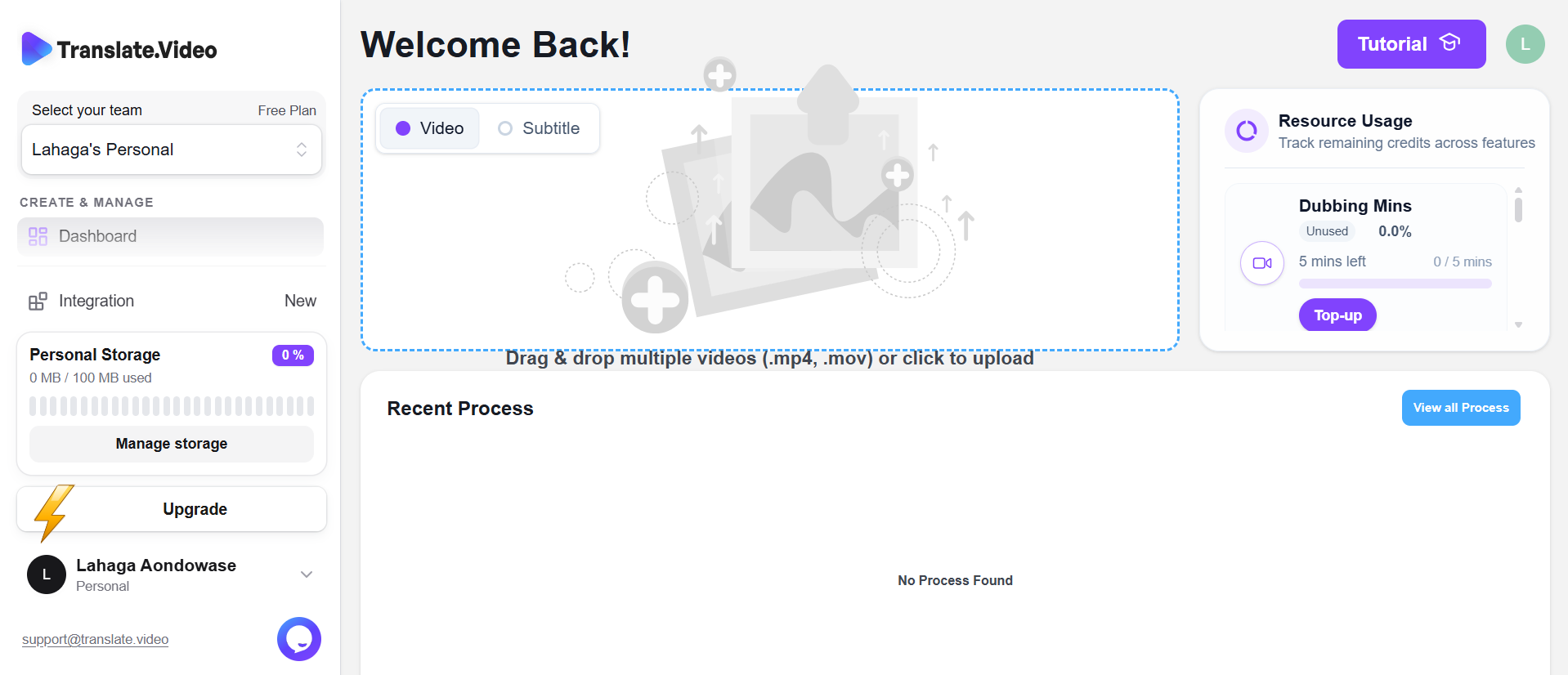
The platform is designed around a straightforward, user-friendly workflow that tries to simplify a traditionally complex process. Here’s a typical step-by-step walkthrough of the process from start to finish.
Sign Up and Upload: You start by creating an account. The free plan doesn't require a credit card, allowing you to explore the interface. Once logged in, you upload your video file directly to the platform.
Choose Your Service: After uploading, you select what you want to do. Your main options are generating subtitles/captions or dubbing the video into another language. You can often do both within the same project.
Select Languages: You specify the original language of the video and then choose one or more target languages for translation. The platform supports over 75 languages for this step.
AI Processing: With your settings confirmed, you click the "Translate" button. The AI gets to work transcribing, translating, and generating the new audio or subtitle files.
Review and Edit: Once the processing is complete, you can review the output in the built-in editor. This is your chance to correct any transcription errors, adjust subtitle timings, or customize the style of animated captions.
Export and Download: When you're satisfied with the result, you can export the final product. You can download the finished video with dubbed audio or burnt-in subtitles, or you can download the subtitle files (SRT/VTT) separately to use on social media platforms.
TranslateVideo Pricing and Subscription Plans
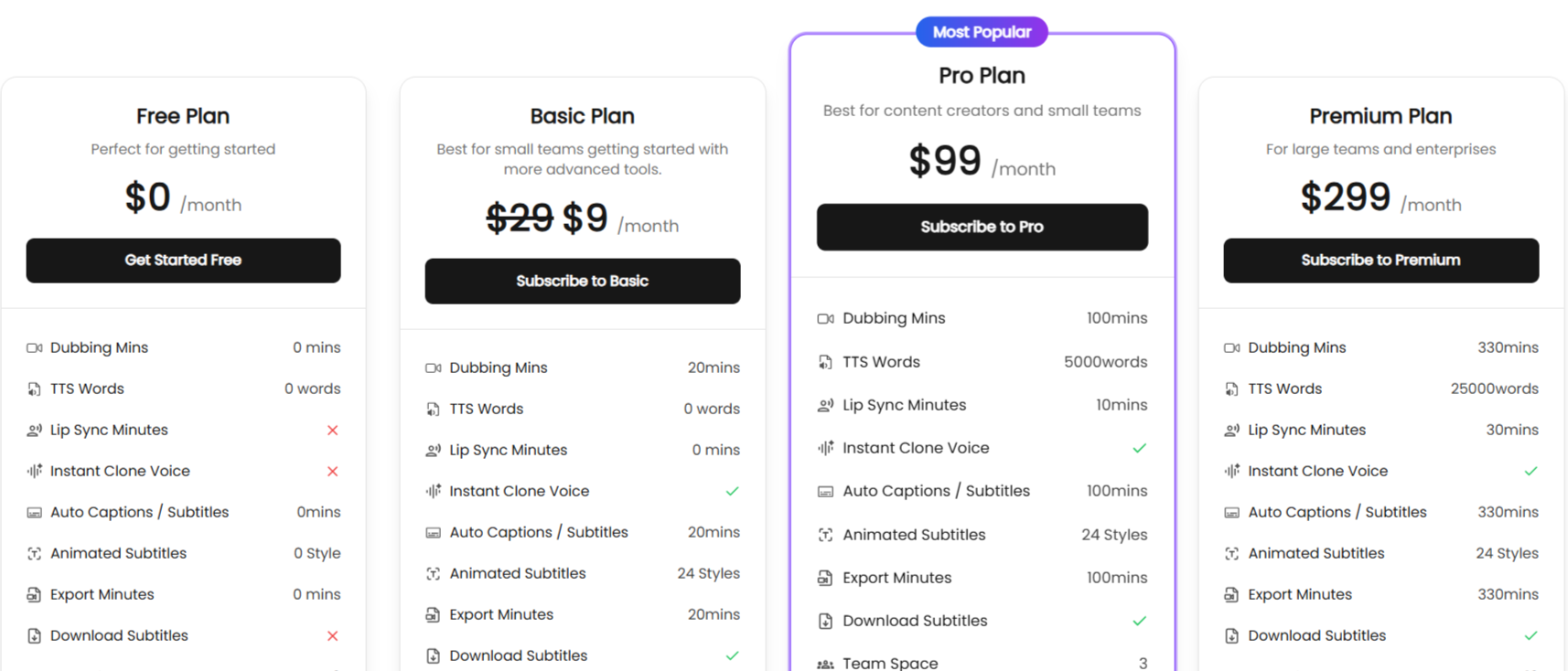
TranslateVideo uses a freemium, tiered subscription model based on usage minutes and feature access. Here is the pricing and plan details:
1. Free Plan
Price: $0/month
Features: This plan includes 0 dubbing minutes, 0 lip-sync minutes, and 0 export minutes. This makes it difficult for users searching for an AI translate video free solution to test the main dubbing functionality.
2. Basic Plan
Price: $9/month
Features: It includes 20 dubbing minutes, 20 minutes of auto-captions/subtitles, and 20 export minutes per month. You also get 24 animated subtitle styles, 2GB of storage, and 1080p export quality. Voice cloning and lip-sync are not included but can be purchased as top-ups.
3. Pro Plan
Price: $99/month
Features: This plan significantly increases limits to 100 dubbing minutes, 100 subtitle minutes, and 100 export minutes. It also includes 10 minutes of lip-sync, 5,000 text-to-speech words, and access to the Instant Voice Clone feature. Storage is increased to 10GB, and you get 3 team seats.
4. Premium Plan
Price: $299/month
Features: It provides 330 dubbing minutes, 330 subtitle minutes, and 330 export minutes. Lip-sync is increased to 30 minutes, TTS words to 25,000, and team seats to 10. Storage is boosted to 30GB, and the max file upload size is unlimited.
5. Top-ups
All paid plans offer the ability to purchase additional minutes and storage if you exceed your monthly allowance. The per-minute cost for dubbing, lip-sync, and other features decreases as you move up to higher-tier plans, rewarding higher-volume users.
Translate.Video Use Cases
The platform's capabilities are for users who want to expand the reach of their video content without investing in a manual translation team. Here are the ways to use the video translator:
Content Creators and YouTubers: Creators on platforms like YouTube can use the tool to dub their videos into Spanish, Hindi, Arabic, and other languages to tap into massive new audiences, similar to the strategy employed by top creators.
Marketing Teams: Businesses can localize their video ads, promotional content, and social media campaigns for international markets, ensuring their message resonates with local audiences.
Educators and Course Creators: Instructors can translate their online courses and educational videos to make them accessible to students across the globe, dramatically expanding their potential market.
Corporate Communications: Global companies can use it to translate internal training materials, all-hands meetings, and CEO messages for employees in different regional offices.
SaaS Companies: Tech companies can create multilingual versions of their product demos, tutorials, and customer support videos to better serve their international user base.
TranslateVideo Pros and Cons
Translate.Video presents a compelling but not perfect solution. Here’s a balanced look at its pros and cons.
Pros
Exceptional Speed: The platform's biggest selling point is its speed. As one of our users noted, it "really streamlines and accelerates the process," a sentiment that echoes the founder's goal of being 100x faster than manual workflows.
Broad Language Support: With support for over 75 languages, the tool offers extensive global reach, making it a versatile option for creators targeting diverse markets.
Advanced AI Features: The inclusion of high-impact features like Instant Voice Cloning and AI Lip Sync sets it apart from simpler subtitle-only tools, offering a more premium output.
All-in-One Workflow: By combining transcription, translation, dubbing, subtitling, and a video editor, it eliminates the need to juggle multiple apps, saving time and potential compatibility headaches.
High-Quality Subtitle Options: The availability of animated subtitles in various styles is a great bonus for creators focused on social media, where visual engagement is key.
Positive Community Reception: The tool received a 5/5 rating on Product Hunt, with many users congratulating the team and calling the product "amazing" and "very, very useful."
Cons
Limited Free Trial: The free plan is severely restricted, offering no dubbing or export minutes. This prevents users from properly testing the core functionality before committing to a paid plan.
Pricing Complexity: The credit-based system with separate minutes for dubbing, lip-sync, and subtitles, plus various top-up options, can be confusing to navigate and predict costs.
Uncertainty on Niche Topics: As a user rightfully asked, the accuracy of AI translation on highly technical or niche subjects remains a potential issue. This type of content will likely still require careful manual review and editing.
TranslateVideo Alternatives
If TranslateVideo doesn't quite fit your workflow or budget, here are a few other alternative tools to consider.
Dubverse
Dubverse is a strong, direct competitor focused exclusively on AI dubbing, subtitling, and text-to-speech. It offers a similar proposition of translating video content with AI voices. You might choose Dubverse if you are looking for a platform that is hyper-focused on the dubbing and voice generation aspect of video localization.
EasySub AI
As its name suggests, EasySub AI specializes in creating and translating subtitles. It offers online video transcription and subtitle generation with a high degree of accuracy. If your primary need is accurate, multi-language subtitles and you don't require AI dubbing or voice cloning, EasySub AI could be a more straightforward and cost-effective choice.
RecCloud
RecCloud is a broader tool that combines cloud video hosting with AI services like transcription and translation. It also includes features like screen recording. This is a better fit for users who need an all-in-one solution for creating, hosting, and translating their videos, particularly for tutorials or product demos.
Exemplary AI
Exemplary AI focuses more on content repurposing. It can transcribe your audio or video and then help you generate articles, summaries, and social media posts from it. While it does offer translation, its core strength is in content creation, making it a great alternative for marketers who want to do more than just translate a single video.
Final Verdict and Best For
TranslateVideo is a platform that successfully tackles the challenge of video localization. Its integration of dubbing, voice cloning, lip-sync, and subtitling into a single, streamlined workflow is its greatest strength.
Overall Score: 8/10. The technology potential for audience growth is massive. However, it loses a few points for its confusing pricing structure and a free plan that is too limited to allow a proper evaluation of its core dubbing feature.
It's best for users who produce video content regularly and see a clear ROI in localization. If you are a casual creator or on a very tight budget, the monthly cost and credit system might be a barrier. For those who can justify the investment, Translate.Video is a top-tier tool that can genuinely transform a local channel into a global media presence.

Translate.video Alternatives
View All