Rask AI

Rask AI Key Features
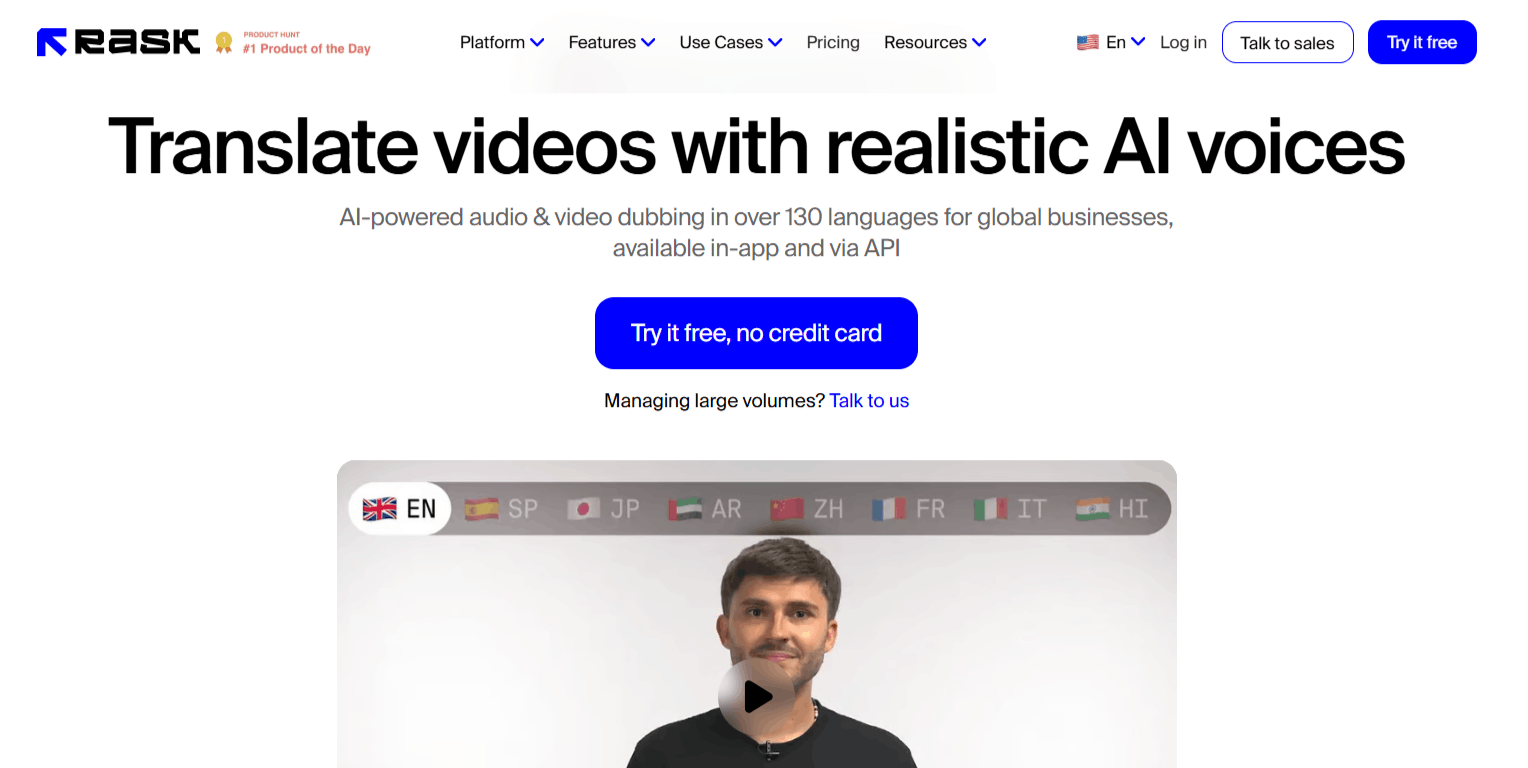
Rask AI offers a comprehensive suite of tools to help make video content accessible in different languages. The tool is efficient, moving away from the manual, time-consuming processes of traditional dubbing studios and into an automated digital workflow. Let’s explore its features.
1. Automatic Video Translation
At the center of the platform is an AI engine that allows you to translate video and audio content into over 130 languages. The system processes the source material and outputs translated tracks that align with the original video duration.
2. Voice Cloning Technology
One of the most talked-about features is the VoiceClone tool, which allows you to speak in your own voice across 32 different languages. By analyzing your unique vocal characteristics, the software generates synthetic audio that retains the tone and inflection of your natural speech.
3. Multi-Speaker Detection
The multi-speaker feature is essential for podcasts, interviews, and complex tutorials where more than one person is talking. Rask AI automatically identifies different speakers and assigns the appropriate voice profiles to them.
This ensures that the final output sounds natural and distinct, preventing the common issue where an entire conversation sounds like one monotone voice.
4. Lip-Syncing for Natural Dubbing
To make the translated audio feel more immersive, the platform includes a lip-sync feature that adjusts the visual timing to match the new audio track.
While not a replacement for high-end film production, it significantly improves the viewing experience by reducing the "uncanny valley" effect that often happens when speech and mouth movements are misaligned.
5. Advanced Video Editor
Beyond just translating audio, the Rask built-in video editor provides a space to adjust transcripts, fix timestamps, and manage speaker settings directly in the browser.
6. Translation Dictionary and Prompting
Consistency is a major challenge in translation, particularly for technical content or specific brand terminology. The platform offers a dictionary feature where users can define preferred translations for specific keywords.
This, combined with translation prompting, allows for better control over the style and tone of the output, ensuring the AI does not misinterpret specialized jargon.
7. Enterprise-Ready API
For teams processing large volumes of media, the API enables full integration into existing production pipelines. This is a game-changer for businesses that need to automate the localization of dozens or hundreds of hours of video content without manually uploading every single file to the Rask AI web portal.
How Rask AI Works
The platform is streamlined to minimize the steps between uploading your original video and receiving a polished, localized final product.
Create an account and complete the Rask AI login process to access your personal dashboard.
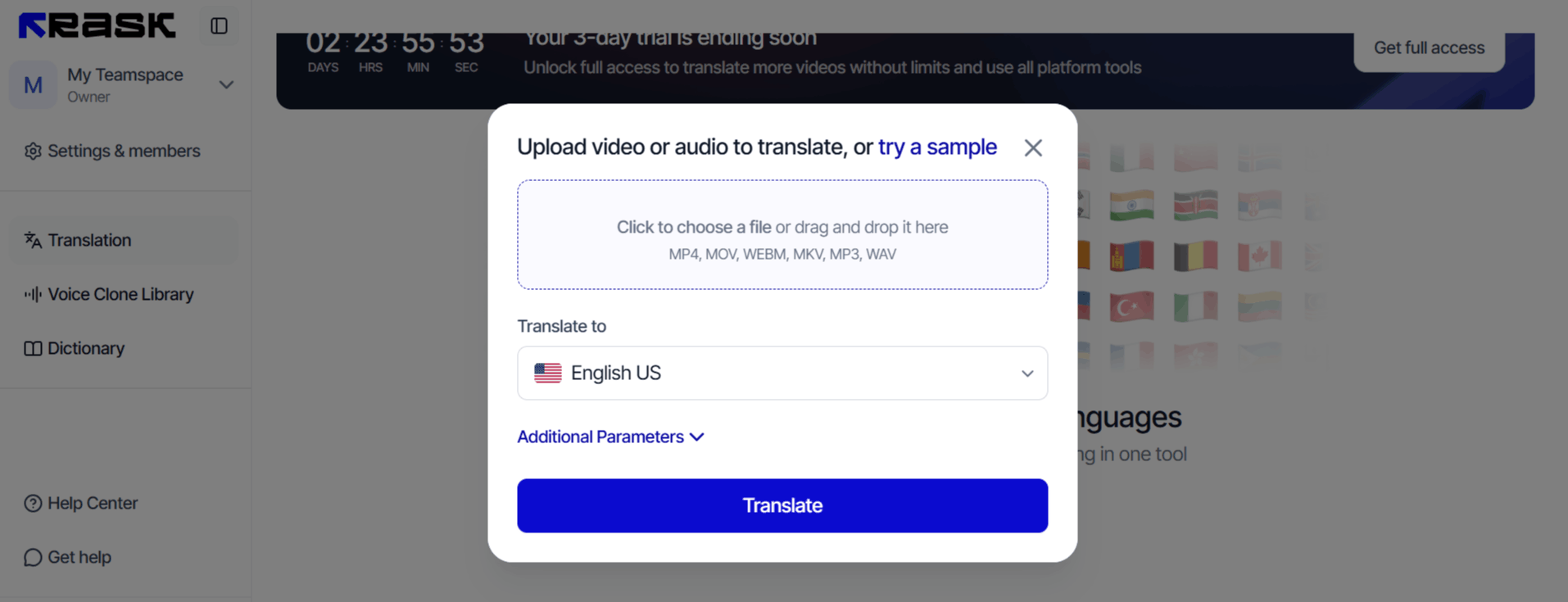
Upload your video or audio file directly to the platform. The system will then analyze the content, including the language and the number of speakers involved.
Choose your target languages from the list of over 130 options. If you want to use the VoiceClone feature, ensure your voice profile is set up to match the speaker.
Use the editor to review the auto-generated transcript and translation. Make any necessary adjustments to the text or speaker labels to ensure accuracy.
Apply the lip-sync feature if needed to ensure the visual output matches the new audio track.
Finalize the settings, add captions if desired, and export your video. You can also download the SRT files if you prefer to handle the subtitle distribution separately.
Rask AI Pricing and Subscription Plans
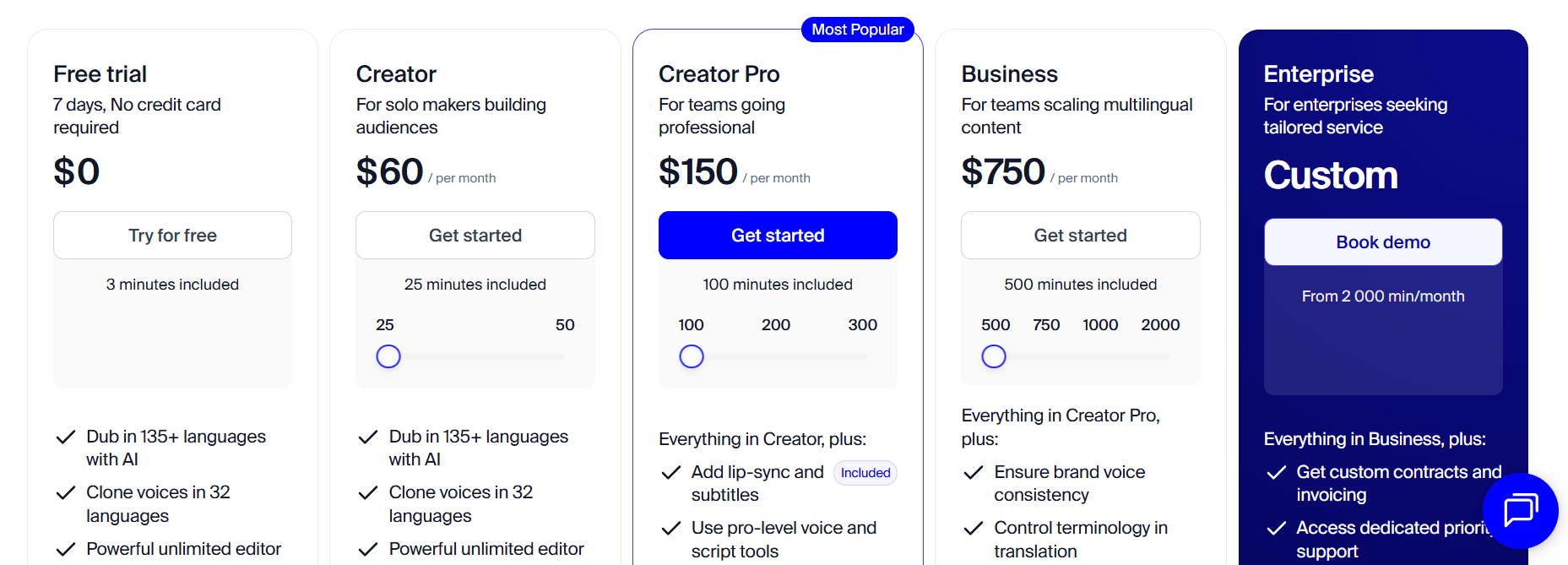
The platform operates on a credit-based subscription model that scales depending on how many minutes of video you need to process each month. They offer a free trial to test the core features, but beyond that, the pricing tiers are categorized to support different levels of usage.
Free Trial: $0/month. Allows users to get a feel for the tool with a limited allowance of 3 minutes of processing time.
Creator: Starting at $60/month. Designed for individual creators, this includes 25 minutes of translation/dubbing per month.
Creator Pro: Price starting at $150/month. A mid-tier option for more active creators, providing 100 minutes of content processing.
Business: Starting at $750/month. Targeted at professional teams, this provides 500 minutes of processing time along with advanced features like priority support and team collaboration tools.
Enterprise: Custom pricing. Designed for high-volume users needing over 2,000 minutes per month, enterprise-level security features, and dedicated account management.
Use Cases
The Rask localization tool can be used in the following ways.
Content Creators and YouTubers: Expand your audience reach by localizing your channel's videos for non-English speaking regions.
Educational Platforms: Translate lectures and tutorials to make them accessible to students worldwide.
Marketing Teams: Localize promotional videos and ad campaigns to effectively penetrate new global markets.
SaaS and Corporate Training: Adapt software walkthroughs and HR training materials into multiple languages for international office branches.
Entertainment and Film Production: Distribute indie films or documentaries globally by providing instant, cost-effective dubbing solutions.
Rask AI Pros and Cons
Like any technology, there are advantages and some limitations to keep in mind before you choose Rask AI. Understanding these will help you manage expectations.
Pros
Broad Language Support: Supporting over 130 languages ensures that almost any major market is reachable.
User-Friendly Interface: The dashboard is intuitive, making it accessible even for beginners who haven't used an Rask AI video translator before.
Voice Cloning Quality: The English voice cloning feature is remarkably natural and captures the original speaker's intent well.
Efficiency and Speed: It significantly reduces the time and cost compared to traditional manual translation and voiceover hiring.
Comprehensive Editing Tools: Having a built-in editor for transcripts and captions saves users from having to bounce between multiple pieces of software.
Reliable API: For companies with high throughput, the API integration provides a robust, professional-grade solution.
Cons
Lip-Sync Limitations: The lip-sync feature is not yet perfect and may occasionally produce unnatural artifacts in the video output.
Learning Curve for Voice Presets: Achieving the "perfect" voice clone sometimes requires tweaking settings, which can take time to master.
Cost of High-Volume Usage: While the lower tiers are affordable, the monthly cost can climb quickly if you consistently exceed your included minutes.
Consistency Issues with Rare Languages: Translation accuracy can sometimes drop when dealing with obscure dialects or highly technical content.
Final Verdict and Best For
Rask AI is a highly capable, polished tool that effectively solves the problem of time-consuming video localization for a reasonable price. It earns an 8.5/10 for its combination of intuitive UX and powerful features like multi-speaker detection and voice cloning.
It is best suited for YouTubers, educators, and marketing teams who need to scale their content presence globally. While it isn't a replacement for human creative nuance in high-end cinematography, it is a practical, cost-effective solution for anyone looking to break language barriers at scale.
If you are a high-volume creator or business, it is a tool well worth testing.
Frequently Asked Questions (FAQs)
Let’s answer some questions people ask about Rask AI.
Is Rask AI free to use?
It offers a free trial that allows users to test the platform with a limited number of minutes, but it is not a permanently free service for regular production.
Is Rask AI legit?
Yes, it is a legitimate AI video software used by millions of users and companies to manage video localization and dubbing workflows.
What does Rask AI do?
It is an AI-powered platform that translates and dubs video content into over 130 languages, offering features like voice cloning and lip-syncing to keep the output natural.
How much does Rask AI cost?
The pricing starts at $33/month for the basic creator tier and scales up based on the amount of video processing time required per month.

Rask AI Alternatives
View All