Luma Dream Machine

Luma AI Dream Machine Features
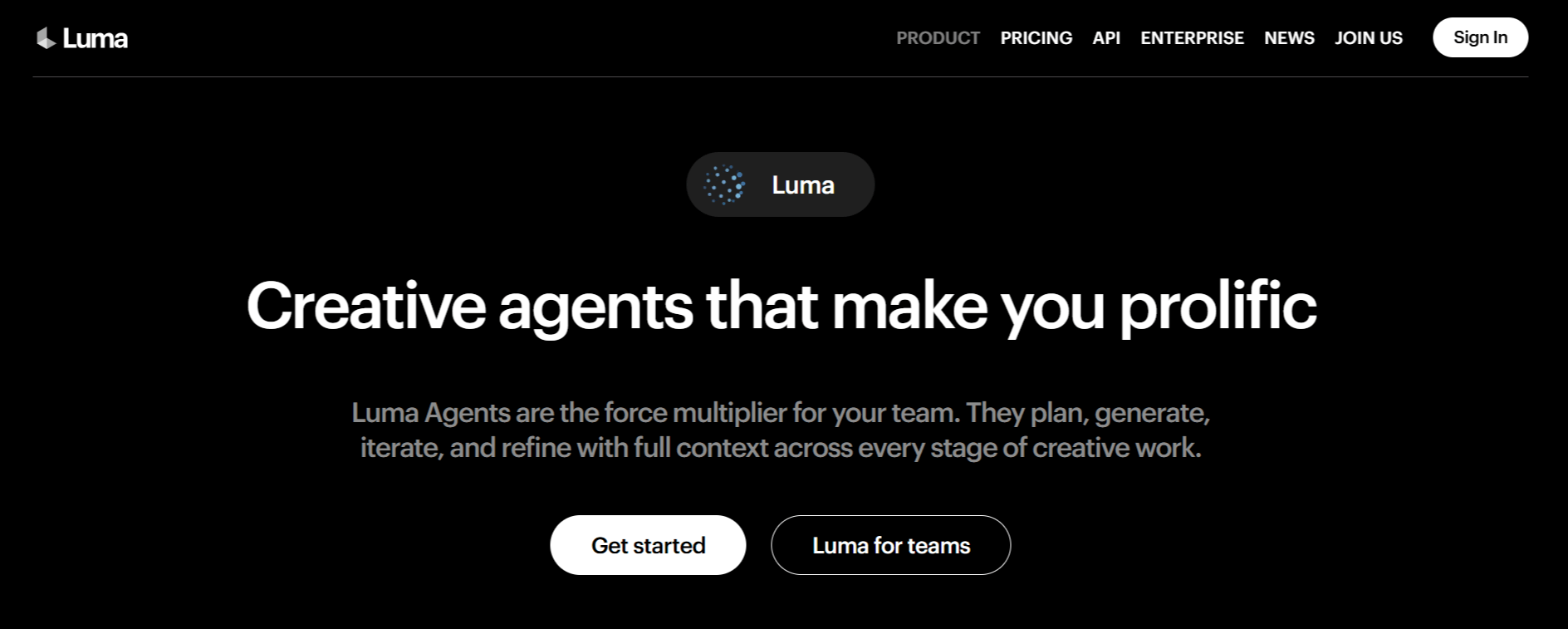
Luma AI provides a robust ecosystem of tools that automate and enhance creative output. The feature set is built around the idea of "creative agents" that can execute specific tasks across video, image, and audio domains.
Below is a detailed look at the core capabilities that define the platform.
1. Ray Video Generation
The Ray model series is central to the Luma Labs Dream Machine experience, enabling text-to-video and image-to-video generation. Users can provide descriptive prompts to create short video sequences or use existing images to generate motion.
The platform offers varying levels of control, including cinematic direction and continuity, which are essential for those seeking to refine the output quality beyond a basic Luma AI video generation.
2. Creative Agents
Rather than forcing users to manage every technical setting, Luma Dream Machine employs agents to handle end-to-end workflows. These agents act as intermediaries between the user's intent and the model's output, coordinating media generation across different formats.
3. Multimodal Understanding
Through models like Uni-1, the platform aims to bridge the gap between understanding input and generating content. This feature allows the system to parse both visual and textual information, leading to more coherent and context-aware generation.
4. High-Resolution Video Output
Users can generate video content in various resolutions, including support for higher-end output needs. Whether creating content for social media or professional portfolio pieces, the ability to adjust the resolution helps maintain a standard that aligns with modern display requirements.
5. Audio Integration
The platform incorporates specialized audio models, including ElevenLabs technology, to handle text-to-speech, sound effects, and music generation. This is a critical component of the Luma AI video production workflow, as it allows users to finalize not just the visuals but the accompanying soundscape within the same ecosystem, saving time on external editing.
6. Image Generation Models
Luma Labs AI includes a suite of image generation models, such as GPT Image and others, for creating original visuals. These tools are useful for generating concept art, textures, or supporting graphics that can then be animated or integrated into larger video projects.
7. Utility Tools
Beyond generation, the platform provides specific utilities like background removal, image blending, and image reframing. These functions are highly practical, addressing common pain points in media preparation.
How Luma Dream Machine Works
Creating assets with the Luma Labs Dream Machine involves the following steps.
Account Setup: Begin by completing the Luma AI Dream Machine login process on their official website to access the dashboard.
Choosing an Agent: Select the specific model or agent suited for your project, such as a video generator for a Luma AI video or an image-focused model for static assets.
Inputting Prompts: Enter a detailed prompt or upload reference imagery. Being specific here helps the AI understand the lighting, composition, and mood you desire.
Configuration: Adjust settings such as output resolution, duration, or aspect ratio. You can choose between draft-quality outputs to save credits or higher-quality settings for final production.
Generation: Submit the task to the model. The agents will process the request, and you can monitor the progress through the dashboard.
Refinement: Once the output is generated, utilize the platform’s utility tools, like reframe or background removal, to polish the results before downloading your final file.
Luma Dream Machine Pricing and Subscription Plans
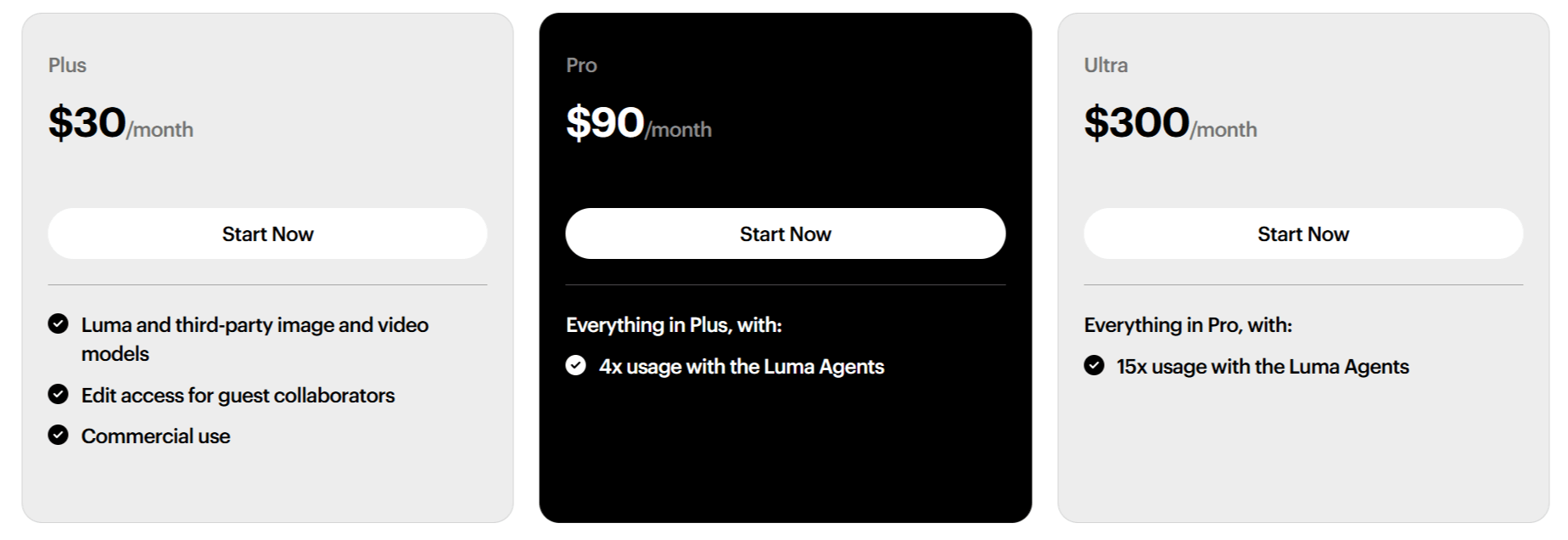
Luma Dream Machine offers tiered pricing to accommodate both casual users and high-volume professional studios.
Plus Plan: $30/month ($300 billed yearly). Includes access to Luma and third-party models, guest collaborator access, and commercial use rights.
Pro Plan: $90/month ($900 billed yearly). Includes everything in the Plus plan, plus 4x the usage capacity with Luma Agents.
Ultra Plan: $300/month ($3,000 billed yearly). Includes everything in the Pro plan plus 15x the usage capacity.
Business Plans: The company offers custom Team and Enterprise plans for larger organizations, providing features like team-wide sharing, usage analytics, SSO, and dedicated training.
Who Uses Luma Dream Machine
The platform is best suited for those who need to create quickly or generate large amounts of media assets.
Content Creators: YouTubers and social media influencers can use the platform to generate B-roll, visual intros, or stylized effects for their videos.
Marketing Teams: Agencies can quickly prototype ad concepts, generate product-related visual content, or create unique campaign imagery without extensive photo shoots.
Architects and Designers: While not a dedicated CAD tool, designers can use the generation capabilities to visualize interior layouts or conceptual exterior lighting designs.
Freelance Video Editors: Editors can use the utility tools and generative models to fill gaps in footage or create unique textures for transition effects.
Entertainment and VFX: Artists working in film and game development can use the platform for rapid pre-visualization of scenes or complex 3D-style assets.
Luma AI Dream Machine Pros and Cons
While the platform offers significant useful tools, we weigh the benefits against the potential learning curve and cost. Here is a breakdown of what users generally experience.
Pros
High-Quality Output: Many users find that the platform, particularly with the newer Ray models, achieves high levels of visual fidelity and detail.
End-to-End Workflow: The integration of audio, image, and video generation in one place is a major time-saver for busy creators.
Scalable Pricing: The tier structure allows for a lower entry cost for individuals while providing high-volume options for larger teams.
Active Development: The team behind the platform releases frequent updates and new models, suggesting long-term support for the product.
Utility Suite: Having built-in tools for image manipulation (like background removal) adds significant practical value to the core generative features.
Professional Use: The inclusion of commercial use rights in their paid plans is essential for agencies and businesses.
Cons
Credit Consumption: Intensive use of high-resolution models or long video generation can deplete your monthly credits quickly, necessitating upgrades.
Learning Curve: Achieving consistent, high-quality results often requires writing precise prompts and understanding how to steer the model, which may be difficult for beginners.
Limited Device Support: Historically, some of the platform's more advanced features were tethered to mobile or specific ecosystems, causing some friction for desktop-first creators.
Luma Dream Machine Alternatives
Depending on your needs, you might consider other specialized solutions that focus on different aspects of production.
Zeemo AI
Zeemo AI focuses primarily on automated captioning and visual effects for videos. You would choose this if your primary goal is to increase accessibility and engagement for short-form content through perfectly timed subtitles.
VideoExpress AI
VideoExpress AI is aimed at rapid video animation production. It is a good alternative if you need a more streamlined, "one-click" approach to creating animated marketing videos without the complex agent-based workflows found in Luma Labs.
Faceless.video
Faceless.video provides tools tailored for creators who produce content without appearing on camera. It is a better choice if your workflow relies heavily on stock footage, AI-generated voiceovers, and automated editing for social media platforms.
Revid AI
Revid AI is an alternative for those prioritizing short-form video generation and repurposing. If your focus is primarily on quick, high-impact clips for TikTok or Reels, this tool offers specialized features for that medium.
BigMotion AI
BigMotion AI provides alternative motion-generation capabilities. This is a solid option if you want to experiment with different aesthetic styles or need a more simplified interface for motion-based generative work.
Final Verdict and Best For
Luma AI Dream Machine is a powerful platform that provides a consolidated hub for creative AI tasks, making it a compelling choice for professional teams and power users who need a high degree of control over their media generation workflows.
It is best suited for creators who are willing to invest time in learning how to prompt effectively to get the most out of the system. We rate it 8/10 for its flexibility and the maturity of its model ecosystem.
It is an impressive tool for those deep in the creative industry, though casual users might find the cost-to-use ratio a factor to consider carefully.
Frequently Asked Questions (FAQs)
This section addresses common questions about the platform, its usage, and its organizational background to help you better understand its role in the AI video space.
Is Luma AI free?
Luma Labs AI offers a free trial or entry-level access to try their models, but serious, consistent use requires moving to one of their paid tiers, as credits are consumed for every generation task.
What is Luma AI used for?
It is used for generating high-quality video, images, and audio assets for professional creative projects, including marketing, social media content, and pre-visualization in design or film.
Who is behind Luma AI?
Luma AI is built by a team based in Palo Alto, focused on foundational research and systems engineering to build multimodal general intelligence for creative expression.
How much does it cost to use Luma AI?
Plans range from $30 per month for the Plus tier to $300 per month for the Ultra tier, with annual billing options available to save on costs.

Luma Dream Machine Alternatives
View All