AI Video Editing With Prompts: How to Edit Videos Using AI
Video editing can take a lot of time. You may need to watch the same video again and again, cut out boring parts, add captions, change the size, and find the best moments. But what if you could simply tell an AI what you want? That is the idea behind AI video editing with prompts. Instead of doing every small editing task yourself, you can give an AI video editor instructions in normal language. For example: “Remove the long pauses, keep the funny parts, add captions, and make the video 60 seconds long.” The AI can then help you plan, edit, or prepare the video. In this guide, you will learn how AI video editing using prompts works, what you can do with it, and some useful prompts you can try.
What Is AI Video Editing With Prompts?
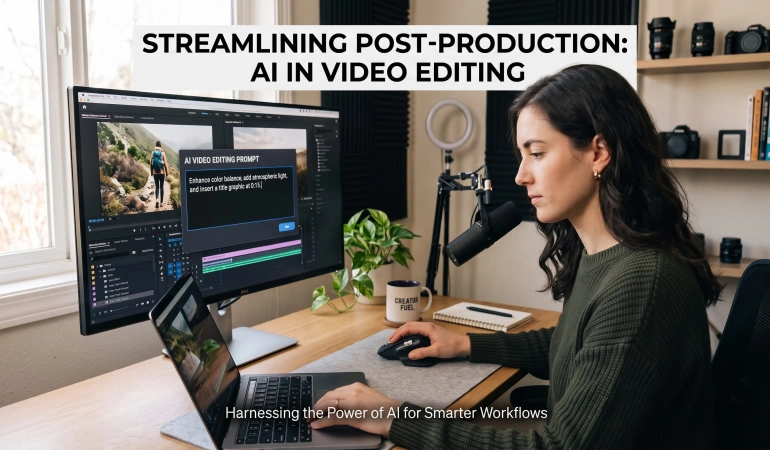
AI video editing with prompts means using written instructions to tell an AI video editor what you want to change in a video.
A prompt is simply an instruction.
For example:
“Remove the first 10 seconds and make the video shorter”
Or:
“Find the best parts of this interview and create three short clips for social media”
This is also called prompt-based video editing or AI-assisted video editing.
The main idea is simple: you describe the job, and the AI helps you do it.
Some tools like Invideo AI and FireCut can work with existing video clips. Others can use text to help create a new video. Some can do both.
How Does AI Video Editing With Prompts Work?
The process can be very simple.
1. Upload Your Video
First, you give the AI video editor the video clips you want to work with.
This could be a YouTube video, interview, product video, tutorial, podcast, or short social media clip.
2. Tell the AI What You Want
Next, write a prompt.
For example:
“Turn this 10-minute video into a 60-second short. Keep the most useful parts and remove long pauses”
The better your instructions are, the easier it is for the AI to understand your goal.
3. AI Looks at the Footage
The AI can analyze the video and look for things such as speech, scenes, pauses, and useful moments.
Some tools can also work with captions or transcripts to help decide what should stay and what should be removed.
4. AI Makes or Suggests Changes
Depending on the tool, the AI may create a draft, suggest changes, or perform some editing tasks.
For example, it may help:
Remove unwanted sections
Find useful moments
Create short clips
Add captions
Change the video format
Improve pacing
Organize clips
5. You Check the Result
This part is important.
AI does not always make the perfect choice.
Watch the result and change anything that does not look right.
6. Give Another Prompt
You can then give the AI another instruction.
For example:
“Make the opening faster and remove the first sentence”
This makes the editing process feel more like a conversation.
What Can You Do With AI Video Editing Prompts?
There are many ways to use AI video editing prompts.
Remove Unwanted Parts
You can ask an AI video editor to remove pauses, mistakes, repeated sentences, or parts that are not useful.
Example prompt:
“Remove long pauses and parts where I repeat myself”
Find the Best Moments
If you have a long video, finding the best moments can take a lot of time.
You can ask AI to find them for you.
Example prompt:
“Find the five most interesting moments in this video”
Create Short Videos From Long Videos
A long interview or podcast can contain many short clips.
You can ask an AI video editor to find good sections and turn them into short videos.
Example prompt:
“Find three useful 30-second clips from this interview for TikTok and YouTube Shorts”
Add Captions
You can also ask AI to prepare captions for your video.
Example prompt:
“Add clear captions and highlight the most important words”
Change the Video Format
A horizontal YouTube video may not work well on TikTok or Instagram.
You can ask AI to create a vertical version.
Example prompt:
“Turn this video into a 9:16 vertical video for YouTube Shorts”
Improve the Pacing
Sometimes a video feels too slow.
AI can help identify parts that may need to be shortened.
Example prompt:
“Make this video faster and remove parts that make the video feel slow”
AI Video Editing Tools That Use Prompts
Not every AI video editor uses prompts the same way.
Some tools let you give natural-language instructions. Others use AI assistants, text-based editing, or a mixture of AI features.
Here are some types of tools worth exploring.
CapCut × Codex
ChatGPT video editor by CapCut is a good example of a prompt-based video workflow.
You can provide video clips and describe the type of edit you want. The workflow can help review the footage, select useful moments, remove unwanted sections, arrange clips, and prepare an editable rough cut in CapCut. You can then continue editing the result yourself.
Descript
Descript uses a text-based approach to video editing. It also has an AI co-editor called Underlord that can help with editing decisions such as pacing and structure.
This can be useful for interviews, podcasts, tutorials, and other videos where spoken words are important.
Invideo AI
Invideo AI lets you describe the video you want using text prompts. You can give instructions about the video's topic, style, scenes, voiceover, and other elements.
You can also use prompts to make changes to an existing project instead of starting everything from scratch.
This can be useful when you want to create or edit videos without working through every part of a traditional timeline.
Gling
Gling is an AI video editor designed to make editing talking-head videos, YouTube videos, and similar content easier.
It can help remove unwanted parts such as silences, bad takes, and filler words. You can also use natural-language instructions to guide some editing tasks.
Wisecut
Wisecut uses AI to help turn long or unedited footage into more polished videos.
It can automatically remove pauses, create captions, add background music, and help make videos shorter and easier to watch.
You can use instructions and settings to guide the editing process, making it useful for creators who want to speed up repetitive editing work.
More AI Video Editing Tools
Many other AI video editing tools can help with tasks such as:
Cutting videos
Removing filler words
Adding captions
Creating short clips
Reframing videos
Cleaning audio
Repurposing long videos
Improving video pacing
Explore more AI video editors and compare their features, pricing, and use cases before choosing one.
10 AI Video Editing Prompts You Can Try
Here are some simple prompts you can copy and change.
Remove Long Pauses: “Remove long pauses and empty sections. Keep the natural flow of the video”
Find the Best Moments: “Find the five best moments in this video and explain why each one is useful”
Create a Short Video: “Turn this video into a 60-second short. Keep the most useful information”
Add Captions: “Create clear captions for this video and make important words stand out”
Remove Repeated Content: “Remove repeated ideas and sentences while keeping the main message”
Improve the Pacing: “Make this video more engaging by removing slow sections and unnecessary pauses”
Create a Vertical Version: “Create a 9:16 version of this video for TikTok, Instagram Reels, and YouTube Shorts”
Create Multiple Social Clips: “Find five short clips from this video that could work well on social media”
Create a Highlight Video: “Create a 90-second highlight video using the most important moments”
Edit for a Specific Audience: “Edit this video for beginners. Remove complicated parts and keep the easiest explanations”
How to Write Better AI Video Editing Prompts
You do not need complicated words to write a good prompt.
Just tell the AI what you want.
Be Specific
Instead of:
“Make this video better”
Try:
“Remove long pauses and repeated sentences”
The second instruction is much clearer.
Mention the Length
Tell the AI how long you want the final video to be.
For example:
“Turn this 10-minute video into a 60-second short”
Mention the Format
Tell the AI where you plan to publish the video.
For example:
“Create a vertical 9:16 video for TikTok”
Explain Your Audience
Tell the AI who will watch the video.
For example:
“Edit this for beginners who know nothing about video editing”
Say What to Keep
This is very useful.
For example:
“Keep the examples and important facts, but remove repeated explanations”
Break Big Tasks Into Smaller Steps
Do not always give the AI a huge instruction.
Start with one task.
For example:
“First, find the best parts of this video”
Then:
“Now turn those parts into three short clips”
This can make the process easier to control.
AI Video Editing With Prompts vs. Traditional Editing
Traditional video editing normally requires you to move through a timeline and make many changes yourself.
Prompt-based editing can make some of those tasks easier.
This does not mean AI makes traditional editing useless.
Instead, AI-assisted video editing can help reduce repetitive work while you stay in control.
Who Can Benefit From AI Video Editing With Prompts?
AI video editing with prompts can help many people, even if they are not professional video editors. If you create, teach, or share videos online, prompts can make common editing tasks faster and easier.
YouTube Creators: You can use prompts to turn long videos into shorter clips, remove boring sections, and prepare videos for different platforms.
Social Media Creators: Creators can quickly make different versions of the same video for TikTok, Instagram Reels, and YouTube Shorts.
Businesses and Marketing Teams: Businesses can use prompts to turn product footage, interviews, webinars, and demonstrations into marketing content.
Teachers and Educators: Teachers can make long lessons shorter and easier to watch.
Video Editors: Professional editors can use AI to handle some repetitive tasks while they focus on storytelling and creative decisions.
Limitations of AI Video Editing With Prompts
AI video editing is useful, but it is not magic.
The AI may choose the wrong clip, remove something important, create captions with mistakes, or misunderstand your instructions.
It may also produce a video that feels too generic.
That is why you should always check the final video before publishing it.
Think of AI as a helper. You are still the director.
Final Thoughts
AI video editing with prompts makes video editing easier to understand.
Instead of searching through every clip and making every change by hand, you can tell an AI what you want.
You might say:
“Remove the boring parts”
Or:
“Turn this long video into three short clips”
Or:
“Make this video vertical and add captions”
The AI can then help with the work.
Tools such as CapCut × Codex, Descript, Invideo AI, Gling, and WiseCut show how this idea can work with existing video footage, while other AI video editors use text-based editing or AI assistants to speed up different parts of the editing process.
The best approach is simple: give clear instructions, check the result, and make the final creative decisions yourself.
Frequently Asked Questions
Still have questions about AI video editing with prompts? Here are simple answers to some of the most common questions about how it works, what you can do with it, and what to expect from AI video editing tools.
Can AI turn a long video into short clips?
Yes. Some AI tools like Vizard AI, Nexus Clips, Reclips, and Opus Clip can find useful moments in long videos and help turn them into shorter clips.
Can AI add captions to videos?
Yes. Many AI video editors can automatically create captions from spoken audio.
What is the difference between AI video editing and AI video generation?
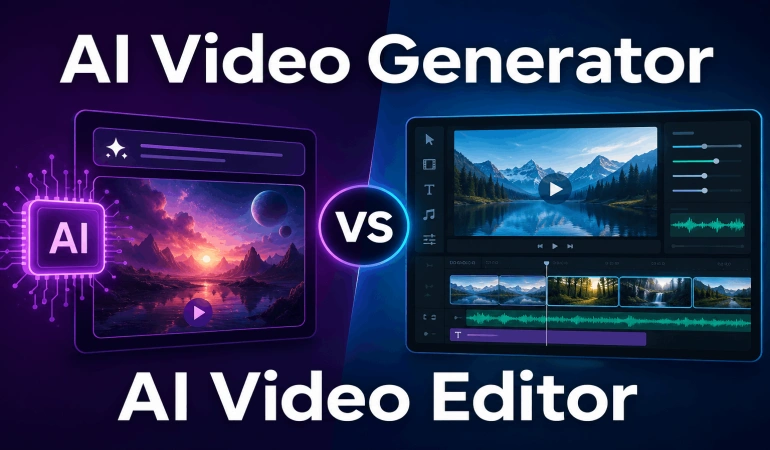
AI video editing changes existing footage. AI video generation creates new video from instructions, images, or other inputs.
Can AI replace a video editor?
Not completely. AI can handle many repetitive tasks, but human judgment is still important for storytelling, timing, accuracy, and creativity.
What is the best AI video editor with prompts?
There is no single best tool for everyone. The right choice depends on what you want to do, such as editing existing footage, creating short clips, adding captions, or generating new videos.

Lahaga Aondowase
Is the founder of AI Video Tools Pro, an AI video tools directory that helps creators, marketers, educators, and businesses discover AI video software. He researches and evaluates AI video tools based on their features, use cases, pricing, and practical workflows.
Related Articles
View All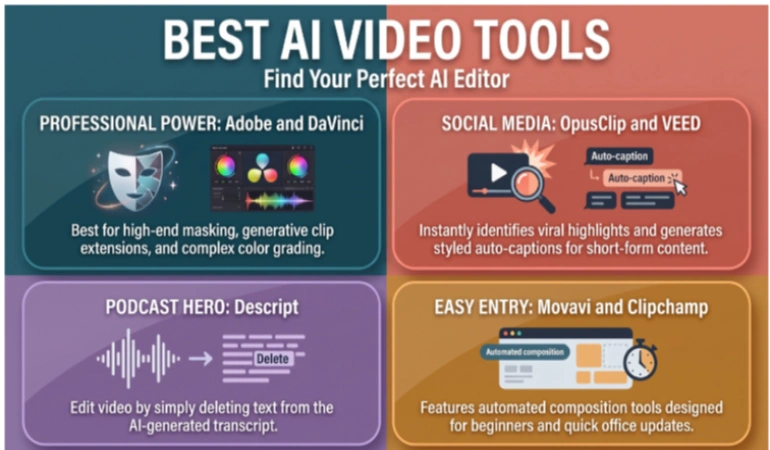


User Comments (0)

