Wrpup

WrpUp Features
WrpUp offers a focused suite of features centered on the automatic summarization and editing of video files. By leveraging AI to parse through video data, the platform aims to isolate key value points while discarding filler content.
1. AI-Powered Summarization
The tool is an AI engine that analyzes video transcripts and visual cues to determine what information is essential. This automated process removes the need for manual editing, allowing the system to identify segments that represent the main narrative or educational points.
2. Duration Reduction
One of the primary goals of the Wrpup AI is to shrink the runtime of videos. According to the development team, the current version is capable of reducing video length by 60% to 90%, allowing users to consume content that originally took thirty minutes in just a few minutes.
3. Support for Long-Form Content
While the current public version is optimized for shorter videos, the tool is designed to scale. It targets content that is typically too long for quick viewing, focusing on turning those deep dives into bite-sized highlights.
4. Efficient Information Extraction
Wrpup AI ensures that the resulting video clip maintains the context of the original. This allows for a balance between speed and information retention, preventing the loss of important data during the shrinking process.
5. Platform Integration
WrpUp AI is built to handle content typically found on major platforms like YouTube. Using automated workflows, it removes the friction of downloading, cutting, and re-uploading videos manually.
6. Engagement Optimization
For users who share content, the tool assists in making videos more digestible for an audience. By presenting only the key segments, it makes it easier to hold a viewer's attention and communicate information more effectively.
7. Time-Saving Automation
Beyond just watching, the video software is positioned as a productivity aid. By automating the extraction of key moments, it reclaims time that would otherwise be spent scrubbing through long footage to find specific details or key takeaways.

How WrpUp Works
The process of using WrpUp is straightforward with minimal technical input from the user. It follows a structured path that moves from initial input to a final, shortened video file.
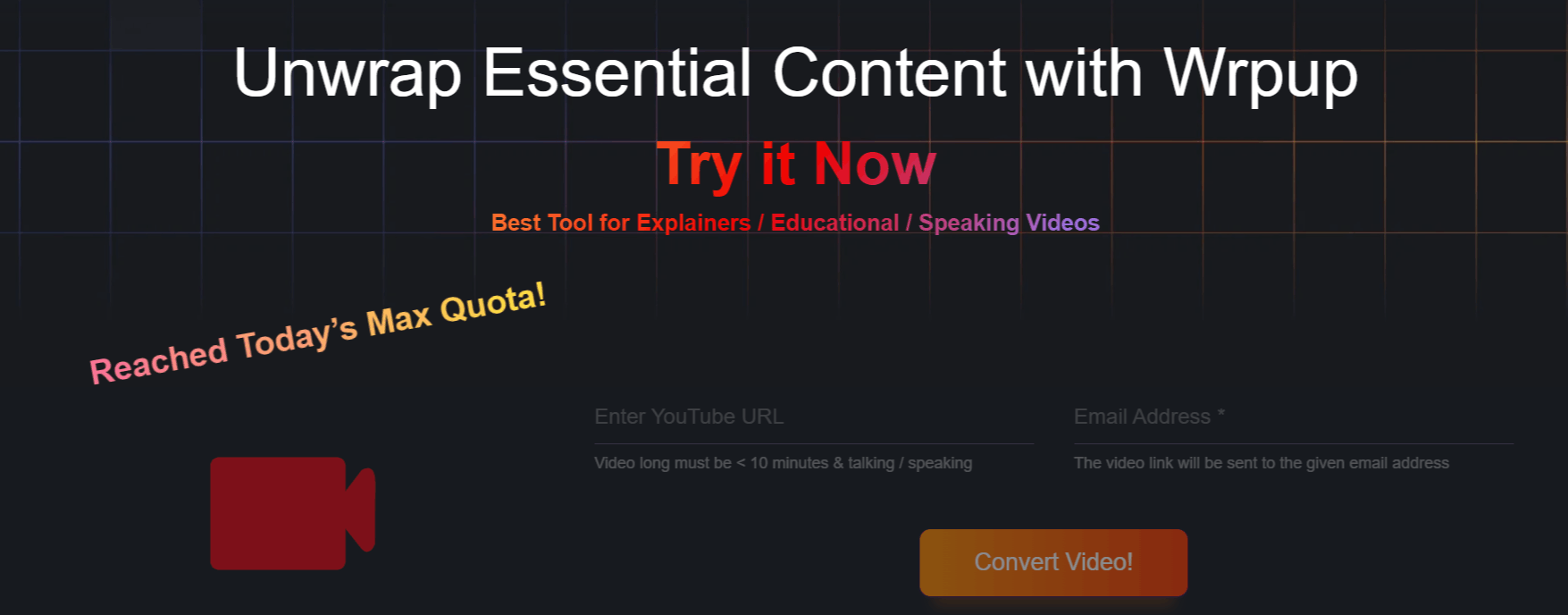
Step 1: Access the WrpUp website to begin the process.
Step 2: Provide the URL of the long-form video you wish to condense.
Step 3: The AI model analyzes the video, processing the audio and visual data to understand the structure of the content.
Step 4: The system identifies the most relevant segments based on the information density of the original footage.
Step 5: The AI automatically stitches these segments together into a cohesive, shortened clip.
Step 6: Review the output and save or share the condensed version of your video.
Who Uses WrpUp
WrpUp is primarily for individuals and professionals who need to process large amounts of video-based information quickly.
Students and Researchers: These users often have to watch long lectures or documentaries to extract specific data points for their studies.
Content Consumers: Individuals who watch significant amounts of educational or news content on platforms like YouTube and want to optimize their daily screen time.
Marketing Professionals: Teams looking to repurpose long-form webinar or interview content into short, engaging highlights for social media.
Knowledge Workers: Professionals who need to stay updated on industry news but do not have the time to sit through hour-long video briefings.
Educators: Teachers and trainers who want to create quick summaries of long lessons to share with students as a review tool.
WrpUp Pros and Cons
Like any tool, WrpUp has strengths that serve specific needs, as well as limitations inherent to early-stage AI video processing.
Pros
Significant Time Savings: Users report a massive reduction in the time required to consume information, effectively "warping" their daily viewing schedule.
Automated Workflow: The entire process is handled by AI, which removes the need for manual editing skills or expensive video production software.
High Compression Ratios: The ability to reduce videos by 60% to 90% is a major benefit for those dealing with high volumes of long-form content.
Ease of Use: The interface is simple to navigate, making it accessible even for those who are not tech-savvy.
Focus on Relevant Content: The AI is specifically trained to look for core information, ensuring the condensed version remains useful.
Broad Application: The tool is versatile enough to be used for educational, professional, and personal purposes.
Cons
Limited Input Length: The current version is restricted to shorter videos, which may frustrate users trying to process hour-long lectures or podcasts.
Beta Status: Because it is an evolving project, the feature set is still expanding, and users may encounter occasional instability.
Quality Variations: Depending on the audio quality and visual density of the source video, the final output may vary in terms of coherence.
Final Verdict and Best For
WrpUp AI is a practical solution for anyone struggling with the sheer volume of video content they encounter daily.
It is not an enterprise-grade video editor, nor does it claim to be; instead, it is a focused tool that solves a specific, common frustration.
With a current score of 7/10, it is well-suited for students and professionals who need quick access to the core points of long videos.
Users requiring high-end production features or perfect accuracy on extremely long videos may need to wait for further updates to the beta version or consider more robust editing alternatives.

Wrpup Alternatives
View All