Why AI Voice Generators Are Essential for Video Marketing
A good video catches the eye in seconds. But a poor voiceover can make viewers scroll away. Clear narration helps people understand a product demo, short ad, or how-to video. Recording narration once meant setting up a microphone and doing several takes. Now, a marketer can turn a script into speech with an AI voice generator. It helps teams test ideas, fix mistakes, and publish faster. Today, we explore their benefits, best use cases, and how to create natural-sounding voiceovers for effective video marketing.
What Are AI Voice Generators?
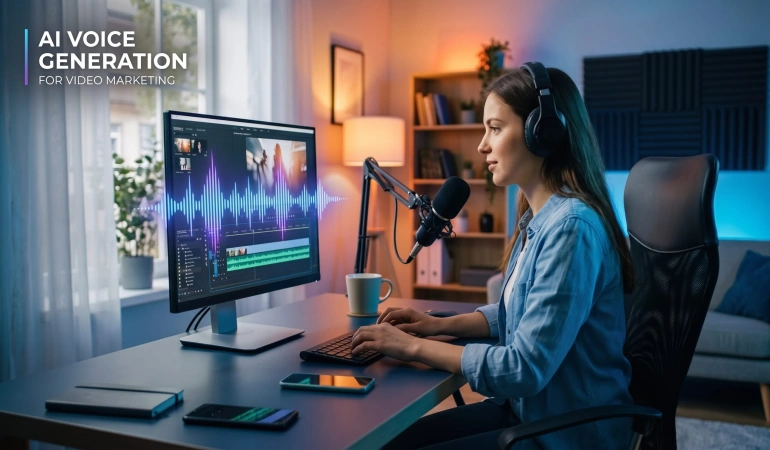
An AI voice generator converts written text into spoken audio using artificial intelligence. You enter a script, select a voice, and generate narration for a video or other project.
Many AI video tools offer different voices, accents, languages, speaking speeds, and pronunciation controls. Some AI video tools like VideoExpress AI, Invideo AI, MakeUGC, etc., also offer voice cloning, emotional delivery settings, and editing features to help users refine the result.
AI voice generators help create narration for product demonstrations, social media videos, advertisements, training materials, and educational content.
Why AI Voice Generators Matter for Video Marketing
AI voice generators offer more than convenience; they can help marketing teams reduce production time, maintain consistent narration, and adapt videos for different audiences. Here are the key benefits for video marketing.
1. AI Voice Generators Speed Up Video Production
Marketing teams often work with tight deadlines. A product update, promotional campaign, or trending topic may require a video to be published quickly.
Traditional voice recording can involve scheduling a session, preparing equipment, recording several takes, and editing the audio. AI voice generation simplifies this process by allowing teams to create narration directly from an approved script.
If a product name changes or a sentence needs correcting, the team can regenerate the affected section instead of recording the entire script again.
2. They Give Small Teams More Production Options
Professional voice actors and recording studios remain valuable, particularly for major campaigns. However, not every social media post or product tutorial requires a full recording session.
AI voice generators give smaller teams another option for producing clear narration without investing in recording equipment or arranging repeated sessions.
There may still be subscription fees, audio editing requirements, and time spent reviewing the output. The actual savings depend on the tool, project, and volume of content being produced.
3. They Help Maintain a Consistent Brand Voice
Consistency matters when a business publishes tutorials, product demonstrations, advertisements, and social media videos across multiple platforms.
Using the same AI voice across related videos can create a familiar listening experience. A company might choose a calm, professional voice for software tutorials and a more energetic voice for promotional clips.
The goal is not to make every video sound identical. Instead, the voice should suit the content while maintaining a recognizable style where consistency matters.
4. They Make Multilingual Video Marketing Easier
A video created for one audience may need a different version for another market. Translating the script is only part of the process; the narration must also sound natural in the target language.
Some AI voice generators support multiple languages and regional accents, allowing marketers to produce localized versions of their content without arranging a separate recording session for every language.
For example, a software company could create versions of a product tutorial for audiences in different countries while keeping the visuals largely unchanged.
However, automated narration does not guarantee accurate localization. Review translations for meaning, pronunciation, cultural context, and technical accuracy before publication.
5. They Make It Easier to Create Multiple Video Versions
A marketing campaign may require a 15-second social media clip, a 30-second advertisement, and a longer product explanation.
Each version may need a different script, pace, or call to action. AI narration makes it easier to generate these variations without recording every line again.
Consider a software company updating a feature in its application. The team can revise the affected narration, generate replacement audio, and update the relevant section in its video editor. It can then prepare shorter versions for social media and a longer demonstration for its website.
6. AI Voice Generator Supports Faster Creative Testing
Different voice styles can influence how a marketing message feels to the audience.
A calm, informative delivery may suit a software tutorial, while a more energetic voice may work better for a short promotional video. Marketers can test different openings, narration styles, and calls to action before deciding which version to use.
AI voice generation makes producing these variations more convenient, especially when the script and visuals remain mostly the same.
The aim is not to generate as many versions as possible. It is to test meaningful differences and identify the delivery that best supports the message and audience.
Where AI Voiceovers Work Best
AI voiceovers are useful across several types of video marketing. Here are some common use cases where they can help teams create content more efficiently.
Social Media Videos
Short-form videos need to communicate an idea quickly. A brief voiceover can explain a tip, introduce a product feature, or guide viewers through a comparison.
AI narration can help creators maintain a consistent publishing schedule, especially when producing several related videos for platforms such as Instagram, TikTok, YouTube Shorts, and Facebook.
The narration should remain concise and match the pace of the visuals. A long explanation can weaken a short video, even when the voice itself sounds natural.
Product Demonstrations and Explainer Videos
Screen recordings and product demonstrations are easier to follow when the narration explains what is happening.
AI voiceovers can guide viewers through software features, app settings, checkout processes, and common troubleshooting steps. They are also useful when a product interface changes and parts of the explanation need updating.
For these videos, clarity matters more than dramatic delivery. The voice should be easy to understand, and the narration should match the actions shown on screen.
Video Advertisements
Advertising teams often need to test different hooks, benefits, and calls to action. AI voice generators make it easier to produce alternative narration for the same campaign.
A business could test a problem-focused opening against a benefit-focused opening while keeping most of the visuals unchanged.
This approach helps teams explore creative options without arranging a separate recording for every variation. However, a different voiceover does not guarantee better results; campaign performance still depends on the offer, audience, visuals, and message.
Educational and Training Videos
Tutorials, onboarding videos, and training materials often require clear narration that explains information in a logical order.
AI-generated voices can help organizations create consistent audio for lessons, internal demonstrations, and instructional videos. They can also make it easier to update individual sections when information changes.
For content involving sensitive subjects or complex instructions, the script and final recording should receive careful review before distribution.
How to Create Better AI Voiceovers for Video Marketing
Generating a voiceover is only one part of the production process. The following workflow can help you produce narration that fits your video.
1. Write a Script for Speaking
Written content does not always sound natural when read aloud. Long sentences, complicated phrases, and too many ideas in one line can make AI narration difficult to follow.
Use short sentences, familiar words, and clear transitions. Read the script aloud before generating audio. If a sentence is difficult to say naturally, simplify it.
For marketing videos, focus on the main message rather than trying to include every product detail.
2. Choose a Voice That Fits the Message
Listen to several samples before selecting a voice. Consider the audience, subject, and intended tone.
A professional product demonstration may need a measured, clear delivery, while an entertaining social media video may benefit from a more conversational style.
Do not choose a voice based on a short sample alone. Test it with the actual script to see how it handles your terminology, sentence structure, and intended pacing.
3. Generate and Review the Audio
Generate a short sample before producing the full narration. Check the pronunciation of names, product features, abbreviations, and technical terms.
Adjust the speaking speed, pauses, and emphasis where the tool allows it. If a sentence sounds unnatural, try rewriting it rather than repeatedly generating the same wording.
Once the voiceover is complete, listen to the entire recording to identify inconsistencies, awkward pauses, or missing words.
4. Match the Narration to the Video
Import the audio into your video editor and align it with the relevant scenes. Make sure the narration explains what viewers are seeing rather than describing something that has already disappeared from the screen.
If the audio is too long, shorten the script or adjust the edit instead of forcing the visuals to move too quickly.
Add background music carefully. It should support the narration without making the words difficult to hear.
5. Add Captions and Review the Final Export
Captions make videos easier to follow for viewers watching without sound and can improve accessibility.
Review the captions against the final audio, particularly when the voice generator mispronounces a word or the automatic transcription makes an error.
Before publishing, watch the complete video and check the audio levels, timing, pronunciation, and synchronization. A voiceover that sounds good on its own may still feel disconnected from the finished video.
How to Choose the Right AI Voice Generator
Not every AI voice tool offers the same features or suits every production workflow. Before choosing one, consider the following factors.
Voice quality: Does the narration sound clear and natural when used with your actual script?
Pronunciation controls: Can you correct names, technical terms, and unusual words?
Voice variety: Are there voices and speaking styles suitable for your audience and content?
Language support: Does the tool offer the languages and regional accents you need?
Editing capabilities: Can you revise individual sections without regenerating the entire recording?
Export options: Can you download audio in a format compatible with your video editor?
Commercial usage rights: Does your subscription permit the intended use in monetized videos, advertisements, or client projects?
Pricing and limits: Are the available minutes, credits, and features sufficient for your production volume?
Testing a tool with a real project is often more useful than relying on a feature list. A short trial can reveal whether its voices, controls, and export options fit your workflow.
Limitations to Consider Before Using AI Voices
AI voice generators can simplify production, but they are not the right solution for every video.
Emotional delivery: Some projects depend on subtle emotion, dramatic timing, or a highly personal performance. A professional human voice actor may deliver these qualities more effectively.
Pronunciation and accuracy: AI voices can mispronounce unfamiliar words, names, and technical terms. Generated audio should be checked before publication, particularly when accuracy is important.
Natural pacing: Some voices may sound too uniform or place emphasis on the wrong words. Script revisions and audio adjustments can help, but not every tool offers the same level of control.
Voice rights and consent: If a tool supports voice cloning, obtain the appropriate permission before cloning another person's voice. Do not assume that access to a voice sample grants permission to reproduce someone's identity.
Commercial licensing: Usage rights vary by provider and subscription plan. Review the applicable terms before using generated audio in advertisements, client work, or other commercial projects.
For many marketing videos, AI narration is a practical choice. For campaigns where performance and emotional authenticity are central to the message, human narration may be worth the additional effort.
Conclusion
AI voice generators are becoming useful tools for video marketing because they make narration easier to produce, revise, and adapt for different audiences. They can help small teams create product demonstrations, social media videos, advertisements, and multilingual content without recording every version from scratch.
However, generating audio is only one part of making an effective video. Clear writing, appropriate voice selection, accurate pronunciation, thoughtful editing, and well-timed captions all contribute to the final result.
The best approach is to use AI narration where it improves the production workflow while keeping human judgment involved in the creative decisions. When the voice fits the message and the audio works naturally with the visuals, AI voice generation can become a valuable part of a video marketing strategy.
Frequently Asked Questions
Here are answers to common questions about using AI voice generators for video marketing, including their benefits, commercial usage rights, and how to get more natural-sounding narration.
Are AI voice generators good for video marketing?
Yes. They can help marketers produce narration for social media videos, product demonstrations, advertisements, and tutorials. Their usefulness depends on voice quality, script preparation, editing, and the needs of the project.
Can I use AI-generated voices in commercial videos?
Some AI voice generators allow commercial use, but permissions vary by provider and subscription plan. Check the licensing terms before using generated narration in advertisements, monetized videos, or client projects.
Can AI voice generators replace human voice actors?
They can handle many routine narration tasks, but they do not replace human performers in every situation. Projects requiring nuanced emotion, distinctive character performances, or a highly personal delivery may benefit from a professional voice actor.
How can I make AI narration sound more natural?
Write conversational scripts, use clear sentence structures, test pronunciation, and adjust pauses and speaking speed. Listen to the complete recording and revise any lines that sound unnatural before synchronizing the audio with the video.

Lahaga Aondowase
Is the founder of AI Video Tools Pro, an AI video tools directory that helps creators, marketers, educators, and businesses discover AI video software. He researches and evaluates AI video tools based on their features, use cases, pricing, and practical workflows.
Connect on LinkedInRelated Articles
View All
User Comments (0)

