
Why Some Brand Videos Feel Expensive - And How AI Can Help
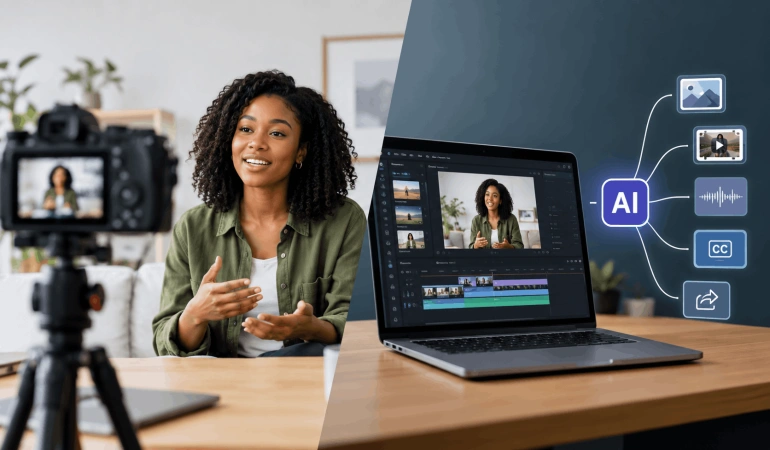
You can usually tell when a brand video feels considered. It may not have a huge set, a famous face or an extravagant location, yet something about it feels assured. The shots belong together. People look comfortable on camera. The pacing has confidence. Even simple moments seem to have a reason for being there. AI video tools are changing how many of those decisions are made. Creators can now develop visual concepts, generate footage, improve audio, create voiceovers, produce captions and repurpose finished videos with tools that were difficult or expensive to access only a few years ago.
The Audience Notices Coherence Before Technical Quality
Most viewers don't judge a video by lens choice, lighting ratios, or camera specifications. They respond to whether the whole piece feels consistent.
A beautifully lit interview can still feel awkward if the location is distracting. An impressive tracking shot can lose its effect if it appears in a video where every other scene is static.
The same is true of AI-generated footage.
A single impressive AI video shot does not automatically make a brand video feel polished. If the characters, lighting, colours or camera movement change noticeably from one scene to another, the result can feel assembled rather than designed.
Consistency Creates Confidence
When wardrobe, locations, framing, movement, sound and graphics seem to come from the same creative world, viewers stop noticing individual production choices. They experience the video as finished.
This becomes particularly important when live-action footage is combined with AI-generated visuals.
The two do not need to look identical, but they need to feel intentional together.
A generated scene that looks spectacular on its own may still be the wrong choice if it breaks the visual language of the rest of the video.
Pre-Production Is Where Quality Starts
A polished video usually begins before anyone presses record.
The more important decisions that can be settled early, the fewer compromises the production team has to make later.
That can include the script, locations, casting, visual references, shot list, wardrobe, music, graphics and the platforms where the finished video will appear.
AI can make parts of this process faster.
A creator can use AI to develop alternative script openings, explore different concepts, turn a written idea into a rough storyboard or visualise a scene before deciding whether it is worth filming.
That does not mean every decision should be handed to an AI tool.
The purpose is to make exploration easier.
Locations Do More Work Than Most People Expect
A location is not just a background.
It affects light, sound, movement, performance and how much visual information appears in every frame.
A real workplace may feel authentic, but if it is crowded with signage, reflective surfaces or constant background movement, the team has to solve those distractions.
A simpler room with texture, depth and controllable light may produce a stronger result.
AI video tools can also change how creators approach locations.
Instead of committing immediately to one visual idea, a team can create rough versions of different environments during the planning stage. This can help answer a simple question before production begins:
Casting Is About Believability, Not Just Appearance
Brand videos often lose credibility when everyone on screen looks as though they have been told exactly where to stand, when to smile and what emotion to show.
Natural performance usually begins with choosing the right people for the format.
A confident spokesperson may suit a direct-to-camera piece but feel stiff in a scripted scene. A real staff member might communicate warmth better in one project, while another concept may need an experienced performer who can repeat precise actions across several takes.
This is where preparation becomes especially useful. A capable video production company can help translate a creative idea into practical decisions around casting, locations, shot design, performance and the production requirements needed to keep those elements consistent.
That kind of end-to-end thinking can be particularly useful when a project combines traditional production with animation, visual effects or AI-generated material.
AI can also introduce new casting options.
AI avatar generators like HeyGen, Vidnoz, Synthesia and synthetic voices can be useful for product explainers, training videos, localized content and other formats where a presenter does not need to be physically filmed every time.
But an AI presenter still needs direction.
The voice, language, pacing, expressions and script should fit the brand rather than simply looking or sounding realistic.
Sound Can Make Modest Visuals Feel More Refined
People often describe a video as visually polished when part of what they are responding to is actually sound.
Clean dialogue gives interviews authority.
Room tone makes edits less abrupt.
Music can establish rhythm before the viewer consciously registers the visual pacing.
Small sound effects can make physical actions feel more substantial.
Poor sound does the opposite.
A beautifully composed shot can immediately feel amateur if dialogue is echoey or volume changes noticeably between scenes.
For that reason, sound should be considered during planning rather than treated as something to repair later.
AI has made some parts of audio post-production considerably more accessible. Noise reduction, voice enhancement, transcription, dubbing and other audio tasks can now be handled much faster than before.
But better tools do not change the underlying principle.
A clean recording is still better than trying to rescue a bad one.
Editing Should Hide the Effort
A polished edit rarely calls attention to every cut.
Its job is to control information.
Fast cutting does not automatically make a video engaging, and slow pacing does not automatically make it cinematic. The right rhythm depends on what the audience needs to feel and understand.
Strong editing also removes repetition.
If dialogue already explains an idea clearly, the supporting visual does not need to repeat the same message. It can add context, emotion or contrast instead.
AI can make this process faster without having to make the creative decisions itself.
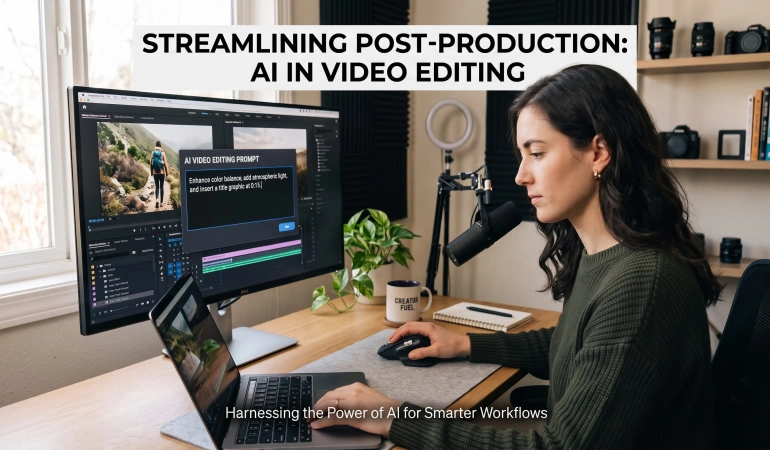
Modern AI video editing tools can help identify scenes, remove silence and filler words, generate captions, find highlights, reframe footage and turn longer videos into shorter clips.
That can save considerable time on repetitive work.
But there is a difference between automating an edit and making a good edit.
The first can often be done by software.
The second still requires judgment.
Captions Are Part of the Experience
Captions are often treated as an afterthought, but they have become an important part of video communication.
People frequently watch social videos without sound, and captions can make interviews, tutorials and promotional videos easier to follow.
AI transcription makes it possible to generate captions quickly, translate them into other languages and create text-based versions of video content.
It can also help identify useful sections of a longer recording.
But automatic captions still need to be reviewed.
Names, technical terms, accents and industry-specific language can easily be transcribed incorrectly.
A professional-looking video with obvious caption errors can quickly lose that sense of polish.
Localization Can Extend the Life of a Brand Video
A good brand video does not always need to be recreated from scratch for every market.
AI can help with translation, subtitles, voiceovers, dubbing and other parts of the localization process.
This makes it possible to take one piece of content and create versions for different audiences without rebuilding the entire production.
But localization is more than changing words from one language to another.
Expressions, humour, cultural references and even examples may need to change.
Human review helps make sure the result still sounds like the brand.
One Good Video Can Become Many Pieces of Content
A polished brand video can have a much longer life than its original publication.
A five-minute interview, for example, might contain several useful ideas that can be turned into shorter pieces.
The same production could become:
Short social clips
Vertical videos
Educational snippets
Product explainers
Quote videos
Captioned versions
Translated versions
Blog content
Email content
AI video repurposing tools such as Vizard AI, Reclips AI, Opus Clip, Munch AI, and Repurpose.io can help identify useful sections, create shorter versions, generate captions and adapt content for different formats.
This is one of the areas where AI video software can provide particularly practical value.
Instead of producing every piece of content from scratch, a team can build multiple assets from one strong production.
The goal is not simply to make more content.
It is to get more value from the content that has already been made.
AI Should Support the Creative Idea, Not Replace It
There is a temptation to use AI everywhere simply because it is available.
That can create its own problems.
If every scene is generated, every voice is synthetic and every edit is automated, the final video may become technically impressive but emotionally flat.
Real people can provide authenticity.
Real locations can provide texture.
Animation can explain ideas that would be difficult to film.
AI-generated footage can create environments or situations that would otherwise be impractical.
Traditional editing can provide the final rhythm.
There is no requirement for every part of a video to come from the same technology.
The strongest workflow is often the one that uses each method where it makes the most sense.
A Practical Workflow for Creating Better Brand Videos With AI
The process does not need to be complicated.
1. Define the purpose
Decide what the video needs to achieve.
Is it introducing a brand, explaining a product, generating leads, educating customers or building trust?
2. Establish the visual direction
Decide how the video should feel before choosing individual shots.
Think about colour, lighting, locations, people, movement and sound.
3. Develop the concept
Use AI where useful to explore scripts, visual references, storyboards and alternative ideas.
Then choose the direction that actually fits the brand.
4. Plan the production
Determine which elements need real footage and which could be generated, animated or created during post-production.
5. Capture the important material
Prioritise good performances, useful footage and clean audio.
AI can help later, but it is still better to start with strong source material.
6. Edit for meaning
Remove repetition, improve the rhythm and use B-roll to support the message.
Let AI handle repetitive tasks where appropriate, but keep creative control over the final edit.
7. Improve accessibility
Add captions, check the transcript and create translated versions when the audience requires them.
8. Repurpose the finished video
Create shorter clips, vertical versions and other useful formats instead of letting the original production live in only one place.
9. Review the whole piece
Watch the video without thinking about how it was made.
Ask whether the story is clear, whether the visuals belong together and whether anything feels unnecessary.
That final step is easy to skip.
It is also one of the most important.
Frequently Asked Questions
Let’s take some questions about how AI can help in your brand videos.
Does a brand video need an expensive camera to look professional?
No. Camera quality matters, but lighting, composition, art direction, sound, performance and consistency can have an even greater effect on how polished the final video feels.
Can AI make a brand video look professional?
Yes, but AI alone does not make a video professional. It can help with visual generation, editing, audio, voiceovers, captions and other production tasks, while creative direction and storytelling determine whether those elements work together.
Should a brand use AI-generated video instead of filming real people?
Not necessarily. Real people can provide authenticity and trust, while AI-generated footage can be useful for environments, concepts, visual effects and situations that are difficult or expensive to film. Combining the two can often produce a stronger result.
How can I make AI-generated video look less artificial?
Start with a clear visual direction and maintain consistency in characters, lighting, environments, colours and camera movement. Avoid adding AI-generated shots simply because they look impressive. Every scene should serve the story.
Can AI improve poor-quality video?
AI can help with tasks such as noise reduction, stabilization, upscaling, background removal and audio enhancement. However, there are limits. Good footage and clean audio are still preferable to trying to repair serious problems later.
How can one brand video create more content?
A single production can become short-form clips, social videos, captions, translated versions, educational snippets and other platform-specific assets. AI video tools can help identify highlights, edit clips, generate captions and adapt content for different formats.
What matters more: expensive equipment or good creative direction?
Good creative direction usually has a greater effect on whether a video feels coherent and intentional. Expensive equipment can improve image quality, but it cannot fix a weak idea, poor performance, distracting locations or ineffective editing.

Lahaga Aondowase
Is the founder of AI Video Tools Pro, an AI video tools directory that helps creators, marketers, educators, and businesses discover AI video software. He researches and evaluates AI video tools based on their features, use cases, pricing, and practical workflows.
Related Articles
View All

User Comments (0)

