Adobe Firefly Video Model

Adobe FireFly Video Generator Key Features
Adobe has packed Firefly with enough features to make it a legitimate candidate for professional videos. Here are its features:
1. Text to Video Generation
This is the bread and butter of the platform. You input a text description of the scene you want, such as "cinematic shot of a foggy mountain range at dawn", and the model outputs a 5-second 1080p clip. It is designed to be quick and responsive, functioning best when you include details about lighting, camera angle, and style to get the desired result.
2. Image to Video Motion
Sometimes you have the perfect photo, but need it to come alive. This feature allows you to upload a still image (JPG or PNG) and describe the motion you want to add. It’s particularly useful for animating product shots or turning static concept art into cinematic movement for a presentation.
3. Professional Camera Controls
Unlike many "black box" AI generators, Firefly offers some level of control over the camera. You can specify angles, shot distances, and movement patterns. This is vital for editors who need their AI-generated B-roll to match the pacing and framing of the footage they have already filmed on set.
4. Multi-Model AI Hub
Adobe isn't just forcing you to use their own model. The platform functions as a hub where you can toggle between the Adobe Firefly Video model and partner models like Luma AI or others. This allows users to test different aesthetic outcomes within one interface, making it a highly flexible sandbox for creative directors.
5. Sound Effects and Audio Integration
Video is nothing without audio, and Firefly recognizes this. The platform allows for the generation of sound effects to accompany your clips. While not a full-blown DAW, it simplifies the initial sound design phase, allowing you to create a more cohesive "mood" right from the start of the project.
6. Integration with Premiere Pro
For the professional editor, this is the killer feature. By working within the beta version of Premiere Pro, you can generate clips without leaving your timeline. This eliminates the tedious process of downloading files from a browser and importing them manually, keeping your creative flow intact.
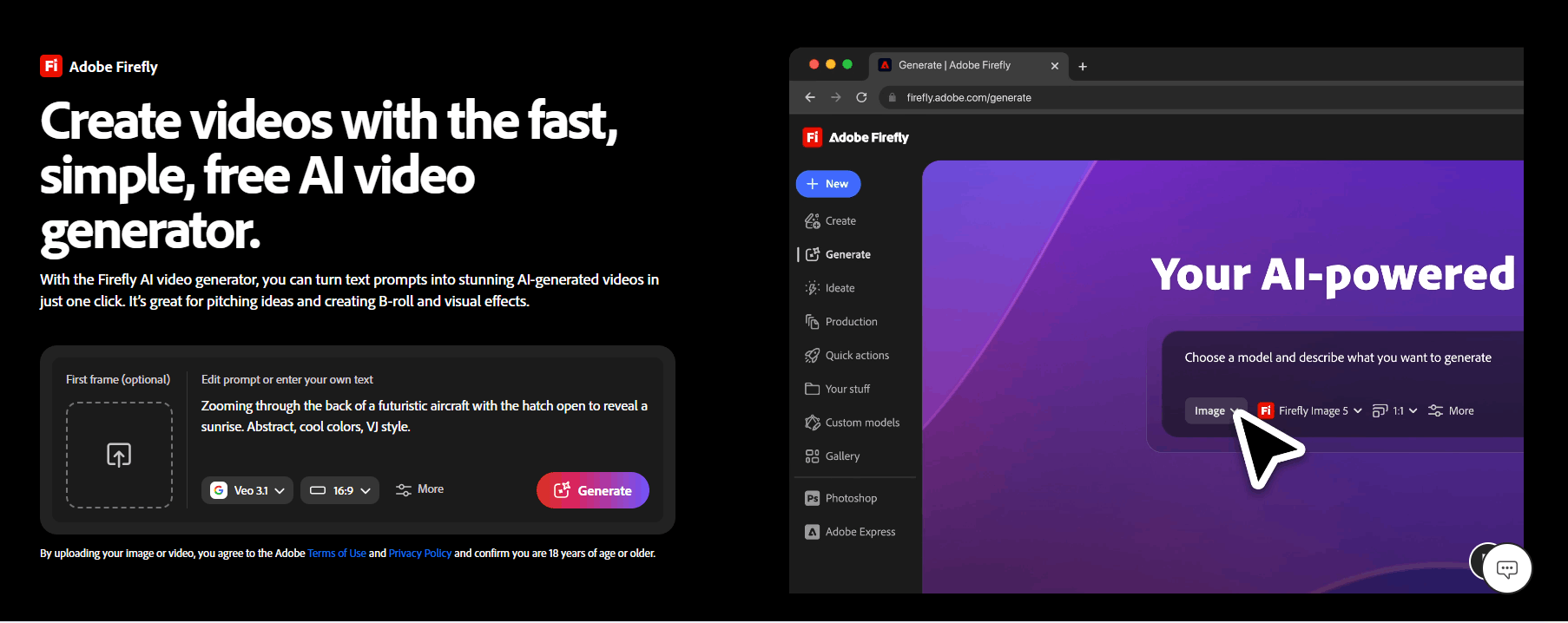
How Adobe FireFly Video Generator Works
Getting started with Adobe Firefly is intentionally straightforward, designed to mirror the interface of other Adobe cloud products. Here is the typical workflow for an average user.
Step 1: Navigate to the Firefly web portal and log in.
Step 2: Select the "Generate Video" tab to enter the main workspace.
Step 3: Choose your model from the dropdown menu (either native Firefly or an available partner model).
Step 4: Enter a descriptive prompt or upload a source image for the AI to reference.
Step 5: Adjust your settings on the left sidebar to fine-tune camera movement, aspect ratio, and style.
Step 6: Click "Generate" and wait a few moments for the model to render your 5-second clip.
Step 7: Review the output, regenerate if necessary, and download the MP4 file or export it directly into your Adobe editing project.
Adobe FireFly Video Pricing
Adobe employs a tiered, credit-based system for its AI features. The general model is tied to your Creative Cloud subscription.
1. Firefly Standard
Price: $9.99/mo
Generative Credits: 2,000 per month
Video/Audio Limits: Up to 20 5-second videos; 6 minutes of translation; 200 sound effects
2. Firefly Pro
Price: $19.99/mo
Generative Credits: 4,000 per month
Video/Audio Limits: Up to 40 5-second videos; 13 minutes of translation; 400 sound effects
3. Firefly Pro Plus
Price: $34.97/mo (Promotional offer: $34.97/mo for the first year until June 17)
Generative Credits: 10,000 per month
Video/Audio Limits: Up to 100 5-second videos; 33 minutes of translation; 1,000 sound effects
Exclusive Perk: Unlimited generations on select models (e.g., Nano Banana, Flux2 Pro) for the first year
4. Firefly Premium
Price: $139.91/mo (Promotional offer: $139.91/mo for the first year until June 17)
Generative Credits: 50,000 per month
Video/Audio Limits: Unlimited access to Firefly Video Model; 166 minutes of translation; 5,000 sound effects
Exclusive Perk: Unlimited generations on all image models (1K/2K/4K) and select video models for the first year

All Individual Plans Include
Unlimited access to standard image features like Generative Fill.
Unlimited access to Firefly Boards for ideation.
Full access to Adobe Photoshop (web and mobile) and Adobe Express Premium.
Access to leading AI models from Adobe, Google, and others.
Adobe Fonts, tutorials, and web/mobile Firefly access.
Use Cases
Here are what people use the Adobe FireFly video tool for:
Content Creators: Perfect for producing high-quality social media B-roll that needs to be generated quickly without worrying about copyright strikes.
Marketing Teams: Ideal for creating dynamic, branded product animations and digital marketing assets that adhere to strict corporate compliance guidelines.
Educators and Students: Useful for storyboarding projects or creating unique, illustrative visuals for educational presentations without needing expensive camera gear.
Filmmakers: Great for "gap-filling" in the edit room, where you need a quick transition or an additional landscape shot that wasn't captured during production.
Agencies: Provides a safer environment for client work, as the model’s training data is transparently licensed, reducing the legal risk for agency-produced content.
Pros and Cons
Evaluating Adobe Firefly requires balancing its clear technical advantages with the real-world frustrations of its users.
Pros
Commercially Safe Workflow: Training on licensed data, such as Adobe Stock, provides much-needed peace of mind for agencies and businesses, helping them avoid copyright litigation.
Premiere Pro Integration: Working directly within the editing timeline is a massive time-saver compared to jumping between browser-based AI tools and video software.
High Fidelity Output: The 1080p resolution and cinematic consistency make it a reliable source for high-quality B-roll.
Multiple Model Access: Being able to test partner models alongside Adobe’s own technology gives creators more creative options in a single hub.
Clean User Interface: The design is familiar and accessible, avoiding the steep learning curve of more technical or command-line-driven AI tools.
Sound Design Support: The built-in audio generation tools help create a complete, ready-to-use asset, not just a silent visual.
Cons
Limited Clip Duration: At only five seconds per generation, it can be frustrating to build longer sequences.
Credit-Based Restrictions: Power users may find that their monthly credit allocation runs out quickly, potentially disrupting a professional workflow.
Performance Concerns: Some users have noted issues with background processes and system resources, which can impact performance for those running heavy editing software simultaneously.
"Safe" Aesthetic Limitations: The focus on licensed content means the model may lack some of the wild, avant-garde stylistic flourishes seen in "unfiltered" AI models.
Adobe FireFly Video Generator Alternatives
While Adobe Firefly is a strong contender, especially for current Creative Cloud users, there are many other players in the AI video space. Depending on your needs, you might find the following alternatives.
FlexClip
FlexClip is a robust, web-based editor that combines AI generation with a massive library of stock assets. You might choose this if you need a full-featured editor that is less intensive than Premiere Pro but offers more template-driven speed.
Captions AI
This tool excels at automated editing and speech-to-video features, particularly for short-form social content. It’s a great alternative if your primary focus is on talking-head videos and fast, punchy social media clips.
Elai
Elai focuses on AI avatars and professional presentations, which is a different beast than pure cinematic B-roll. Choose this if your goal is internal communication, training videos, or HR explainers.
Animaker
Animaker leans heavily into animation and explainer-style content. It’s perfect for those who want a more structured, drag-and-drop animation experience compared to the generative, unpredictable nature of Firefly.
Biteable
Biteable is well-known for brand-centric video creation, helping marketers build consistent, on-brand content. If your main goal is maintaining a strict brand identity across hundreds of videos, Biteable’s toolset might be more intuitive.
Decohere AI
Decohere offers a more experimental approach to video generation, often favored by artists looking for unique, stylistic outputs. It’s a better choice if you prioritize artistic flair over the "safe" look of Adobe’s training data.
Final Verdict and Best For
Adobe Firefly Video is a polished, professional-grade entry into a crowded market. Its greatest strength is its ecosystem; for anyone already paying for a Creative Cloud subscription, it is an incredibly convenient, low-friction way to experiment with AI-generated motion.
It earns a solid 8/10 for its commercial safety and seamless Premiere Pro integration, though it loses points for its stingy credit system and 5-second clip limit. This tool is best for professional marketers, video editors, and agencies who prioritize speed, legal safety, and workflow continuity. If you are an artist looking for raw, unrestricted creative power, or someone on a budget who finds credit-based models prohibitive, you might want to look elsewhere.
Frequently Asked Questions (FAQs)
Here are the questions people ask about the Adobe FireFly video tool.
Can Adobe Firefly do videos?
Yes, Adobe Firefly now includes a video generation model that allows users to create 1080p clips from text prompts or images.
Is Adobe Firefly fully free?
No, while there is a free tier with limited credits, Adobe Firefly is primarily a paid tool integrated into Creative Cloud subscriptions.
Does Adobe have AI video editing?
Yes, Adobe is integrating generative AI directly into Premiere Pro and After Effects, allowing for AI-assisted video editing workflows.
How long of a video can Adobe Firefly make?
Currently, Adobe Firefly generates video clips that are five seconds in duration.
Can Adobe Firefly make AI videos?
Absolutely. It offers both "Text to Video" and "Image to Video" capabilities to help creators generate new motion content.

Adobe Firefly Video Model Alternatives
View All