Define What Your Video Must Prove
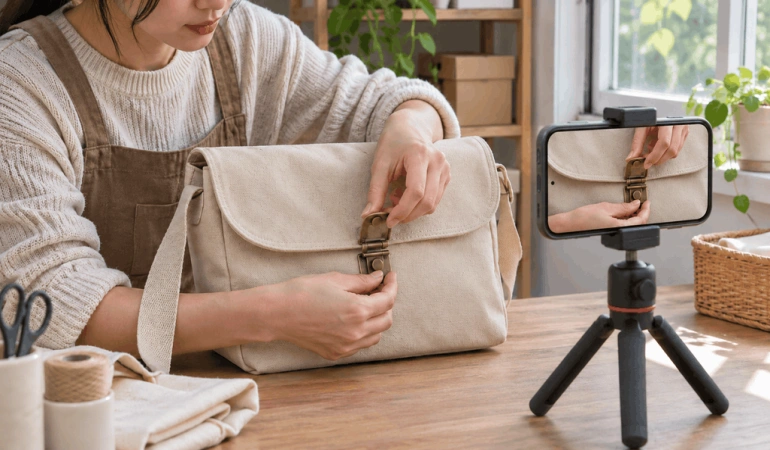
Decide whether you need a functional product demonstration or an atmospheric ad. Demonstrations answer specific buyer questions, while ads generate visual interest. Use real footage for details buyers rely on as evidence:
Scale: Show dimensions against a hand, desk, or everyday object.
Texture and material: Highlight knit density, matte finishes, or surface gloss.
Function: Demonstrate clasps, zippers, compartments, or dimming switches.
Fit and movement: Display garment drape and motion in action.
Focusing each clip on a single objective keeps your video short. Create separate clips for distinct features like a bag's clasp and fit. For mood-focused ads, capture a clear visual impression, such as a glowing candle, without exaggerating features.
Plan a Shot-by-Shot Sequence
When creating AI product ads for social campaigns or homepage banners, plan your shot sequence. If you only need a standalone product clip, start directly with a photo.
Outline three to four basic frames: an establishing shot of the product, a feature close-up, and a static end frame. Tools like WaveSpeedAI Cinema Studio let you make cinematic product ads with AI using camera angles, lighting presets, and smooth motions like orbits or push-ins. Other tools accept natural-language prompts. Prioritize tools that support image references to keep visual styling consistent across clips, and generate multiple takes for flexibility during editing.
Keep settings realistic. A handmade candle on a wooden table feels authentic, whereas floating in space distracts shoppers from the actual product.
Optimize Source Photos Before Generation
AI video generators rely heavily on your source images. Select your sharpest, best-lit photo, remove background clutter, align the framing, and adjust colors to accurately reflect the physical item.
Always retain an unedited original copy. Background removal tools help isolate your item before generation. For example, WaveSpeedAI's desktop app includes a local background remover, allowing you to prepare images without uploading unreleased photos online.
Generate Videos from High-Quality Product Photos
When learning how to make product videos with AI, starting with existing photos yields the most accurate results. Using an image to video AI for products lets you animate still shots conversationally: upload a photo, specify camera motion (e.g., "gentle zoom into the mug handle"), and refine the clip using text prompts. This approach makes producing an AI product video accessible without complex technical prompt engineering.
Image-to-video tools excel at single-motion clips. However, AI can misinterpret unseen angles or modify textures. For intricate mechanics or fit, a brief smartphone recording of the actual product is often more convincing. Reserve AI motion for atmospheric effects, and avoid 360-degree rotations that reveal hidden angles.
Inspect every generated output carefully. Discard versions where the AI alters colors, adds extraneous features, or distorts proportions.
Select the Right AI Video Tools
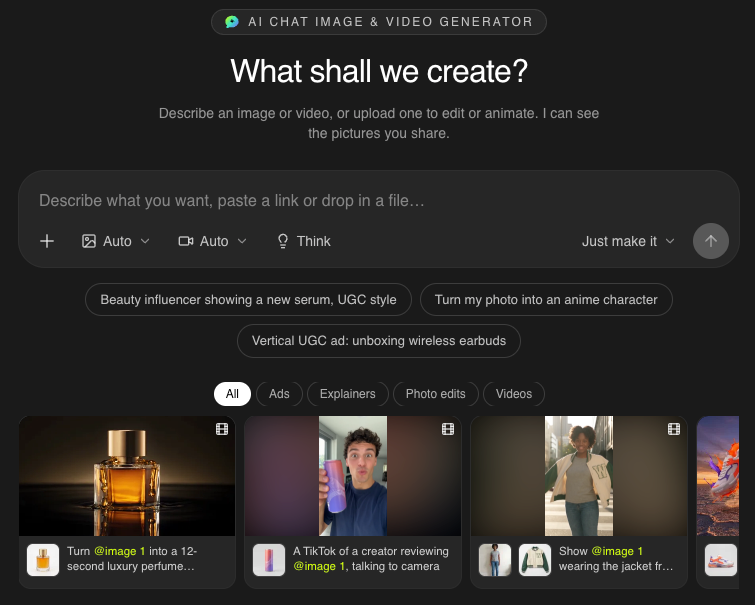
Selecting the right product video maker depends on your goals, whether you are creating a product video for online store listings or running a social ad campaign.
Image-to-video generators: Animate still photographs into promotional clips without requiring extra filming. Look for camera controls and variation tools, or explore AI image-to-video tools for options.
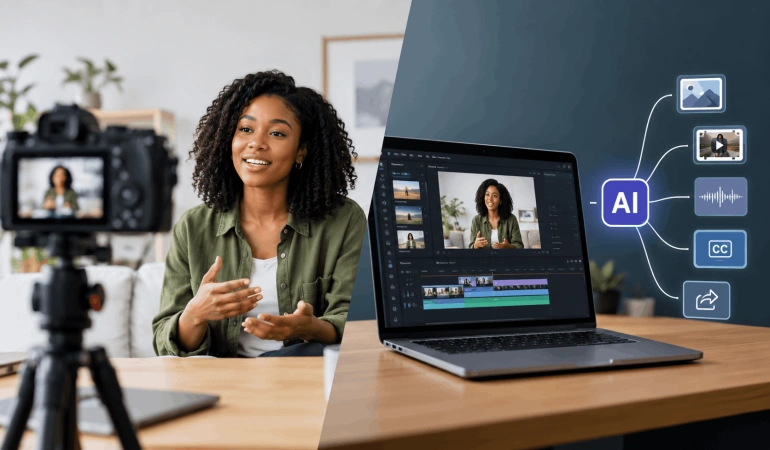
AI UGC video generators: An AI UGC video generator enables sellers to create presenter-led advertisements using avatars, automated scripts, and voiceovers without hiring creators.
AI video editors: Combine generated clips with real footage, allowing you to crop aspect ratios, trim scenes, add text overlays, and generate auto-captions.
You do not need every tool type to start. An image-to-video generator suffices for animating photos, while an AI UGC tool fits presenter ads. You can evaluate dedicated AI video editing tools to refine your final cuts.
Comply with Marketplace Listing Guidelines
Review marketplace rules before publishing AI media. For example, Etsy requires an unedited photo of the actual item against a real background for primary listing images. While basic cropping, resizing, and file conversion are permitted, changing the item's appearance or color is prohibited. Secondary media and videos may incorporate AI edits, provided they accurately represent the product.
Always retain your primary unedited image; product videos do not replace required cover photos. Consult official marketplace seller guidelines to confirm compliance before publishing.
Optimize Videos for Silent Playback
Many platform listings play automatically without audio. Etsy removes audio from listing videos, and social media users frequently browse muted. Design videos for silent viewing from the start:
Hook viewers immediately: Showcase the product in the opening frame instead of displaying logos.
Use text overlays: Display key details like dimensions, materials, or features ("Fits 13-inch laptop").
Format for mobile screens: Use vertical (9:16) or square (1:1) aspect ratios for higher engagement.
Verify duration rules: Keep clips within platform length limits, such as Etsy's 3- to 15-second requirement.
Prioritize Product Accuracy Over Visual Polish
Misrepresenting products causes customer returns and negative reviews. Verify every video clip against your physical product for accurate scale, color, and features. Avoid exaggerated effects or lighting that mislead buyers. If a clip creates inaccurate expectations, revise or remove it before publishing.
Follow a 3-Hour Video Creation Workflow
Use this efficient timeline to learn how to make product videos and publish AI product videos for ecommerce in a single afternoon:
Hour 1 (Planning and Prep): Identify the main customer question your video must answer. Clean up your primary product photo and sketch your required shots.
Hour 2 (Generation and Capture): Record your demonstration or generate planned AI ad scenes. Check every clip against the real item and discard inaccurate takes.
Hour 3 (Editing and Export): Trim footage, add text overlays, and export in your target aspect ratio. Track listing engagement and conversion metrics over the following weeks to measure performance.
You do not need studio-grade commercial production. A simple, accurate clip that answers buyer questions drives results. If a quick phone recording demonstrates a product feature better than AI, use the real footage.
Conclusion
AI video generators provide an efficient method to produce engaging media without sacrificing authenticity. By pairing sharp source photography with clear product demonstrations, ecommerce sellers can create high-converting product videos in an afternoon while building customer trust.
Frequently Asked Questions
Find answers to common questions about using AI video generators for online store product videos.
Can I create product videos from still photos using AI?
Yes. Image-to-video AI tools animate high-resolution product photos via text prompts or camera presets (such as panning and zooming), allowing you to create video content without filming.
Do online marketplaces like Etsy allow AI-generated videos?
Most ecommerce platforms permit AI-assisted video content as long as it accurately represents the physical product. Always verify your target platform's photo and video policies before publishing.
Should listing videos include sound?
Many marketplaces automatically mute video playback, and social media users frequently watch content silently. Design videos for silent viewing by integrating concise text overlays to highlight product features.