
How To Choose the Right AI Video Tool In 2026
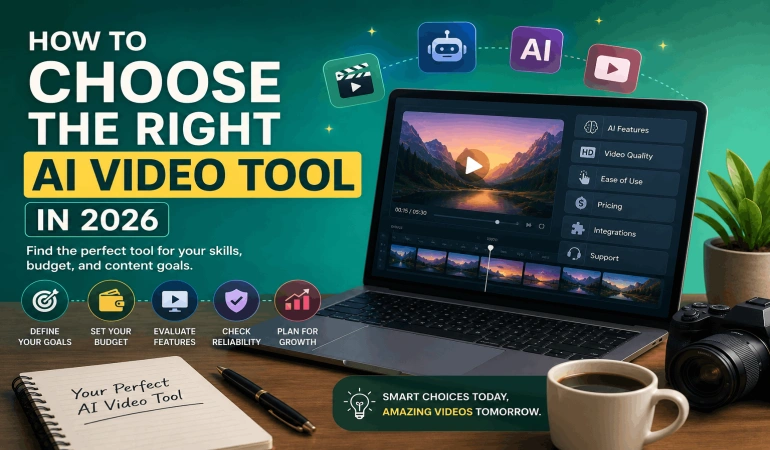
Video creation is exploding, and 41% of brands now use AI for video creation in 2026, up from 18% in 2024. If you are wondering how to choose an AI video tool that fits your skills, budget, and content goals, this guide walks you through every key decision step by step.
Key Takeaways
1. Start With Your Goal: What Do You Want AI Video To Do For You?
Knowing how to choose an AI video tool begins with a simple question: what job do you need the tool to do every week? Different platforms focus on video editing, text-to-video, avatar videos, or full video repurposing, so clarity here saves you time and money later.
Match tools to your primary use case
If you mainly cut long recordings into shorts, you need AI clipping, auto subtitles, and social exports. If you want to generate videos from scripts, then avatars, text to video, and multilingual voiceovers matter more.
Examples of focused tools
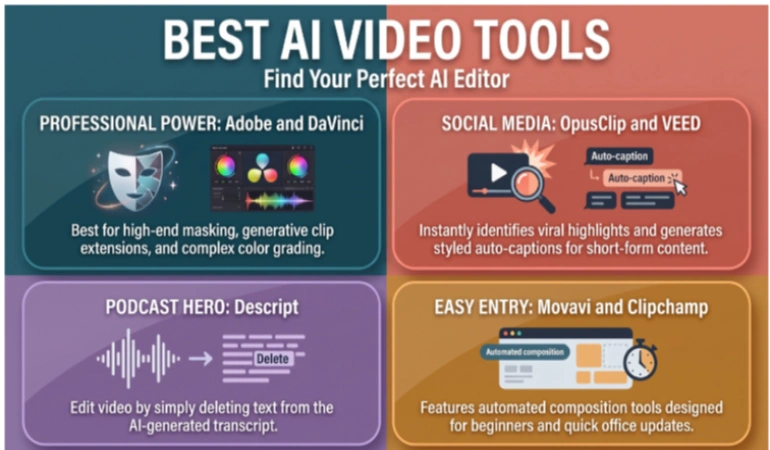
Reclips is an AI video tool that helps you repurpose long-form videos into multiple short clips automatically, which is ideal for social and content teams. For more general video editing plus AI features, tools like Flixier, VEED, and InVideo AI offer full editors in the browser.
Quick self-check: which AI video tool is right for me?
Ask yourself these three questions and write down the answers.
How many videos do I realistically want to publish each week or month?
Will I record footage myself, or do I prefer AI-generated scenes and avatars?
Do I need team collaboration or just a personal workspace?
Your answers will guide the rest of this AI video software buying guide.
2. Decide Your Skill Level: The Best AI Video Tool For Beginners vs Pros
A big part of how to choose an AI video tool is matching the interface to your experience level. The best AI video tool for beginners keeps complexity low and automates tedious steps, while advanced editors give experienced users more manual control.
Beginner-friendly features to look for
If you are new to editing, prioritize tools with templates, drag and drop, and guided workflows. Platforms like FlexClip and many AI-powered editors offer storyboard-style interfaces that feel closer to slide creation than traditional timelines.
Advanced users and full editors
If you are used to timeline editing, multi-track audio, and color grading, you will want a richer interface. Flixier, VEED, and InVideo provide timeline-based workflows in the browser with AI features layered on top.
Why skill fit matters
If a tool feels too complex, you will not create often enough to see value, even if it looks powerful. On the other hand, if you hit the ceiling of a simple tool too quickly, you will end up migrating sooner than you planned.
3. Features Checklist: Core Capabilities To Compare Across AI Video Tools
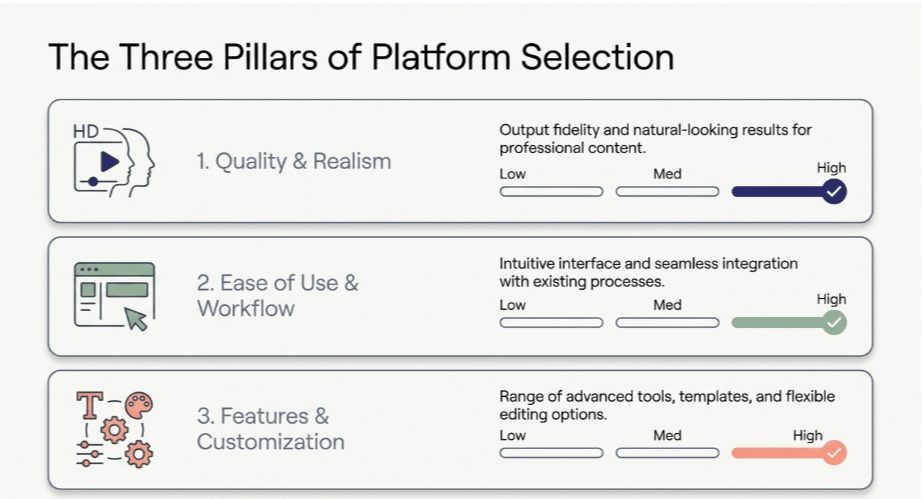
A structured AI video tools comparison starts with a clear features checklist. This helps you see past marketing terms and focus on what you will actually use weekly.
Core features for most creators
Here are common features many AI video tools for content creators now include:
Automatic subtitles and captions, often in multiple languages.
AI editing suggestions, such as cut detection and silence removal.
Text to video, with stock footage or animated scenes.
Branding presets, titles, and transitions.
Templates for intros, outros, and full videos.
Advanced or specialized features
Some platforms go beyond standard editing and offer advanced capabilities.
AI avatars and presenters, as seen in platforms like Synthesia.
AI video generation from prompts, similar to PixVerse approaches.
Automatic video repurposing into multiple formats and clips.
Multi-language voiceovers and localization.
Sample features comparison table
Use a simple table like this when you run your own AI video tools comparison:
4. Pricing: Free vs Paid AI Video Tools And How To Compare Plans
Budget is always part of an AI video software buying guide, but price alone does not tell you value. Effective AI video tools pricing comparison focuses on what you get per dollar in real workflows.
Free vs paid AI video tools
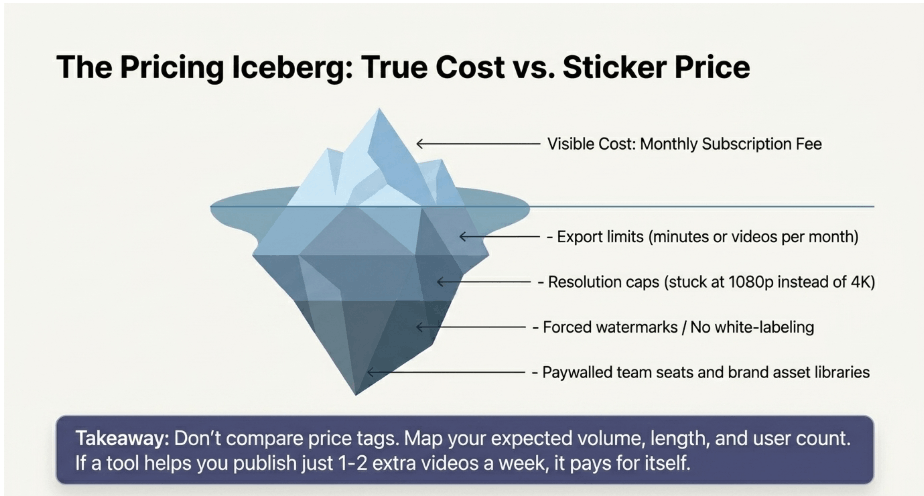
Free plans are ideal to test usability, core features, and workflow fit. However, free tiers often limit exports, watermark your video, or restrict team seats and brand assets.
How to perform a basic AI video tools pricing comparison
When you compare plans like Animoto, Flixier, VEED, or InVideo, do not just look at the monthly price. Instead, map:
Videos per month you expect to export.
Average length per video.
Required resolutions, for example, HD vs. 4 K.
Number of users or collaborators.
Need for white-label exports or removal of watermarks.
Practical rule of thumb
If a paid tool helps you publish even one or two extra videos weekly, or improves quality enough to increase conversions, it often pays for itself. Consider starting with a monthly plan while you validate usage, then switching to annual if it becomes a core part of your workflow.
5. AI Video Tools For Social Media: What To Prioritize
If you are mainly active on TikTok, Instagram Reels, YouTube Shorts, or LinkedIn, you need AI video tools for social media specifically. These short-form video platforms focus on short, frequent content that needs to look consistent and be easy to batch.
Key social-first capabilities
Look for:
Automatic vertical and square cropping.
Resizable templates for different platforms.
Auto subtitles with dynamic caption styles.
Direct posting or scheduling integrations.
Clip extraction from long videos.
Why mobile workflows matter
72% of creators frequently create content on mobile, and 75% expect to produce more mobile content in the next year. So when you evaluate which AI video tool is right for me, check if it has a mobile web app or native app that matches your habits.
Batching and reuse for social channels
AI video tools for content creators on social platforms should help you reuse assets efficiently. Templates, saved brand kits, and automatic clipping help you publish multiple variations of the same idea quickly.
6. Workflow Fit: How Fast Can You Go From Idea To Published Video?
Speed from idea to published video is where AI shines. When you think about how to choose an AI video tool, consider how many clicks it takes to go from script or recording to final export.
End-to-end workflow examples
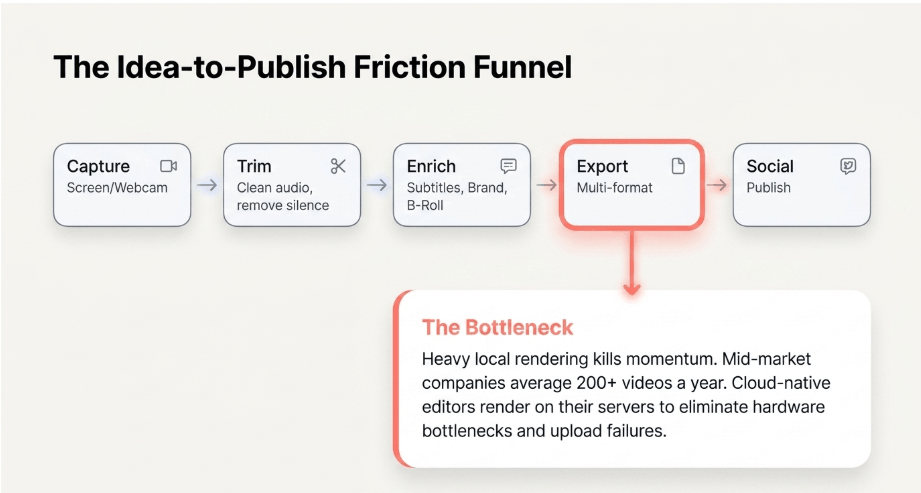
A typical workflow might be:
Capture screen, or webcam.
Trim, clean audio, and remove silences.
Add subtitles, branding, and B-roll.
Export in multiple formats for different platforms.
Tools like Flixier and VEED support this entire flow in the browser, so you do not depend on heavy local hardware.
Scale and collaboration considerations
Mid-market companies create a lot of content, with some averaging over 200 videos a year. If your team is growing, prioritize shared libraries, brand kits, commenting, and role-based permissions in your workflow.
As your workflow grows, you may also want to explore an AI agent store that can automate tasks beyond video creation and help streamline broader business workflows.
Watch out for bottlenecks
If exports take too long or uploads are unreliable, it will slow down your schedule. Cloud-native editors that render on their servers, such as Flixier, reduce the need for powerful local machines and avoid these bottlenecks.
Did You Know?
60% of creators report using more than one creative AI tool in the past three months, so choosing tools that fit well into your broader workflow and tech stack is increasingly important.
7. Support, Learning Curve, And Reliability
Even the best AI video tool for beginners will raise questions when you start using it daily. Quality support and clear education resources are often the difference between a tool you keep and one you abandon.
1. Support to look for
Check if the tool offers live chat, office hours, or community groups where you can ask questions. Help centers with step-by-step tutorials, video walkthroughs, and templates make it easier to onboard teams.
2. Reliability and uptime
Cloud AI video tools depend on stable servers. Before you commit, test exports at different times and monitor upload and render failures over your trial period.
3. Learning curve expectations
Many AI video tools for content creators are usable within an hour, but mastering automation takes longer. Plan a short internal training session or process doc, so your team understands prompts, templates, and brand settings.
8. Common Mistakes To Avoid When Choosing AI Video Tools
Understanding the most frequent mistakes to avoid when choosing AI video tools helps you make a more confident decision. Many teams realize they overlooked key limits only after they are locked into a plan.
Top mistakes we see often
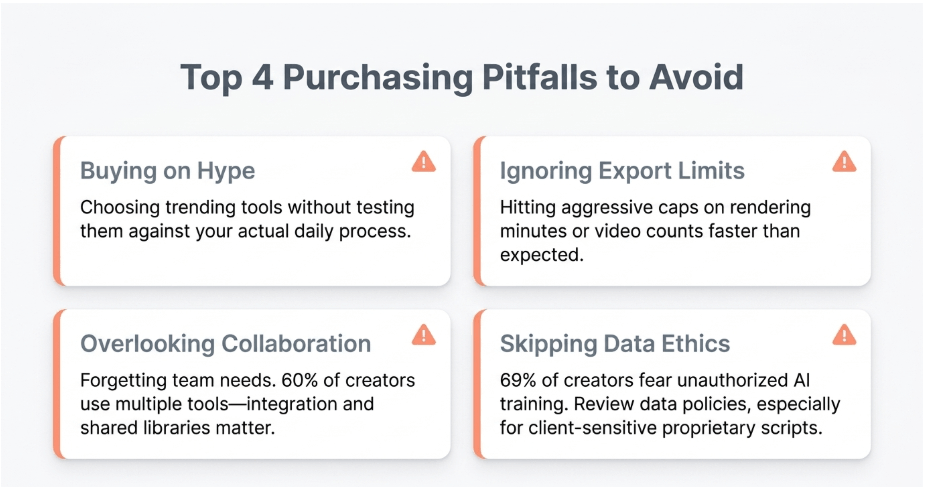
Buying on hype, not workflow: Choosing a tool because it is trending, without testing your actual process.
Ignoring export limits: Hitting caps on minutes or videos per month faster than expected.
Overlooking collaboration: Realizing later that you need multi-user access and shared libraries.
Skipping data and licensing questions: Not checking how your content and data can be used or trained on.
Data and ethics considerations
69% of creators are concerned about content being trained on AI without permission. Review each provider’s data usage policy, especially if you work with client-sensitive material or proprietary scripts.
Testing before committing
Always run a short pilot project on at least two tools. This real-world AI video tools comparison exposes hidden friction that feature lists do not show.
9. Real Use Cases: AI Video Tools For Content Creators In Different Roles
Different creators use AI video tools in different ways, so it helps to think by role. Here are examples of how to choose an AI video tool for common content types.
1. Course creators and educators
Education saw massive growth in video usage recently, so reliability for long-form content is key. Look for screen recording, chapters, quizzes, or overlays, and consistent templates for multi-lesson series.
2. Marketers and social media managers
Marketers need frequent short content and brand consistency. AI tools that repurpose webinars and podcasts into short clips, add subtitles, and publish to multiple channels are usually best.
3. Founders and small business owners
If you do not have a full-time video team, you need simplicity. The best AI video tool for beginners in small businesses combines templates, text to video, and simple voiceovers to create explainer videos quickly.
10. Putting It All Together: A Simple 5-Step AI Video Software Buying Guide
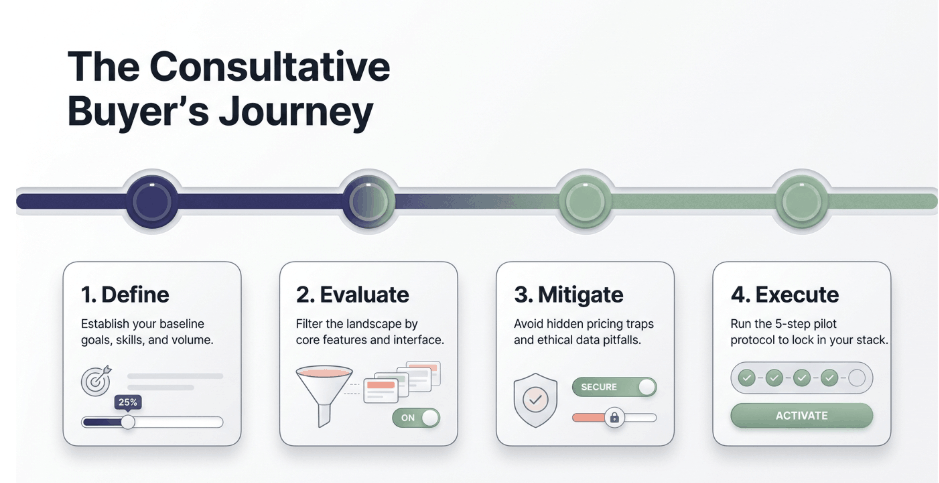
To finish, here is a straightforward process you can follow today. It ties together how to choose an AI video tool, compare options, and avoid common mistakes.
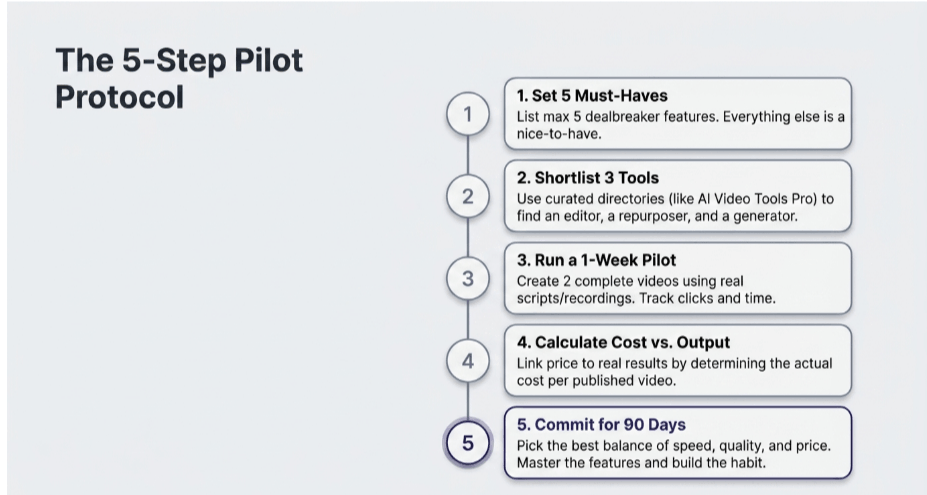
Step 1: Clarify your must-haves
List no more than 5 must-have features, such as auto subtitles, text to video, or social exports. Anything outside this list is a nice-to-have, not a dealbreaker.
Step 2: Shortlist 3 tools
Visit a curated catalog like AI Video Tools Pro and pick 3 platforms that match your use case. Include at least one that focuses on editing, one on repurposing, and one on text-to-video if you are not sure yet.
Step 3: Run a 1-week pilot with real content
Create one or two complete videos in each tool using the same script or recording. Track how long it takes, how many clicks you need, and whether you hit limits in free vs paid AI video tools.
Step 4: Compare costs vs output
Use your pilot numbers to calculate the cost per published video on each platform. This is the most practical AI video tools pricing comparison, because it links price to real results.
Step 5: Decide and commit for 90 days
Choose the tool that gives you the best balance of speed, quality, and price, and commit to using it for at least 90 days. This commitment gives you enough time to master features and build consistent publishing habits, which is where AI tools create real value.
Conclusion
Choosing the right platform does not have to be confusing if you ask the right questions. When you think about how to choose an AI video tool, focus on your goals, your skill level, specific features, pricing in practice, and the mistakes to avoid when choosing AI video tools.
AI video tools for content creators and AI video tools for social media are now essential parts of modern content workflows.
By running a clear AI video tools comparison and following a simple AI video software buying guide, you can confidently answer which AI video tool is right for me and start creating more, better videos in less time.

Lahaga Aondowase
Is the founder of AI Video Tools Pro, an AI video tools directory that helps creators, marketers, educators, and businesses discover AI video software. He researches and evaluates AI video tools based on their features, use cases, pricing, and practical workflows.
Related Articles
View All
User Comments (0)

