RecordOnce
Record Once Features
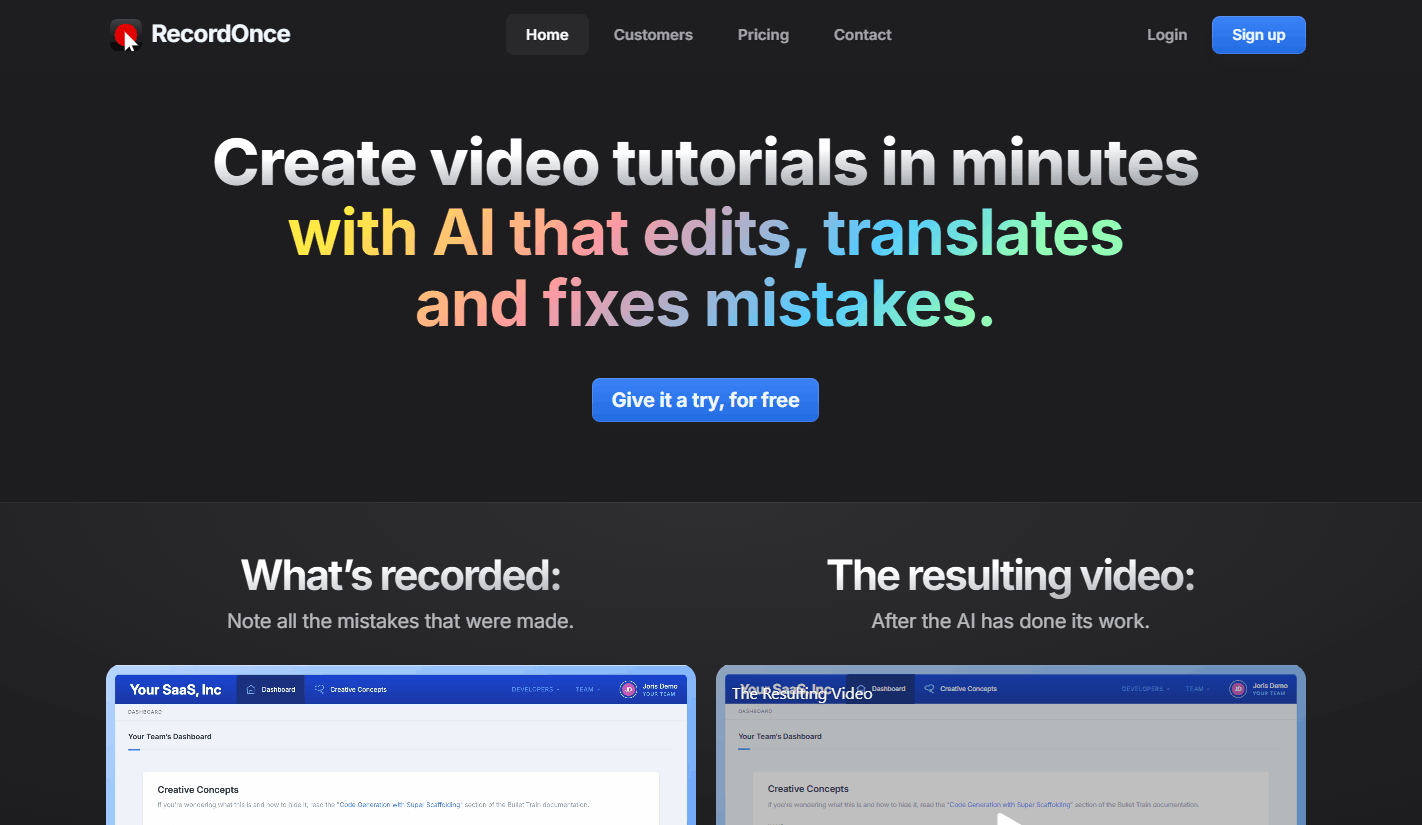
Record Once provides a comprehensive suite of features to remove the technical barriers typically associated with high-end video editing. The platform is designed to be "dummy-proof," allowing users to focus on the content of their tutorial rather than the tedious manual editing.
1. Automatic Mistake Removal
This is the core value proposition of the software. When you make a mistake, such as a typo or a slip of the tongue, the AI identifies the error and cleans it up during playback. This eliminates the need for endless retakes, as the system intelligently stitches the footage into a seamless experience for the viewer.
2. Code-Based Recording
Instead of simply capturing raw pixels, the tool records the HTML and CSS of your web application. This means the resulting video is essentially an animated layer of your app, which allows for crisp 4K resolution and high frame rates regardless of the hardware you used to record the original session.
3. Automated Translation
Global teams can benefit from the built-in translation features that allow a single recorded tutorial to be exported in multiple languages. The AI not only translates the voice-over but also adapts the recorded app interface to match the translated text, providing a localized experience without needing to re-record for every market.
4. Filler Word Removal
To keep tutorials concise and professional, the tool automatically identifies and skips filler words like "uhm" or "you know." This ensures that the final video remains focused and engaging, mimicking the effect of a professional edit without requiring manual frame-by-frame cutting.
5. Dynamic Content Updates
Because the videos are generated from recorded data rather than static footage, you can update specific parts of a tutorial when your product changes. This means you don't have to rebuild the entire video; you simply update the necessary segment, and the changes propagate everywhere the video is embedded.
6. Automatic Text Guides
Understanding that some users prefer reading to watching, the platform generates written guides with screenshots alongside your video. This is a significant boon for SEO, as it creates searchable text content derived directly from the tutorial recording.
7. Performance Optimization
If your web application lags during a demo, the tool recognizes the delay and removes it from the final playback. This makes your app appear faster and more responsive than it may have been during the initial live recording.
How Record Once Works
Getting started with Record Once is a linear, low-friction experience. The workflow allows teams to go from a raw recording to a polished public-facing tutorial in a matter of minutes.
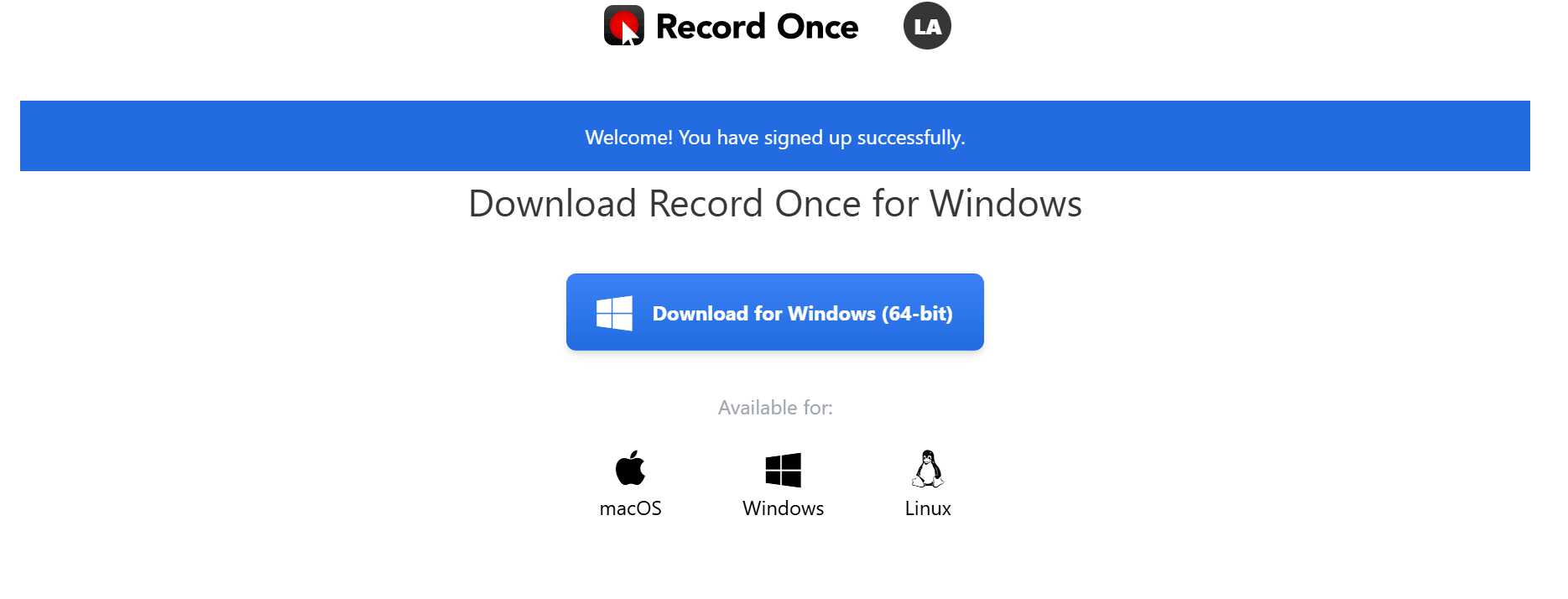
Step 1: Download and install the desktop application, which acts as a specialized browser for recording your web application interactions.
Step 2: Record your product demo as quickly and naturally as you like; do not worry about making mistakes or stumbling over your words.
Step 3: Allow the AI to process the recording, identifying and removing typos, filler words, and loading delays automatically.
Step 4: Use the built-in editing interface to drag and drop elements, add call-to-action slides, or insert supplementary images if needed.
Step 5: Publish the video directly through the platform’s hosting service, allowing you to share a link or embed the content onto your website immediately.
Record Once Pricing and Subscription Plans
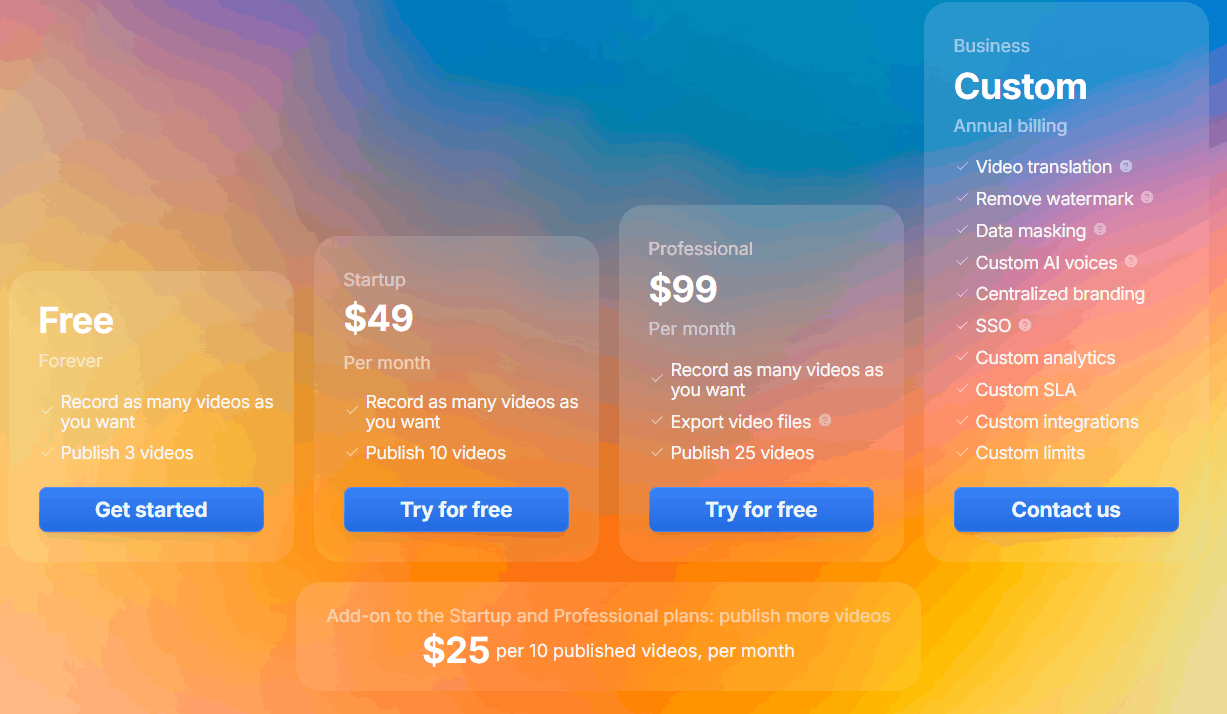
The pricing structure is divided into tiers based on the number of videos published and the level of professional features required by the organization. Users can start with a free version to test the platform before paying for a monthly subscription.
Free: A forever-free plan that allows for unlimited recording but limits users to publishing 3 videos.
Startup: Priced at $49 per month, this tier enables users to publish up to 10 videos per month.
Professional: At $99 per month, this tier increases the allowance to 25 published videos and enables the ability to export of raw video files for external use.
Business: A custom-priced enterprise tier that includes advanced features such as video translation, data masking, SSO, custom analytics, and dedicated SLAs.
Add-on: Users on paid plans can purchase additional capacity at a rate of $25 per 10 published videos.
Who Uses Record Once
Record Once is primarily designed for teams that need to maintain a high volume of video documentation. Whether for internal training or external user onboarding, the efficiency gains are most apparent in fast-moving software environments.
SaaS Founders: Small teams needing to create professional onboarding videos without hiring an expensive video editor.
Customer Success Teams: Professionals who need to quickly record bug fixes or feature walkthroughs for clients.
Product Designers: Teams that want to showcase product updates in a consistent format across the entire brand.
Technical Writers: Documentation specialists looking to augment text-based articles with interactive or automated video tutorials.
Sales Teams: Representatives who need to create custom demo flows for specific prospective clients on the fly.
Record Once Pros and Cons
While the platform offers significant efficiency, it is important to weigh its specialized approach against traditional video editing tools.
Pros
Extremely Time Efficient: The platform reduces hours of manual editing work to just a few minutes of processing.
High-Quality Output: The code-based recording method produces incredibly sharp visuals and smooth 120+ FPS playback.
Intelligent Error Handling: The automatic removal of typos and filler words is a major advantage for non-native speakers or nervous presenters.
Seamless Localization: Record Once translate both audio and on-screen text is rare and highly effective for international scaling.
Effortless Maintenance: Updating videos when a product interface changes is far simpler than re-filming entire sequences.
SEO Integration: Automatic text guide generation adds value beyond the video content itself.
Cons
Limited Editing Flexibility: You do not have absolute control on editing like dedicated video editors such as Adobe Premiere Pro or DaVinci Resolve.
Niche Focus: The tool is specifically built for web-based SaaS apps and may not be suitable for recording games or desktop-native software.
Pricing Barrier: For very small startups or individuals, the jump from the free tier to the $49/month plan can be a significant commitment.
Record Once Alternatives
If you find that Record Once does not meet your unique needs, there are several other options in the video generation and editing space. These alternatives range from general-purpose AI editors to specialized generators recorders.
Focusee
Focusee automatically enhances screen recordings with zoom effects, smooth camera movements, and polished visuals. It is ideal for creating engaging product demos, tutorials, and educational videos with minimal editing.
Riverside FM
Riverside FM records high-quality audio and video locally for each participant, making it an excellent choice for podcasts, interviews, webinars, and remote recordings with studio-quality output.
Guidde
Guidde uses AI to automatically generate step-by-step video guides from your screen recordings. It is best suited for creating product documentation, onboarding materials, and internal training videos quickly.
Loom
Loom makes it easy to record your screen, camera, or both, then instantly share videos with a link. It is a popular option for asynchronous communication, feedback, and team collaboration.
Tella
Tella helps creators produce polished screen recordings with customizable layouts, branding, and webcam overlays. It is a strong choice for tutorials, online courses, and marketing presentations.
Screen Studio
Screen Studio automatically adds smooth zooms, cursor tracking, and cinematic effects to screen recordings. It is perfect for users who want professional-looking product demos without spending time on manual editing.
Trupeer AI
Trupeer AI transforms screen recordings into professional product videos and documentation using AI narration and automated editing. It is a great alternative for SaaS teams creating demos, help guides, and customer onboarding content.
Colossyan
This platform focuses on AI avatars and text-to-video generation, making it a strong choice for corporate training where you need a human-like presenter without filming them yourself.
Biteable
Best for teams that need to create marketing-style videos with high production value, focusing on templates and stock media integration rather than screen recording.
Capcut
An incredibly versatile and widely used editor that offers robust features for social media creators, including auto-captions and AI-assisted transitions, though it lacks the specific "code-recording" engine of Record Once.
Creatify AI
Designed primarily for ad creatives, this tool excels at turning product URLs or text into engaging, short-form video advertisements quickly.
Captions AI
If your primary goal is to add high-quality captions and polish your talking-head videos for platforms like TikTok or Instagram, this is a top-tier choice.
VEED
VEED combines screen recording with AI-powered editing, subtitles, and video enhancement tools. It is a great alternative if you want to record, edit, and publish videos from a single browser-based platform.
Final Verdict and Best For
Record Once is an exceptional tool for SaaS teams that need to create, manage, and scale a large library of product tutorials. It scores an 8.5/10 for its specific focus on solving the "re-recording nightmare" that plagues technical documentation.
While it may not replace a full-featured video editor for creative filmmakers, its utility for developers, product managers, and customer support leads is unmatched. It is highly recommended for teams that need to iterate fast and keep their documentation in sync with their product's development cycle.

RecordOnce Alternatives
View All